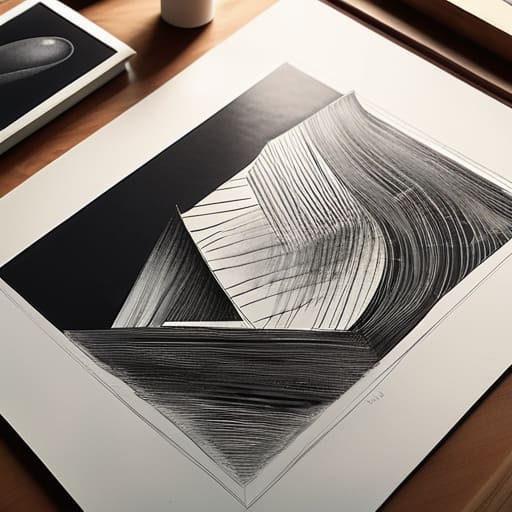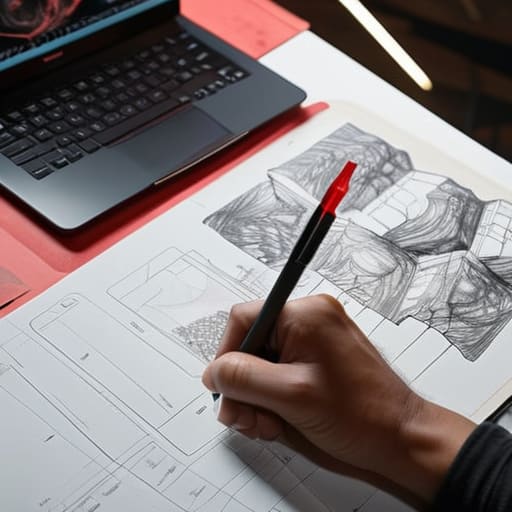
Graphic designer designing for print.

Preparing Digital Designs for Print

I can still smell the sharp, chemical tang of the darkroom and the heavy scent of fresh ink from the offset presses at my first studio job. There was a specific, heavy tension in the air back then—a realization that once you hit “print,” there is no undo button. In our current era of endless digital iterations, I see too many designers treating designing for print as an afterthought, a mere export of a web file that somehow survives the transition to a physical medium. They forget that you aren’t just arranging pixels; you are negotiating with paper weight, ink absorption, and the unforgiving physics of light and shadow.

I’m not here to give you a sanitized checklist of technical specs that you could find in any software manual. Instead, I want to share the intentionality that comes from decades of seeing how design lives in the real world. We are going to strip away the fluff and focus on the tactile reality of the craft. I’ll show you how to respect the medium so that your work doesn’t just occupy space on a desk, but actually commands attention through its physical presence.

Table of Contents

Mastering Margin and Safe Zone Setup
Mastering Margin and Safe Zone Setup guide.

When I first started working with physical paste-ups, there was no “undo” button for a misaligned margin. That sense of consequence stays with me, even now that everything is digital. In your margin and safe zone setup, you have to account for the mechanical reality of the guillotine. I always tell my clients: don’t just design to the edge. You need to build in a generous buffer—the safe zone—to ensure that your critical typography and logos don’t get swallowed by the trim. It’s about creating a visual breathing room that protects the integrity of the composition.

Beyond just avoiding the cut, you have to consider how the paper actually behaves. A margin that looks spacious on a backlit monitor can feel suffocating once it’s pressed onto a heavy, textured stock. I tend to push my margins slightly wider than “standard” because intentional white space provides a structural anchor for the eye. If you’re rushing through your print production workflow, it’s tempting to ignore these gutters, but a mistake here isn’t just a digital error; it’s a physical waste of material.

The Nuance of Paper Stock Selection Guide
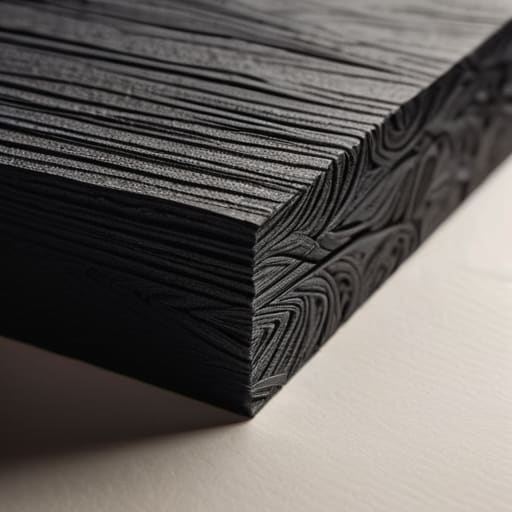
The Nuance of Paper Stock Selection Guide.

Choosing a substrate is where your digital vision finally meets the physical world, and it’s often where the most profound mistakes happen. You can’t treat a heavy, uncoated cotton stock the same way you treat a slick, coated gloss. When I’m consulting for agencies, I always remind them that the paper isn’t just a background; it’s a participant in the design. A porous, uncoated paper will drink up your ink, leading to significant dot gain and color profiles shifting away from what you saw on your calibrated monitor. If you’re working with deep, moody blacks, a high-absorbency stock might turn your crisp typography into something muddy and indistinct.

I tend to approach this by thinking about the “hand-feel” of the final piece. A heavy, textured cardstock demands a certain level of restraint in your layout—it asks you to respect its presence. Conversely, a lightweight, smooth stock allows for more intricate, fine-lined details. Before you finalize your files, consult a detailed paper stock selection guide tailored to your specific printer. You need to understand how the weight and tooth of the material will interact with your ink density, because once that press runs, the tactile reality is permanent.

The Final Layer: Small Details That Make a Big Difference

  • Stop relying on your monitor’s glow to judge color. RGB is a trick of light; CMYK is a reality of ink. Always run a physical test print on a low-end inkjet before committing to a massive production run, because what looks like a soft charcoal on my screen might end up looking like a muddy sludge on heavy cardstock.
  • Respect the ink trap. When you’re working with fine serifs or tight kerning, remember that ink spreads slightly as it hits the fibers of the paper—a phenomenon called dot gain. If your type is too delicate, the physical reality of the ink will swallow your hard work, turning elegant strokes into illegible blobs.
  • Design with the grain in mind. Paper isn’t a flat, digital plane; it has a direction. If you’re planning a fold or a heavy bind, consider how the grain of the stock will affect the crispness of your layout. Folding against the grain is a quick way to end up with cracked, amateurish edges that ruin the tactile experience.
  • Check your resolution, but don’t obsess over “more.” We need 300 DPI for a reason, but more isn’t always better—it’s just more data. Focus instead on the clarity of your vector paths and the intentionality of your raster images. A high-res file with poor composition is still just a loud, messy mistake.
  • The “Human Touch” test. Before you hit send to the printer, hold your sketchbook or a piece of heavy stationery. Imagine your design living in that physical space. If the layout feels like it’s fighting the weight of the page rather than sitting comfortably within it, go back to the drawing board. Design should feel held, not just printed.

The Intentionality of the Final Object

Treat your digital file as a blueprint for a physical reality, not just a collection of pixels; every decision you make on screen must account for how ink interacts with fiber.

Respect the limits of the medium by designing with margins that allow the paper to breathe, ensuring the layout feels grounded rather than crowded.

Never underestimate the tactile weight of your choices, because the success of a print piece lies in the sensory connection between the reader’s hand and the material itself.

The Soul of the Tangible

Digital design is about pixels that vanish the moment a screen goes dark, but print is a commitment to physical reality; you aren’t just arranging colors, you are negotiating with the grain of the paper and the way light hits a finished surface.

Ingrid Bellamy

The Final Impression
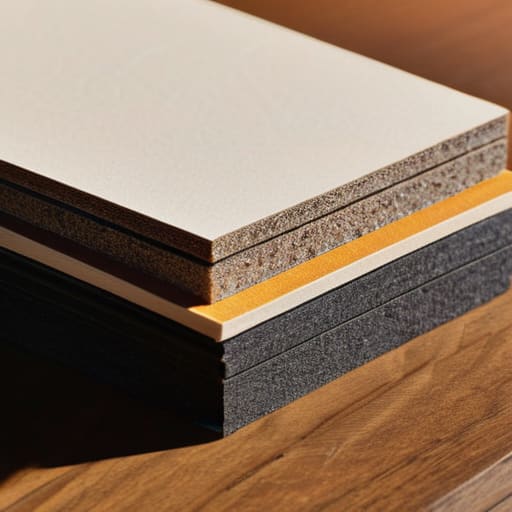
Creating The Final Impression through print design.

Designing for print is a discipline of patience and precision. We have moved from the technicalities of margins and safe zones to the sensory decision of paper weight and texture, but the core principle remains the same: you are creating something that exists in the physical world. It isn’t enough to simply export a high-resolution PDF and hope for the best. You have to account for the mechanical realities of the press, the way ink bleeds into fibers, and how light hits a specific finish. When we respect these constraints, we stop fighting the medium and start working with it to create something that feels intentional rather than accidental.

As we continue to navigate an increasingly ephemeral digital landscape, I find myself returning to my sketchbook more often than my tablet. There is a weight to a well-designed physical object that a screen can never replicate. My hope is that you approach your next print project not as a chore of technical specifications, but as an opportunity to honor the human touch. Whether it is a minimalist brand identity or a complex editorial layout, remember that your work is destined to be held, felt, and kept. Let that tactile responsibility guide every choice you make.

Frequently Asked Questions

How do I effectively balance the tension between high-contrast digital colors and the more muted reality of physical ink absorption?

This is where most designers lose the thread. Digital screens use light to create vibrancy, but ink relies on absorption and physical spread. To bridge that gap, stop designing for the monitor and start designing for the substrate. I always build in a “dullness buffer.” I intentionally desaturate my digital palette by about 10-15% and check my values against physical proofs. If it looks too clinical on screen, it’ll likely feel lifeless once it hits the paper.

When choosing a paper weight, how much does the intended tactile "feel" of the brand influence the technical decision of stock selection?

It’s everything. In my experience, the weight of the paper is the silent ambassador of your brand. If you’re designing for a high-end boutique, a flimsy 80lb text stock will undermine even the most sophisticated typography. You aren’t just choosing a technical specification; you’re choosing a sensory handshake. I always tell my clients: don’t let the digital mockup fool you. You have to account for that physical gravity—the way a heavy, uncoated stock commands respect before a single word is read.

Beyond the standard bleed settings, how can I better prepare my files to respect the physical limitations of traditional binding methods?

Think beyond the bleed and consider the gutter. When you’re working with perfect binding or even a simple saddle stitch, the inner margin—the gutter—is where the design goes to die if you aren’t careful. I always tell my clients to add extra breathing room near the spine. If your text sits too deep in that fold, it becomes a physical struggle to read. Respect that tension; give your content space to exist without being swallowed by the binding.
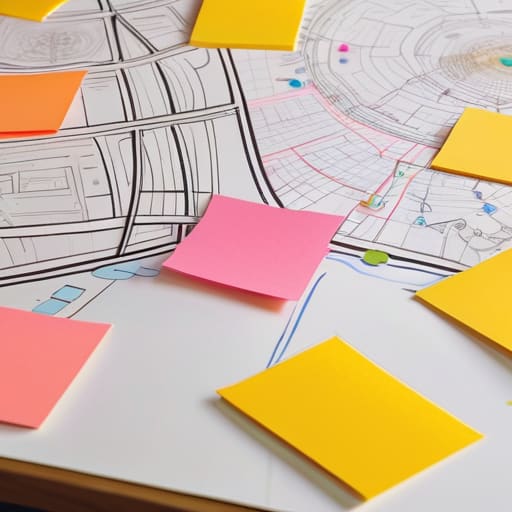

Diagram showing the user journey mapping process.

The Process of User Journey Mapping

I remember sitting in a dimly lit studio back in the late nineties, surrounded by the smell of spray adhesive and the tactile weight of heavy cardstock, trying to map out a brand’s physical touchpoints with nothing but X-Acto blades and intuition. Today, I see agencies drowning in bloated, over-engineered software that promises to automate the soul out of the process. We’ve turned user journey mapping into this sterile, algorithmic exercise where we chase “frictionless” perfection at the expense of actual human connection. We are so obsessed with smoothing out every bump that we forget a journey is supposed to be felt, not just processed through a seamless, mindless funnel.

I’m not here to sell you on a new suite of expensive SaaS tools or a way to make your workflows look prettier for a stakeholder presentation. Instead, I want to talk about how we can use user journey mapping to rediscover the intentionality of the human experience. I’m going to share what I’ve learned from decades of designing both physical and digital interfaces about finding the value in the pauses, the pivots, and the purposeful friction that makes a user feel truly seen.

Table of Contents

Identifying User Friction Through Deep Empathy Mapping Techniques

Identifying User Friction Through Deep Empathy Mapping Techniques.

When we talk about empathy mapping, I find that most teams fall into the trap of treating it like a checkbox exercise. They grab a sterile customer journey map template, fill in the quadrants with superficial assumptions, and call it a day. But true empathy isn’t about documenting what a user does; it’s about understanding why they hesitate. I’ve learned that the most valuable insights come from looking for the unspoken tension—that split second where a user pauses, frowns, or second-guesses their next click.

To get there, you have to move beyond surface-level data and lean into more rigorous user experience research methods. Instead of just observing a path, I try to sit with the discomfort of the user. Are they feeling overwhelmed by choice? Is the interface demanding too much cognitive load? By identifying user friction through these deeper emotional layers, we stop designing for efficiency alone and start designing for clarity. We aren’t just smoothing out a path; we are ensuring that every interaction feels intentional and respectful of the person on the other side of the screen.

Visualizing User Paths to Honor Human Intent

Visualizing User Paths to Honor Human Intent

When we move from the raw data of empathy maps to the actual sketching of paths, there is a temptation to reach for a sterile customer journey map template and plug in the findings like a math problem. I’ve seen this happen too often in agency settings—where the visual output becomes a polished, lifeless infographic that satisfies a stakeholder but ignores the actual human pulse. To me, visualizing user paths shouldn’t be about drawing a straight line from point A to point B. It’s about capturing the detours, the hesitations, and the moments where a user pauses to think.

I prefer to approach this stage by treating the map more like a blueprint than a flowchart. Instead of just mapping customer touchpoints as a series of clicks, I try to visualize the emotional weight of each interaction. If a user is navigating a complex interface, their path isn’t just a technical trajectory; it’s a series of micro-decisions influenced by their environment and intent. When we design with this level of granular detail, we stop building mindless corridors and start creating spaces that actually respect the user’s agency.

Five Ways to Keep the Human Element in Your Maps

  • Stop chasing the “frictionless” myth. A journey without resistance often feels hollow; instead, look for the moments where a user needs to pause, think, and make a deliberate choice. That’s where the real connection happens.
  • Ditch the sanitized personas. When I map a journey, I don’t want to see “User A, age 25-34.” I want to know what they were holding in their hand, what their room looked like, and what kind of mental fatigue they were carrying when they opened your app.
  • Use analog tools to find digital truths. I still find that sketching out a flow with a fountain pen on heavy paper reveals structural flaws that a mouse and keyboard tend to smooth over. If a path doesn’t make sense on paper, it won’t make sense on a screen.
  • Map the emotional residue, not just the clicks. A user might successfully complete a task but leave feeling depleted or patronized by an over-automated interface. Document the “aftertaste” of each touchpoint to see if your design actually respects their time.
  • Audit the “dead zones.” We often focus on the high-traffic paths, but the most critical design failures happen in the quiet gaps between interactions. Map the silence—the moments where the user is left waiting or wondering what comes next.

The Intentionality of the Path

Stop designing for frictionless perfection; instead, look for the meaningful pauses in a user’s journey where they actually engage with the craft.

A map is only as good as the empathy behind it—if you aren’t accounting for the human messiness of a user’s intent, you’re just drawing lines on a screen.

Use your visual maps to protect the creator’s agency, ensuring the digital path serves the person using it rather than forcing them into a pre-set automation.

The Fallacy of the Frictionless Path

We often mistake a seamless, frictionless user journey for good design, but true craftsmanship lies in recognizing where a user actually needs to pause, think, and engage. If we automate away every moment of intentionality, we aren’t designing a tool; we’re just building a treadmill.

Ingrid Bellamy

Beyond the Map

Empathy in user journey mapping: Beyond the Map.

At its core, user journey mapping isn’t just a technical exercise in plotting touchpoints or streamlining a conversion funnel. It is a commitment to seeing the person behind the cursor. We’ve explored how deep empathy allows us to identify those crucial moments of friction, and how visualizing paths can help us honor the intentionality of human movement. When we move away from chasing a frictionless, automated void and instead focus on where a user actually pauses to think, we stop designing for data points and start designing for living, breathing people.

As you return to your desks—or your sketchbooks—I encourage you to look at your maps not as final blueprints, but as evolving dialogues. The most beautiful digital experiences aren’t the ones that feel like they were generated by an algorithm; they are the ones that respect the rhythm of human interaction. Let’s commit to building systems that don’t just bypass the user’s intent, but actively empower it. After all, the goal isn’t to eliminate the struggle, but to ensure that every moment of effort feels deeply purposeful.

Frequently Asked Questions

How do we distinguish between "good" friction that fosters intentionality and "bad" friction that simply frustrates the user?

It comes down to agency. Bad friction is a wall; it’s a broken link, a confusing menu, or a loading spinner that offers no feedback. It’s noise that interrupts the creative flow. Good friction, however, is a pause. It’s that deliberate moment—like a confirmation dialog before a destructive action or a subtle tactile cue—that forces a user to step back from autopilot and re-engage their intention. One creates resentment; the other fosters craftsmanship.

In an increasingly automated landscape, how can we map a journey without losing the nuances of the human touchpoints?

We have to stop designing for the “frictionless” ideal. In my experience, a journey without friction is a journey without soul. To keep the human touch, we must map the pauses—the moments where a user hesitates, thinks, or feels a sense of tactile agency. Instead of smoothing over every bump with automation, look for where the digital experience can mirror the weight of a physical interaction. Map the intention, not just the click.

How do you translate a messy, empathetic empathy map into a clean, functional visual path without stripping away the soul of the data?

The mistake most designers make is treating an empathy map like a data cleanup project. When you sanitize that mess, you lose the very nuance that makes the insight actionable. Instead of smoothing out the edges, I use the “sketchbook method”: I look for the recurring emotional tensions—the jagged parts—and treat those as my primary waypoints. Don’t aim for a sterile flowchart; aim for a map that highlights where the human struggle actually lives.

Exploring various different illustration styles.

Exploring Different Illustration Styles

I remember sitting in a dimly lit studio back in the late nineties, the air thick with the scent of spray mount and fresh ink, meticulously hand-cutting acetate for a brand identity. There was a physical weight to every decision we made. Today, I watch as designers scroll through endless, algorithmically-generated libraries, picking out illustration styles like they’re selecting a flavor of soda. It’s become far too easy to treat visual language as a mere commodity—a way to fill empty white space without actually saying anything meaningful. We are losing the intentionality that comes from understanding why a line curves or why a texture feels grounded.

I’m not here to give you a superficial list of what’s “trending” on Pinterest or what an AI can spit out in ten seconds. Instead, I want to help you navigate the vast landscape of illustration styles by looking through a lens of purpose and craft. We are going to strip away the digital noise and focus on how to choose visual languages that respect the human hand and serve your brand’s core message. My goal is to give you the framework to make decisions that feel deliberate, ensuring your work stands out because it actually has something to say.

Table of Contents

The Soul of Visual Storytelling Methods

The Soul of Visual Storytelling Methods.

When we talk about choosing a way to represent an idea, we aren’t just picking a filter or a preset. We are deciding how much of the creator’s presence we want the viewer to feel. I’ve always found that the most impactful visual storytelling methods are those that lean into the tension between precision and imperfection. When you look at the current shift toward minimalist illustration trends, there is a risk of falling into a sterile, overly polished void. If everything is perfectly smoothed out, you lose the narrative weight that makes a brand feel alive.

The real magic happens when you consider the friction between hand-drawn vs digital styles. There is a specific kind of honesty in a line that wavers slightly, or a texture that feels like it was pulled from a charcoal stick rather than a mathematical equation. It isn’t about being “messy” for the sake of it; it’s about using artistic composition principles to guide the eye toward the emotion of the piece. We should use our tools to highlight the intent, ensuring the medium never overshadows the message.

Balancing Vector Art Aesthetics With Purposeful Design

Balancing Vector Art Aesthetics With Purposeful Design

There is a certain clinical coldness that often accompanies vector work. When we lean too heavily into perfect mathematical curves and infinite scalability, we risk losing the very thing that makes a brand feel alive: its pulse. In my experience, the trap many designers fall into is prioritizing the convenience of vector art aesthetics over the actual intent of the message. A perfectly smooth Bezier curve might be technically flawless, but if it lacks a sense of weight or direction, it’s just digital noise.

To avoid this, I find myself constantly weighing hand-drawn vs digital styles during the ideation phase. It isn’t about choosing one over the other; it’s about introducing intentional imperfection into the digital space. Even within a strict vector framework, you can mimic the slight irregularities of a physical stroke to ground the work. When we apply these artistic composition principles with a bit of restraint, we move away from sterile, “template-ready” graphics and toward something that feels curated. The goal is to use the precision of the tool to enhance the story, not to let the tool dictate a soulless uniformity.

Five Ways to Keep Your Illustrations from Losing Their Pulse

  • Stop chasing trends and start chasing intent. Before you pick a style, ask yourself what the illustration is actually doing for the user. If it’s just there to act as digital wallpaper, it’s wasting space. Every stroke should serve the narrative or the navigation.
  • Embrace the “imperfect” line. We spend so much time cleaning up vectors until they look sterile and soulless. Don’t be afraid to leave in a bit of organic texture or a slight variation in line weight. That subtle friction is what makes a digital interface feel like it was made by a person, not a machine.
  • Respect the hierarchy of the hand. An illustration shouldn’t compete with your typography; it should dance with it. If your typeface is high-contrast and sharp, a soft, grainy charcoal style might provide the perfect counterweight. If your type is heavy and utilitarian, keep your visuals lean.
  • Build for longevity, not for the current “aesthetic.” I’ve seen too many brands pivot their entire visual language every six months because they wanted to look “modern.” Pick a style that reflects your brand’s core values, something that will feel as intentional in three years as it does today.
  • Use color as a functional tool, not just decoration. A limited, purposeful palette does more for brand recognition than a rainbow of gradients. Use your color choices to guide the eye toward the most important part of the story, rather than letting the illustration become a distraction from the task at hand.

Moving Beyond Decorative Filler

Stop treating illustration as mere visual noise; every stroke must serve a functional purpose within the brand’s narrative.

Prioritize styles that retain a sense of “human friction”—even in digital spaces—to prevent your work from feeling sterile or automated.

Choose your medium based on the message, ensuring the tension between vector precision and organic imperfection supports the user’s experience.

The Intentionality of Line

An illustration style shouldn’t just be a decorative skin applied to a layout; it should be a deliberate choice that honors the rhythm of the message and the tactile reality of the person on the other side of the screen.

Ingrid Bellamy

Finding the Balance Between Tool and Intent

Finding the Balance Between Tool and Intent.

Choosing an illustration style shouldn’t feel like browsing a menu of presets just to satisfy a layout requirement. We’ve looked at how vector art provides the clean scalability needed for modern interfaces, but we’ve also explored how more textured, organic methods can breathe life into a digital space. The goal isn’t to pick the trendiest aesthetic from a library; it’s to select a visual language that aligns with your brand’s core values and respects the user’s cognitive load. Whether you lean into the precision of geometric shapes or the warmth of hand-drawn lines, the decision must be anchored in purposeful communication rather than mere decoration.

As we move further into an era of rapid automation, it is easy to let the machine dictate our visual vocabulary. But I urge you to resist that pull toward the frictionless and the generic. Use these styles as extensions of your own perspective, not as replacements for it. When you approach a project, remember that every stroke—even a digital one—carries the weight of a decision. Let your work reflect a deliberate human intention that technology can mimic but never truly replicate. Build something that doesn’t just fill a screen, but actually says something meaningful.

Frequently Asked Questions

How do I choose an illustration style that aligns with a brand's core values without it feeling like a superficial trend?

Stop looking at what’s trending on Dribbble and start looking at the brand’s “why.” If a company values transparency and grit, a polished, overly-smooth corporate Memphis style will feel like a lie. You have to match the visual texture to the brand’s temperament. Ask yourself: Does this style respect the core message, or is it just wearing a costume? True alignment comes from choosing a visual language that feels inevitable, not just fashionable.

At what point does a specific aesthetic style start to interfere with the actual usability and clarity of a digital interface?

It happens the moment the style begins to compete with the function. If a user has to pause—even for a millisecond—to decipher whether a decorative flourish is a button or just “art,” you’ve failed. When we prioritize a specific aesthetic over cognitive ease, we aren’t designing; we’re decorating. A beautiful interface that obscures its own utility isn’t craftsmanship; it’s just noise. Design should guide the eye, not trap it.

How can we integrate more "human" or hand-drawn elements into a workflow that is increasingly dominated by automated and AI-generated assets?

It starts with intentionality. Don’t let the software dictate the finish; use it as a base, then reintroduce the friction. I often take a digital sketch and run it through a physical process—ink on paper or a quick charcoal study—before bringing it back into the workflow. Even something as simple as layering a subtle, scanned paper texture or a slightly irregular line weight can break that sterile, mathematical perfection that AI tends to default to.

A professional person designing icons.

The Process of Designing Custom Icons

I remember sitting in a cramped studio in Providence, surrounded by the smell of rubber cement and the tactile grit of X-Acto blades, where every mark had to be deliberate. Back then, you couldn’t just click a button to fix a mistake; you lived with your choices. Today, I see so many designers treating the process of designing icons as a mere exercise in filling digital real estate with trendy, hollow shapes that look great in a portfolio but fail the moment they hit a real user’s workflow. We’ve traded meaningful symbolism for a polished, soulless aesthetic that prioritizes “looking modern” over actually communicating.

I’m not here to feed you a list of trendy software shortcuts or tell you how to chase the latest algorithm-friendly style. Instead, I want to talk about the intentionality behind the mark. I’m going to share what I’ve learned from decades of shifting from physical paste-ups to pixels, focusing on how to create symbols that respect the user’s cognitive load. We are going to strip away the fluff and focus on building an icon system that functions with the same precision as a well-tuned vintage Leica.

Table of Contents

Mastering Visual Communication Principles Through Form

Mastering Visual Communication Principles Through Form.

When we strip away the trends, we’re left with the raw geometry of a symbol. To me, a great icon isn’t just a decorative element; it is a distilled piece of language. To achieve this, you have to lean heavily into visual communication principles that prioritize clarity over cleverness. If a user has to pause for even a second to decode what a glyph represents, the design has failed. It’s about finding that sweet spot where the weight of a stroke and the curvature of a corner convey an immediate, intuitive message.

This requires a disciplined approach to construction. I always advocate for a rigorous grid system to ensure pixel perfect icon design, preventing that dreaded blurriness that occurs when a vector doesn’t align with the screen’s natural raster grid. But beyond the technical math, there is the matter of soul. Whether you are working with complex vector graphics for icons or simple monolinear paths, every choice must reinforce the semantic meaning in symbols. We aren’t just drawing shapes; we are building a visual vocabulary that speaks to the user without saying a word.

Finding Semantic Meaning in Symbols and Shapes

Finding Semantic Meaning in Symbols and Shapes

When we strip away the decorative flourishes, we are left with the raw architecture of a symbol. To me, a shape is never just a collection of paths; it is a vessel for intent. If you are building a library of user interface iconography, you have to ask whether a sharp angle or a soft radius actually serves the user’s mental model. A jagged edge might suggest precision or danger, while a rounded corner communicates approachability. This is where semantic meaning in symbols becomes the bridge between a mere drawing and a functional tool.

I often find that designers get lost in the technicalities of vector graphics for icons, obsessing over anchor points while forgetting the emotional weight of the silhouette. A symbol should act as a shorthand for an action or an object, requiring zero cognitive load to decipher. If a user has to pause for even a second to wonder what a shape represents, the design has failed. We aren’t just filling pixels; we are creating a visual language that respects the user’s time and intuition.

Five Ways to Reclaim Intentionality in Iconography

  • Prioritize legibility over decoration. It’s easy to get lost in the details of a complex vector, but if an icon loses its essence when scaled down to 16 pixels, it has failed its primary job. Strip away the noise until only the necessary structure remains.
  • Respect the grid, but don’t be a slave to it. While a consistent pixel grid ensures sharpness and prevents blurring, leave enough breathing room for the character of the shape to emerge. A perfectly mathematical icon often feels sterile and lifeless.
  • Maintain a consistent visual weight. Whether you are working with strokes or solid fills, the optical weight must feel harmonious across your entire set. If one icon feels “heavier” than its neighbor, it disrupts the user’s cognitive flow and creates a sense of unpolished friction.
  • Design for the context of use, not just the screen. An icon shouldn’t just exist in a vacuum; it needs to function within a specific interface hierarchy. Consider how much “work” the icon is doing—is it a primary navigational anchor or a subtle secondary hint?
  • Embrace the “human” error in your curves. Digital tools make it too easy to create mathematically perfect arcs that feel robotic. Occasionally, I find myself adjusting a path manually to give a shape a more organic, intentional feel that resonates better with the human eye.

The Intentional Iconographer’s Checklist

Prioritize clarity over decoration; an icon should never force a user to pause and wonder what it does, as true design should minimize cognitive friction rather than adding to it.

Respect the scale and the grid, ensuring that every stroke serves a functional purpose within the digital interface instead of just acting as visual filler.

Maintain a consistent visual language that honors the brand’s soul, treating each symbol as a deliberate piece of craftsmanship rather than a generic asset pulled from a library.

The Weight of a Single Pixel

An icon shouldn’t just be a visual shorthand for a function; it should be a tactile bridge between the user’s intent and the machine’s response. If a symbol lacks a soul, it’s just digital clutter—and we have enough of that already.

Ingrid Bellamy

The Weight of the Smallest Detail

The Weight of the Smallest Detail icon.

Ultimately, designing icons is not a task of mere decoration or a way to fill the white space on a mobile interface. It is an exercise in precision that requires us to balance geometric rigor with the nuances of human recognition. We have explored how form dictates communication and how the semantic weight of a single curve can change a user’s entire perception of a tool. When we move away from the temptation of generic, automated assets and instead focus on intentionality and craftsmanship, we create a visual language that feels earned rather than merely rendered. Every stroke must serve a purpose, ensuring that the icon functions as a bridge between the user’s intent and the digital response.

As we move further into an era of rapid automation, I urge you to hold onto the friction of the human hand. Do not let the ease of modern software strip the soul from your work. Instead, use these tools to amplify your ability to create symbols that resonate on a deeper, almost visceral level. Whether you are sketching on paper or refining vectors on a screen, remember that your goal is to build meaningful connections. Design with the respect that your users deserve, and treat every pixel as an opportunity to honor the beautiful, complex reality of the human experience.

Frequently Asked Questions

How do I maintain visual consistency across an icon set without making everything look overly clinical or automated?

The trick is to find a shared DNA rather than a rigid template. If you follow a mathematical grid too strictly, you end up with that sterile, “uncanny valley” look that feels hollow. Instead, establish a set of core constraints—maybe it’s a specific corner radius or a consistent stroke weight—and then allow for subtle, organic variations. Consistency should feel like a family of related characters, not a factory line of identical parts.

When does an icon stop being a helpful signpost and start becoming unnecessary visual noise?

An icon becomes noise the moment it demands more cognitive energy than the action it represents. If I have to pause for even a second to decode a symbol, the design has failed. We often fall into the trap of “decorative minimalism,” adding glyphs just to satisfy an aesthetic itch. But if an icon doesn’t provide immediate clarity or functional direction, it’s just clutter. True design respects the user’s focus by staying out of the way.

How can I balance the need for pixel-perfect precision with the organic, imperfect qualities that make a brand feel human?

I find the answer in the tension between the grid and the hand. Use the grid for your structural foundation—it provides the necessary clarity and scalability. But once that framework is set, introduce “controlled imperfection.” Think of it like a woodblock print: the alignment is intentional, but the slight variations in ink density or line weight are what breathe life into it. Don’t polish away the soul of the mark; let the geometry guide, but let the human touch decide.

Creative research for impactful design.

The Importance of Research in Design

I remember sitting in a cramped studio back in the late nineties, the air thick with the scent of spray adhesive and stale coffee, surrounded by literal mountains of physical paper clippings. We weren’t just scrolling through a curated feed of aesthetic perfection; we were digging through the grit of real-world textures and forgotten typography. Today, I see so many designers mistake a quick Pinterest scroll for actual creative research, treating it like a superficial hunt for “vibes” rather than a deep, intentional investigation. They’re chasing a polished, frictionless illusion that ultimately leaves their work feeling hollow and utterly devoid of soul.

I’m not here to give you a checklist of expensive software or a lecture on data analytics that feels disconnected from the actual act of making. Instead, I want to talk about how we can reclaim the intentionality of our process. I’m going to share the practical, unvarnished methods I use to bridge the gap between raw inspiration and meaningful execution. We’re going to look at how to conduct creative research that respects the friction of human touch, ensuring your next project isn’t just another beautiful screen, but a piece of work with actual substance.

Table of Contents

Sharpening Sensory Observation Skills for Deeper Meaning

Sharpening Sensory Observation Skills for Deeper Meaning

To truly move beyond the superficial, we have to stop looking at screens and start looking at the world. When I’m stuck on a typeface or a brand identity, I step away from the monitor and pick up my Leica. There is a specific kind of intelligence found in the way light hits a weathered brick wall or how a shadow stretches across a matte surface. Developing your sensory observation skills isn’t about collecting more data; it’s about training your eyes to notice the intentionality of texture. If you only rely on what’s already been digitized, your work will inevitably feel like a copy of a copy.

This level of artistic investigation methods requires a certain kind of patience that our current software often discourages. Instead of rushing to a mood board, try sitting with a physical object. Feel the weight of the paper, the resistance of the ink, or the grain of a photograph. By grounding your ideation through visual research in these tactile realities, you bring a layer of soul back into the digital space. We aren’t just arranging pixels; we are translating the physical world into a digital language that still feels human.

Artistic Investigation Methods That Honor the Maker

Artistic Investigation Methods That Honor the Maker

When I sit down with a new client, I find that the most profound breakthroughs rarely come from scrolling through endless Pinterest feeds. Instead, I lean into more rigorous artistic investigation methods that require actual presence. One approach I swear by is the “analog detour.” Before I ever touch a vector point in Illustrator, I spend time sketching the weight of a letterform or the way light hits a textured paper stock. This isn’t just a nostalgic habit; it’s a way to ground my creative process methodology in something tactile. By forcing myself to translate a concept through a fountain pen first, I avoid the trap of settling for the first “clean” digital solution the software suggests.

I also advocate for a more disciplined approach to ideation through visual research. Rather than just collecting images that “look cool,” I focus on dissecting why a specific composition works. I look for the tension in a layout or the specific way a color palette evokes a sense of history. It’s about moving beyond mere decoration and toward a deeper understanding of how visual elements communicate intent. When we treat our research as a form of study rather than a quick search, we build work that actually has something to say.

Practical Anchors for Your Research Process

  • Step away from the screen to find your baseline. If you spend your entire research phase looking at Pinterest or Behance, you aren’t researching; you’re just participating in a feedback loop of existing trends. Go to a library, a museum, or even a hardware store. Look at how things are physically constructed.
  • Document the “why,” not just the “what.” When you find a typeface or a color palette that works, don’t just save the screenshot. Write down why it hits you. Is it the tension between the strokes? The way the weight shifts? Capture the feeling so you can replicate the intent, not just the aesthetic.
  • Embrace the messy middle. Your sketchbook shouldn’t look like a finished brand identity; it should look like a struggle. Use your fountain pen to map out connections between disparate ideas. The friction of physical sketching often reveals connections that a clean digital canvas hides.
  • Treat your archives as a living resource. Don’t let your past inspirations die in a forgotten folder. Periodically revisit your old research notes and see how they intersect with your current projects. Often, the most profound breakthroughs come from combining an old observation with a new problem.
  • Test for tactile resonance. Even in digital design, ask yourself how a concept would feel if it were made of paper, wood, or metal. If a design concept only works because of a specific digital gradient and fails the “materiality test,” it probably lacks the structural integrity needed to stand the test of time.

The Intentionality of the Process

Stop treating research as a checkbox for a client presentation; treat it as the tactile foundation that prevents your work from feeling hollow or derivative.

Lean into the friction of physical sketching and analog observation to find the nuances that a digital search engine will always overlook.

Use your findings not to automate your decisions, but to ground your creative intuition in something human, messy, and real.

Beyond the Moodboard

Creative research isn’t about collecting a buffet of aesthetics to mimic; it’s about digging into the texture of why things work, so we can build something with actual weight instead of just more digital noise.

Ingrid Bellamy

The Intentional Path Forward

The Intentional Path Forward through creative research.

Ultimately, creative research isn’t about amassing a digital library of mood boards or scrolling through endless feeds of “inspiration” that all look the same. It is about the discipline of looking closer—using sensory observation and tactile investigation to find the soul within a concept. When we move beyond the surface level, we stop designing for algorithms and start designing for people. By integrating these methods, we ensure that our work isn’t just a collection of polished assets, but a deliberate response to the world around us, grounded in something much deeper than a trending color palette.

As you step away from your screen and back into your process, I encourage you to embrace the messiness of the search. Don’t be afraid of the slow, sometimes frustrating moments where nothing seems to click; that is often where the most meaningful breakthroughs are hiding. We are more than just operators of software; we are curators of meaning. Let your research be the bridge that connects your technical skill to your human intuition. Build something that doesn’t just fill a screen, but actually demands to be felt.

Frequently Asked Questions

How do I balance the need for structured research with the messy, unpredictable nature of actual creative intuition?

Think of structure as the armature, not the sculpture. I use research to build a reliable skeleton—the typography rules, the user constraints, the color theory. But once that frame is set, you have to step away from the grid. Let the research sit in the back of your mind while you sketch aimlessly or tinker with a lens. The magic happens in the tension between the data you’ve gathered and the gut feeling that tells you the data is wrong.

In a world obsessed with data and user metrics, how can I justify spending time on sensory or analog research methods?

Data tells you what people did, but it rarely tells you why it felt meaningful. Metrics are a rearview mirror; they track behavior, not intention. When I advocate for analog research, I’m not being nostalgic—I’m being rigorous. Sensory exploration uncovers the nuances that a heat map misses: the weight of a texture, the rhythm of a typeface, the “soul” of a brand. We use these methods to build depth that data simply cannot quantify.

How do I prevent my research from becoming a mere collection of references that ends up diluting my own original voice?

The trap is thinking that a mood board is a destination. It isn’t. If you’re just collecting “vibes,” you’re just curating, not creating. To protect your voice, treat every reference as a question rather than an answer. Ask why a specific typeface or color palette works, then strip it down to its core principle. Use the reference to understand the mechanics, but leave the aesthetic to your own hand.

Digital product user flow mapping process.

Mapping User Flows for Digital Products

I remember sitting in a dim studio back in the late nineties, the smell of spray adhesive and fresh ink heavy in the air, trying to trace a logical path through a complex layout using nothing but X-Acto blades and physical strips of paper. There was a tactile weight to every decision, a sense that every line drawn had a consequence. Today, I see designers drowning in bloated, automated software, clicking through endless, sterile diagrams that feel more like math homework than human experience. We’ve turned user flow mapping into this high-speed, frictionless exercise of moving digital boxes around a screen, but in doing so, we’ve lost the soul of the journey.

I’m not here to teach you how to master a new piece of expensive software or how to make your diagrams look pretty for a stakeholder presentation. Instead, I want to talk about how we can approach user flow mapping as a way to respect the actual, messy reality of human behavior. I promise to share the practical, unvarnished lessons I’ve learned from twenty years in the trenches—focusing on how to design paths that don’t just move users from point A to point B, but actually honor their intent.

Table of Contents

Beyond Pixels Respecting Friction Points in Ux

Beyond Pixels Respecting Friction Points in Ux

In my years of type design, I’ve learned that the most beautiful letterforms are defined by the negative space around them. The same logic applies to the digital experience. We often treat the ux design process as a race toward the “path of least resistance,” aiming to strip away every possible obstacle. But when we eliminate every moment of hesitation, we risk creating a hollow, mindless interaction. If a user moves through an interface without ever feeling the weight of their decisions, they aren’t engaging with your brand; they are simply reacting to stimuli.

Instead of viewing every hurdle as a failure, we need to identify meaningful friction points in UX that actually demand attention. Think of it like the tactile resistance of a well-tuned Leica shutter—that slight mechanical delay tells your brain that something significant is happening. When we are wireframing user paths, we should intentionally design pauses around critical decisions, such as a subscription confirmation or a high-stakes purchase. By respecting these moments of cognitive friction, we move away from mindless scrolling and toward a more intentional, human-centric interaction.

Visualizing the Human Journey Through User Journey Visualization

Visualizing the Human Journey Through User Journey Visualization

When we move from abstract theory into the actual act of user journey visualization, I find it helpful to step away from the screen entirely. I often grab my sketchbook to trace the emotional arc of a user, rather than just the technical clicks. It’s easy to get lost in the sterile logic of a flowchart, but a journey isn’t just a series of binary decisions; it’s a sequence of feelings. If we only focus on the shortest distance between point A and point B, we miss the nuance of why a user might hesitate or feel overwhelmed.

As you begin wireframing user paths, try to treat the layout as a narrative structure. Instead of just mapping out functional requirements, look for the rhythm of the experience. Are you providing enough breathing room, or are you crowding the user with too much information at once? By applying fundamental information architecture principles to your visual maps, you create a blueprint that respects the user’s cognitive load. We aren’t just building paths; we are designing the space in which a person lives and breathes digitally.

The Tactile Blueprint: Five Ways to Map with Purpose

  • Step away from the screen. Before you touch a single pixel in Figma, grab that sketchbook and a pen. There is a specific kind of cognitive clarity that comes from the physical resistance of paper that a digital canvas simply cannot replicate.
  • Map the “why,” not just the “how.” A flow that only tracks clicks is a hollow skeleton. I want to see the intention behind the movement—why is the user moving from point A to point B, and what emotional state are they carrying with them?
  • Don’t fear the dead ends. In real life, people get distracted, they change their minds, or they simply stop. Your map should account for these human detours rather than assuming a perfect, linear progression through your interface.
  • Treat decision nodes like typographic hierarchy. Just as a well-set typeface guides the eye to what matters most, your flow nodes should clearly distinguish between a trivial choice and a high-stakes moment that requires user focus.
  • Audit for “frictionless” fatigue. We often obsess over removing every ounce of resistance, but some friction is necessary. If a user is performing a sensitive action, like deleting data or making a purchase, design a moment of intentional pause to ensure they are acting with purpose.

The Craft of Intentional Flow

Stop designing for pure speed; instead, identify the “meaningful pauses” in a user flow where a person needs to reflect, confirm, or feel a sense of accomplishment.

Treat your user journey maps as living sketches rather than rigid blueprints, allowing room for the messy, non-linear ways humans actually interact with digital tools.

Use flow mapping to protect the user’s cognitive load, ensuring that every step serves a clear purpose rather than just adding another layer of digital noise.

The Architecture of Intent

A user flow isn’t just a blueprint for a seamless transaction; it’s a map of human decision-making. If your flow is too smooth, you aren’t designing an experience—you’re designing a slide, and you’re stripping away the very moments where a user actually engages with your brand.

Ingrid Bellamy

The Intentional Path Forward

The Intentional Path Forward user flow map.

At the end of the day, user flow mapping isn’t about drawing lines between boxes on a digital canvas; it is about understanding the rhythm of human behavior. We have spent this time looking at how to respect the necessary friction points and how to visualize a journey that feels less like a machine and more like a conversation. By moving beyond mere efficiency and focusing on intentionality, we transform a simple sequence of clicks into a meaningful experience. Remember that a map is only as good as its ability to guide someone through a moment of uncertainty, ensuring that every transition feels earned rather than forced.

As you return to your Figma files or your physical sketchbooks, I challenge you to look past the seamlessness we are often taught to chase. The most beautiful interfaces aren’t the ones that eliminate every obstacle, but the ones that acknowledge the user’s humanity. Don’t be afraid to build in the pauses, the reflections, and the small moments of deliberate thought that make digital interaction feel tactile and real. We are not just optimizing conversion rates; we are designing the way people inhabit digital spaces. Let’s make sure those spaces are worth living in.

Frequently Asked Questions

How do I balance the need for a streamlined user path with the intentional friction required for meaningful decision-making?

Think of it like the difference between a sliding glass door and a heavy, brass-handled entryway. Both get you inside, but only one tells you that you’ve arrived. To balance this, identify your “high-stakes” nodes—the moments where a mistake is costly or a choice is significant. That’s where you introduce intentional friction. Slow the user down with a confirmation or a thoughtful prompt. For the mundane tasks? Keep them seamless. Use friction as a tool for presence, not a barrier to progress.

At what stage in the design process should I move from rough, hand-drawn sketches of flows to high-fidelity digital documentation?

Don’t rush to the screen. I’ve seen too many designers jump into Figma before they’ve actually solved the logic of the flow. Keep your fountain pen moving through the messy, hand-drawn stage until the structural connections feel solid. Only move to high-fidelity documentation once the “why” of the path is undeniable. Digital tools are for refining and communicating precision; sketches are for the raw, necessary work of thinking.

How can I ensure that my user flow maps reflect actual human behavior rather than just the "idealized" path the software expects them to take?

Stop designing for the “perfect” user. We all know that person doesn’t exist. To find the truth, you have to look at the messy edges—the moments where someone gets distracted, misinterprets a label, or hits a dead end. Instead of just mapping the golden path, map the detours. Watch how people actually stumble through your prototype. It’s in those unintended loops and pauses where the real human story lives.

Effective branding for freelancers and creatives.

Building a Brand as a Freelance Creative

I remember sitting in a cramped studio in Providence back in the late nineties, surrounded by the sharp, chemical scent of spray mount and the rhythmic thwack of an X-Acto blade hitting a cutting mat. Back then, we didn’t have algorithms telling us what “aesthetic” was trending; we had intuition and a physical sense of balance. Today, I see so many people treating branding for freelancers like a checklist of digital buzzwords or a race to see who can buy the most expensive template. It’s become this hollow, automated performance that lacks any real soul or intentionality.

I’m not here to sell you on a magic formula or a way to trick an algorithm into noticing you. Instead, I want to talk about building a visual identity that actually holds weight. I’m going to share what I’ve learned from two decades in the trenches—moving from physical paste-ups to digital interfaces—to help you craft a brand that respects the human on the other side of the screen. We’re going to focus on substance over noise, ensuring your work feels less like a digital commodity and more like a deliberate craft.

Table of Contents

Defining Your Unique Freelance Value Proposition

Defining Your Unique Freelance Value Proposition.

Before you even touch a pixel or pick a color palette, you have to answer a difficult question: Why you? In a sea of endless digital noise, a generic portfolio is just more clutter. Defining your freelance value proposition isn’t about listing your software proficiencies or claiming you’re “passionate about design”—we all are. It’s about identifying the specific friction you remove for your clients. Are you the strategist who translates complex data into elegant visuals, or the meticulous craftsman who brings a sense of tactile warmth to digital interfaces?

Stop trying to be everything to everyone. When you attempt to cast too wide a net, you end up looking like a commodity rather than a specialist. True freelance service differentiation comes from leaning into your specific perspective and the unique way you solve problems. It’s the difference between being a pair of hands for hire and being a vital partner in a client’s success. Once you nail down that core intention, every other piece of your professional identity will finally start to feel cohesive and purposeful.

Visual Identity for Solo Entrepreneurs With Purpose

Visual Identity for Solo Entrepreneurs With Purpose

Once you’ve nailed down your value proposition, the next step is translating that internal logic into something visual. For many, a visual identity for solo entrepreneurs becomes a checklist of trendy colors or a sleek font found on a stock site. But if you want to build a brand that actually sticks, you have to move past the aesthetics of “looking professional” and start thinking about intentionality. Your choice of typography, the weight of your lines, and even the negative space in your layouts should act as a silent extension of your work ethic.

I often tell my clients that your visual language is the first handshake you offer a potential collaborator. If your design feels cluttered or indecisive, it undermines your efforts at building authority as a freelancer, no matter how talented your actual service might be. Aim for a cohesive system that feels as deliberate as a hand-drawn sketch. When your visual presence aligns perfectly with the way you solve problems, you stop chasing clients and start attracting the right ones.

Five Ways to Infuse Intentionality into Your Personal Brand

  • Stop chasing trends and start building a system. A brand isn’t a collection of pretty colors you found on Pinterest; it’s a consistent set of rules—typography, spacing, and tone—that makes your work recognizable even when your logo isn’t visible.
  • Curate your portfolio with restraint. It is tempting to show every project you’ve ever touched, but a freelancer’s brand is defined as much by what they reject as what they accept. Only show the work that reflects the person you want to be hired as tomorrow.
  • Let your voice carry the weight. In a sea of polished, automated-sounding copy, your specific way of seeing the world is your greatest asset. Write like you speak; don’t let “professionalism” strip away the texture of your actual personality.
  • Treat your client experience as a design deliverable. Branding isn’t just the PDF you send at the end; it’s the way your onboarding feels, the clarity of your emails, and the friction (or lack thereof) in your workflow. That is where your reputation is actually built.
  • Respect the medium. Whether you are designing a website or a business card, ensure the digital and physical touchpoints feel like they belong to the same soul. If your brand feels disjointed between a screen and a printed invoice, you’ve lost the thread of your own story.

The Intentional Freelancer’s Checklist

Stop chasing trends that expire in six months; build a visual foundation that feels as permanent and purposeful as a well-designed typeface.

Your brand isn’t a collection of pretty assets, it’s the way you communicate your values through every touchpoint, from your first email to your final invoice.

Prioritize clarity over clutter—if a design element doesn’t serve your core message, it’s just noise that’s distracting from your actual craft.

Branding isn’t a collection of pretty assets meant to decorate your website; it is the intentional way you honor the relationship between your craft and the person receiving it.

Ingrid Bellamy

The Intentional Path Forward

The Intentional Path Forward for freelance branding.
Building a brand as a freelancer isn’t about chasing every fleeting design trend or trying to mimic the polished, hollow perfection of a massive agency. It’s about the synthesis of your unique value proposition and a visual identity that actually speaks your truth. We’ve looked at how to define what you bring to the table and how to translate that into a cohesive aesthetic that honors your specific perspective. When you align your purpose with your visual presentation, you move away from being just another service provider and begin to occupy a space that is singularly yours.

As you move forward, I encourage you to resist the urge to automate your soul away. In a world increasingly crowded by algorithmic noise, there is a profound, quiet power in intentionality. Don’t be afraid of the slight imperfections that signal a human hand at work; those are often the very things that build genuine trust with your clients. Treat your brand not as a static set of rules, but as a living, breathing extension of your craft. Build something that doesn’t just fill a screen, but actually leaves a mark.

Frequently Asked Questions

How do I maintain a consistent visual identity when my client work often requires me to adopt their specific aesthetic?

Think of your personal brand as your studio, not your portfolio. Your client work is the art you create inside those walls, but your identity is the architecture itself. I maintain consistency through my “structural constants”: a specific way I handle typography, a disciplined grid system, or a signature approach to whitespace. Even when the colors and imagery change to suit a client, the underlying intentionality and the way you present your process remain unmistakably yours.

At what point does my personal brand start to feel too "corporate" or disconnected from the hands-on craft I actually do?

It happens the moment you start prioritizing “polish” over personality. When your brand begins to sound like a sanitized LinkedIn template or your visuals feel like stock photography, you’ve lost the thread. If you can’t see the friction of your own process—the messy sketches, the intentional choices, the human error—in your presentation, you’ve gone corporate. Don’t aim for seamless; aim for soulful. If it feels too slick, bring back the grain.

How can I balance the need for a polished professional presence with the authentic, human friction that makes my work unique?

Don’t mistake polish for perfection. A perfectly sterile brand feels like a template, and templates are forgettable. I find the balance by treating my professional presence as the framework—the grid, if you will—and my unique “friction” as the content within it. Use clean typography and a cohesive color palette to establish trust, but let your voice, your process, and even your minor imperfections provide the soul. Structure provides the professionalism; the human touch provides the connection.

Professional portfolio website building design process.

Building a Professional Design Portfolio

I remember sitting in a cramped studio back in the late nineties, the smell of spray mount and fresh ink heavy in the air, manually cutting out letterforms for a layout that would eventually live on a physical page. There was a certain rhythm to that friction—a tactile certainty that we were making something real. Today, when I see the frantic, over-engineered chaos surrounding portfolio website building, I feel like we’ve lost that connection. Everyone is chasing the latest high-octane site builder or trying to automate their entire presence with tools that strip away the soul of the work. We’ve traded intentionality for sheer speed, and it shows.

I’m not here to sell you on a flashy new plugin or a way to trick an algorithm into noticing you. Instead, I want to talk about how to approach portfolio website building as an extension of your actual craft. I promise to share the honest, unvarnished lessons I’ve learned from two decades of moving between the physical and digital worlds. We are going to focus on creating a digital space that honors your process and gives your best work the room it actually needs to breathe.

Table of Contents

Choosing Platforms That Empower Your Creative Agency

Choosing Platforms That Empower Your Creative Agency

When I sit down to advise a boutique agency, the first thing I do is ask them to look past the shiny marketing of various portfolio website platforms. It is easy to get seduced by the sheer speed of a drag-and-drop builder, but speed often comes at the cost of soul. If you are building a site that feels like a cookie-cutter template, you aren’t actually showcasing creative work; you are just occupying space. You need a tool that offers enough structural integrity to support your specific aesthetic without forcing you into a rigid, pre-defined box.

The goal isn’t just to host images; it is about mastering visual storytelling in web design. I tend to steer my clients toward platforms that allow for granular control over typography and negative space. Whether you choose a highly customized CMS or a more streamlined site builder, the choice should be dictated by how much friction you are willing to tolerate in exchange for true creative agency. Your platform should act as a quiet, sturdy frame for your art, not a loud, distracting centerpiece that competes with the very work it is meant to protect.

Visual Storytelling in Web Design Over Mere Decoration

Visual Storytelling in Web Design Over Mere Decoration

We often fall into the trap of thinking a portfolio is just a gallery of finished assets, a digital filing cabinet of “what I did.” But if you want to build a truly professional digital presence, you have to move beyond the static grid. Visual storytelling in web design isn’t about adding flashy animations or heavy parallax effects that slow everything down; it’s about the narrative arc of your process. I want to see the messy sketches in the margins and the failed iterations that led to the final solution. When you show the “why” behind the “what,” you aren’t just showcasing creative work—you are demonstrating your thinking.

The goal is to create a cohesive flow where the layout itself acts as a silent guide. Instead of treating every project as an isolated island, use typography, white space, and intentional pacing to direct the eye. When you prioritize the user experience for portfolios, you respect the viewer’s time. You aren’t just filling space; you are curating an experience that allows your craft to breathe and your methodology to speak for itself.

The Architecture of Intent: Five Principles for a Meaningful Portfolio

  • Curate with restraint. It is tempting to show every project you’ve ever touched, but a portfolio is a curated exhibition, not an archive. If a piece doesn’t represent the work you want to do tomorrow, leave it in the drawer.
  • Respect the white space. In my early days of paste-ups, we understood that the space between elements was just as vital as the elements themselves. On a screen, white space isn’t “empty”—it’s the breath that allows your work to be seen without suffocating it.
  • Show the friction, not just the finish. A polished mockup is easy to produce, but clients hire you for your thinking. Include sketches, failed iterations, or the messy logic behind a typeface. Let them see the human hand in the process.
  • Prioritize legible hierarchy over trendy typography. I see too many designers choosing “vibe” over function. If a visitor has to struggle to navigate your site or read your case studies, you haven’t designed a portfolio; you’ve designed an obstacle course.
  • Build for longevity, not for the algorithm. Trends in web animation and UI kits move with a frantic, exhausting speed. Build your site on a foundation of solid principles and clean structure so it feels as intentional three years from now as it does today.

The Intentionality of the Digital Portfolio

Treat your website as a living extension of your studio, not just a digital filing cabinet for finished files.

Prioritize clarity and white space over complex animations; give your best work the room it needs to breathe and command attention.

Select tools that act as an extension of your hand rather than a barrier to your process, ensuring the technology serves your vision instead of dictating it.

The Architecture of Intent

A portfolio shouldn’t be a cluttered digital warehouse of everything you’ve ever touched; it should be a curated space that respects the rhythm of your process and gives your most meaningful work the room to actually breathe.

Ingrid Bellamy

The Final Composition

The Final Composition of professional craftsmanship.

Building a portfolio isn’t about checking off a technical requirement or satisfying an algorithm; it is about creating a digital home for your ideas. We’ve talked about selecting platforms that don’t stifle your agency’s unique voice and the importance of ensuring your visual storytelling serves a functional purpose rather than just adding digital noise. When you strip away the trends and the flashy, unnecessary animations, what remains is the core of your practice. Remember that every choice—from the typeface you select to the white space you leave untouched—is a deliberate act of curation that tells the world how much you respect your own craftsmanship.

As you move from the planning stage to the actual execution, try to hold onto that sense of intentionality. It is easy to get lost in the endless sea of templates and automated tools, but your value lies in the nuances that a machine cannot replicate. Let your website be a reflection of the friction, the thought, and the human touch that goes into everything you create. Don’t just build a site that looks professional; build one that honors the way you think. In a world increasingly dominated by the seamless and the synthetic, let your digital presence be a grounded testament to the beauty of human design.

Frequently Asked Questions

How do I balance showing my final, polished results with the messy, intentional process that actually defines my craft?

Don’t treat your process like a secret to be guarded; treat it like the backbone of your value. I always include a “behind the scenes” layer—maybe a scanned sketch from my notebook or a messy grid system—next to the final render. The polish proves you can finish, but the friction of the process proves you actually thought through the problem. Show the struggle. That’s where the real craft lives.

Is it better to build a custom site from scratch to maintain total control, or will a template-based platform hinder my ability to express my brand's identity?

It’s the classic tension between autonomy and efficiency. If you build from scratch, you own every pixel, but you also own every bug and maintenance headache. Templates aren’t inherently “soul-less,” but they can become cages if you don’t know how to break their rhythm. My advice? Choose a flexible framework that allows for deep typographic and spatial customization. Don’t sacrifice your agency for the sake of a shortcut; find the tool that lets you bend the rules.

How much "friction" is too much—at what point does a highly stylized, experimental interface start to get in the way of a potential client actually seeing my work?

Friction becomes a barrier the moment your interface demands more cognitive effort than the work itself. If a client has to “learn” how to navigate your site just to find your case studies, you’ve failed. Experimentation should be the seasoning, not the main course. Use those stylized elements to set a mood, but ensure the path to your portfolio remains intuitive. If the design obscures the craft, it’s no longer art—it’s just noise.

Fundamentals of vector graphics design principles.

Fundamentals of Vector Graphic Design

I still remember the smell of acetate and the tactile weight of a light table back in my RISD days, long before everything became a seamless, frictionless click of a mouse. There was a specific, heavy tension in getting a line exactly right, a physical commitment to every curve. Nowadays, I see so many designers treating vector graphics like a magic button—a way to bypass the actual thinking required to build a shape. They lean on automated tools that spit out mathematically perfect, yet soul-less, geometry. We’ve traded the intentionality of the stroke for a sterile kind of efficiency that often leaves the final brand feeling completely hollow.

I’m not here to give you a technical manual or a list of software shortcuts you could find in a thirty-second tutorial. Instead, I want to talk about how we can use these mathematical paths to actually serve a purpose. I’m going to share what I’ve learned from twenty years of refining visual identities: how to wield vector graphics with enough precision to scale infinitely, but enough humanity to ensure they don’t look like they were generated by a machine.

Table of Contents

Beyond Raster vs Vector Comparison Finding Intentionality

Beyond Raster vs Vector Comparison Finding Intentionality

When we talk about the standard raster vs vector comparison, we often get bogged down in the technicalities of pixels versus paths. But for me, the real conversation isn’t about file sizes or bit depth; it’s about the philosophy of the mark. When I sit down with my sketchbook, a line has weight and a specific, unrepeatable energy. Translating that to a digital space requires more than just knowing how to use a pen tool; it requires an understanding of how mathematical equations in graphics can actually serve a creative vision rather than just automating it.

True intentionality comes when you stop treating your tools as magic buttons and start seeing them as extensions of your hand. I’ve found that mastering advanced vector illustration techniques allows you to maintain that sense of “friction” I value so much. It’s about using the precision of a path to mimic the subtle imperfections of a human stroke. We shouldn’t aim for sterile perfection; we should aim for purposeful clarity. When we design with that mindset, we aren’t just making shapes—we are building visual languages that feel alive.

Resolution Independence and the Freedom to Scale

Resolution Independence and the Freedom to Scale

There is a specific kind of anxiety that comes with working solely in pixel-based environments. You spend hours perfecting a layout, only to realize that a sudden request for a billboard-sized print has turned your hard work into a muddy, aliased mess. This is where the concept of resolution independence becomes more than just a technical term; it becomes a form of creative liberation. Because these paths are built on mathematical equations in graphics rather than a fixed grid of colored squares, they don’t break when you push them.

When I’m advising a boutique agency on their brand assets, I always stress the importance of building their visual identity within this framework. Whether you are designing a tiny favicon or a massive environmental wrap, the geometry remains crisp and intentional. Using SVG file formats for web implementation allows that same precision to translate seamlessly across high-density displays and mobile screens alike. To me, this isn’t just about technical scalability; it’s about ensuring that the integrity of the original mark remains uncompromised, no matter how much the world demands it to grow.

The Craft of the Curve: Five Ways to Keep Your Vectors Intentional

  • Prioritize anchor point economy. It’s tempting to clutter a path with points, but true elegance lies in simplicity. The fewer points you use to define a curve, the more fluid and “human” the line feels when it’s scaled.
  • Respect the geometry of the grid. While I love the organic feel of a hand-drawn sketch, translating that to vector requires a disciplined eye. Aligning your paths to a pixel grid ensures that your mathematical precision doesn’t result in blurry, sub-pixel edges.
  • Mind your stroke weights. A common mistake in digital-first design is ignoring how a line’s weight affects its character. Don’t just default to a standard point size; think about how that stroke will breathe when it moves from a mobile screen to a large-scale print.
  • Avoid the “Auto-Trace” trap. Software can mimic a hand-drawn look, but it often creates a chaotic mess of unnecessary nodes. If you want that vintage, tactile quality, it’s better to trace your own paths manually to maintain control over the tension of every curve.
  • Layer with purpose, not just organization. I see too many files that are technically perfect but structurally a nightmare. Build your vector files with the next creator in mind—use meaningful naming and logical layering so the file tells a story rather than just occupying space.

The Intentionality of the Path

Vector math shouldn’t be a shortcut for laziness; use the precision of paths to reinforce the specific, deliberate character of your brand’s visual language.

True scalability is more than just avoiding pixelation—it’s about ensuring that the core soul of a design remains legible and impactful, whether it’s on a business card or a billboard.

Don’t let the ease of digital curves strip away the “friction” of your work; always check if your vector lines feel like they were drawn with purpose or just clicked into place.

The Soul in the Math

A vector isn’t just a collection of mathematical coordinates; it is a digital blueprint that preserves the original intent of a stroke, allowing a designer’s hand to remain visible even when scaled to the size of a building.

Ingrid Bellamy

The Geometry of Intent

The Geometry of Intent in vector design.

At the end of the day, understanding vector graphics isn’t just about mastering a technical distinction between pixels and paths; it’s about recognizing the power of mathematical precision to serve a creative vision. We’ve looked at how the infinite scalability of vectors allows a brand to breathe across any medium, and more importantly, how the shift from raster to vector is really a shift in how we approach intentionality in design. When you choose a vector workflow, you aren’t just picking a file format—you are choosing a way to build structures that remain resilient, whether they are living on a tiny mobile screen or a massive, hand-painted billboard.

As we move further into an era where automated tools can generate endless imagery with a single click, I find myself returning to the fundamentals of the craft. Vectors remind us that there is a profound beauty in the logic of a line and the deliberate placement of an anchor point. Don’t let the software do all the thinking for you. Use these tools to build something that feels structured yet soulful, ensuring that every curve and corner carries the weight of your own human perspective. Design is a dialogue between the tool and the maker; make sure you are the one leading the conversation.

Frequently Asked Questions

How do I maintain a sense of organic texture and "human touch" when working with mathematically perfect vector paths?

It’s the eternal struggle: how to keep the soul in the math. I’ve found that the secret lies in intentional imperfection. Don’t aim for the mathematically “perfect” anchor point every time. I often use the roughen effect or subtle grain overlays to break up those sterile, razor-sharp edges. Sometimes, I’ll even trace a hand-drawn sketch from my physical notebook into the software. It introduces a slight, beautiful irregularity that reminds the viewer a human was actually there.

At what point in a project's lifecycle should I stop refining a vector logo and move into raster-based environmental mockups?

The moment the core geometry feels settled—when the weight of the strokes and the negative space no longer feel like they’re fighting each other—stop. Don’t get caught in a loop of micro-adjusting anchor points. Once the mark is mathematically sound and conceptually firm, move into your mockups. You need that raster-based context to see how the brand breathes in the real world. Precision is vital, but context is where the soul of the design lives.

How can I balance the technical precision of vector workflows with the need for more intuitive, tactile digital tools?

It’s a delicate tension, isn’t it? I find the balance by treating the vector path as a skeleton rather than the final skin. I use the precision of the tool to establish structure, but I never let the mathematical perfection dictate the soul of the piece. I often bring my sketches into the digital space—using the vector engine to refine my hand-drawn lines rather than letting the software dictate the curve.

Best practices for designing for mobile apps.

Best Practices for Mobile App Design

I remember sitting in a dimly lit studio back in the late nineties, the smell of rubber cement and fresh ink thick in the air, meticulously adjusting a physical paste-up for a print layout. There was a tactile weight to every decision we made. Fast forward to today, and I see so many designers treating designing for mobile apps as nothing more than a frantic race to fill every pixel with flashy, distracting animations and “engagement-driven” clutter. We’ve traded intentionality for sheer noise, losing that vital connection between the person and the tool in favor of mindless scrolling.
I’m not here to feed you the latest trend-chasing fluff or tell you which expensive software will magically solve your UX problems. Instead, I want to talk about the discipline of restraint. Over the next few sections, I’ll share the hard-won lessons I’ve gathered from two decades of shifting from ink to pixels, focusing on how to build interfaces that respect the user’s focus. We are going to look at how to create digital spaces that feel as purposeful and grounded as a well-crafted typeface, ensuring your work actually serves a human need.

Table of Contents

Respecting the Friction Mobile User Experience Principles

Respecting the Friction Mobile User Experience Principles

When we talk about mobile user experience principles, we often get caught up in the pursuit of seamlessness—the idea that everything should be frictionless and instantaneous. But I’ve learned that true quality lies in knowing when to introduce a little resistance. If a user can accidentally trigger a major action with a stray thumb movement, the design hasn’t been perfected; it has been neglected. We need to prioritize ergonomic mobile interaction by placing critical elements within the natural arc of a hand’s reach, rather than forcing the user to contort their grip to satisfy a grid.

It’s also about understanding the weight of a gesture. In my years of moving from ink to pixels, I’ve seen how much intent is lost when we rely solely on invisible swipes. While modern gestural navigation patterns are elegant, they can become a barrier if they aren’t paired with clear, visual affordances. A well-designed interface shouldn’t feel like a magic trick that requires a manual; it should feel like a well-weighted tool that responds predictably to the person holding it.

Ergonomic Mobile Interaction for the Human Hand

Ergonomic Mobile Interaction for the Human Hand

When I’m working on a brand identity, I think about how a person physically holds a printed book—the weight, the way the thumb rests on the edge. We need to bring that same tactile awareness to the screen. Designing for a handheld device isn’t just about shrinking a desktop layout; it’s about acknowledging the physical limitations and natural movements of the human hand. If we ignore ergonomic mobile interaction, we end up creating interfaces that feel exhausting to use, forcing users to perform unnatural stretches just to reach a navigation menu.

I always tell my clients to map out the “thumb zone.” Most of our interaction happens in that comfortable arc at the bottom of the screen, yet we often bury critical actions in the top corners where they are nearly impossible to reach one-handed. By prioritizing intentional placement and studying common gestural navigation patterns, we can create a flow that feels intuitive rather than combative. We shouldn’t be fighting the user’s anatomy; we should be designing in harmony with it.

The Small-Scale Essentials: Five Ways to Design with Intention

  • Prioritize visual hierarchy over decoration. On a mobile screen, every pixel must earn its keep; if an element doesn’t guide the eye toward a meaningful action, it’s just noise.
  • Design for the thumb, not the cursor. We aren’t navigating with a precise mouse anymore, so build generous hit targets that respect the slight inaccuracy of a human touch.
  • Embrace meaningful white space. Don’t fear the emptiness; use it to create breathing room that prevents cognitive overload and allows the user to focus on one task at a time.
  • Minimize input friction. Typing on glass is a chore, not a joy. Use intelligent defaults, predictive text, and minimal form fields to respect the user’s time and effort.
  • Maintain typographic legibility across scales. A typeface that looks stunning on a 27-inch monitor can become a cluttered mess on a handheld device if you don’t account for the shift in scale and light.

The Intentionality Checklist

Design for the thumb, not the cursor; prioritize reachability and natural grip to ensure the interface feels like an extension of the hand rather than a digital obstacle.

Embrace purposeful friction by allowing users a moment to breathe between actions, preventing the mindless, accidental taps that come with overly frictionless, “smooth” automation.

Prioritize visual hierarchy through high-contrast typography and intentional whitespace, ensuring the most critical functions are legible even in the chaotic, bright environments of mobile use.

The Illusion of Seamlessness

We often mistake frictionless design for good design, but a truly intuitive mobile interface shouldn’t just slide effortlessly under a thumb; it should provide enough tactile intention to remind the user that they are making a conscious choice, not just reacting to a stimulus.

Ingrid Bellamy

The Intentional Interface

Designing The Intentional Interface for ergonomics.

At the end of the day, designing for mobile isn’t about mastering the latest software or chasing the most aggressive engagement metrics. It is about the delicate balance between technical efficiency and human ergonomics. We have discussed the necessity of respecting user friction, the importance of tactile ergonomics, and the need to design for the actual constraints of the human hand. When we prioritize these elements, we move away from mere “screen filling” and toward creating interfaces that feel like a natural extension of the person holding the device. True mobile design succeeds when it becomes invisible, intuitive, and respectful of the user’s physical reality.

As we move further into an era of automated, hyper-optimized digital environments, I urge you to hold onto the principles of craftsmanship. Don’t let the ease of digital tools strip away the intentionality that makes a product feel soulful. Whether you are refining a micro-interaction or mapping out a complex user journey, remember that there is a living, breathing person on the other side of that glass. Our job is to build digital spaces that don’t just capture attention, but actually honor the human experience. Keep your eyes sharp, your layouts clean, and never forget the value of a thoughtful, human touch.

Frequently Asked Questions

How do we balance the need for rapid, seamless interactions with the intentional "friction" that prevents user error?

We often mistake “seamless” for “invisible,” but a truly intuitive interface knows when to slow a user down. I think of it like the weight of a well-made shutter on my Leica; that resistance tells you something important is happening. For mobile, this means using haptic feedback or subtle visual delays during high-stakes actions—like a deletion or a purchase. Don’t smooth over the critical moments; use intentional friction to turn a mindless tap into a conscious choice.

When designing for diverse screen sizes, how can we maintain typographic integrity without losing the soul of the brand?

Scalability shouldn’t mean dilution. When I’m working with a brand’s typeface, I don’t just think about fluid grids or mathematical ratios; I think about character. To maintain integrity, you must prioritize the hierarchy of intent. Don’t just shrink everything proportionally. Instead, adjust your leading and tracking to preserve the typeface’s original rhythm. A brand’s soul lives in its whitespace and its weight—keep those proportions intentional, even when the canvas shifts.

How can we use haptic feedback and subtle micro-interactions to mimic the tactile satisfaction of physical design tools?

We have to stop treating haptics like a novelty notification and start using them as digital texture. Think of it like the resistance of a fountain pen on heavy paper; a subtle, sharp vibration when a user snaps an element into place provides that same sense of physical certainty. Micro-interactions shouldn’t just be “cute” animations; they should be the digital equivalent of a mechanical click, giving the user a tactile confirmation that their intent has been met.