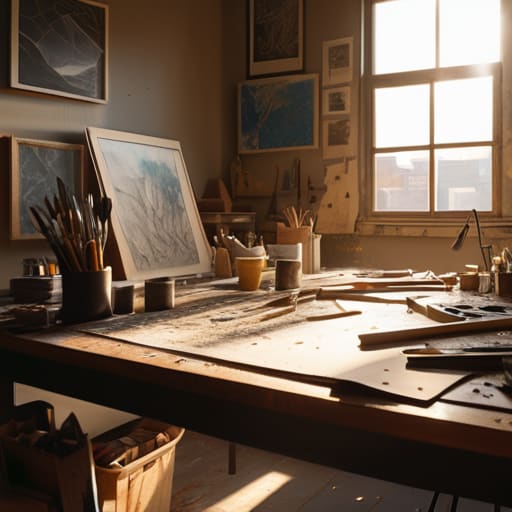
I remember sitting in a cramped studio in Providence, the air thick with the scent of spray adhesive and the rhythmic thwack of an X-Acto blade hitting a cutting mat. Back then, there was no “undo” button; you lived or died by the precision of your physical movements. Today, I see so many designers drowning in bloated, automated workflows that promise magic but deliver nothing but hollow, pixel-perfect emptiness. Most people will hand you a creative process guide that reads like a corporate manual, full of buzzwords about “synergy” and “agile optimization” that completely ignore the actual soul of making something.
I’m not here to give you a checklist of software shortcuts or a way to automate your intuition out of existence. Instead, I want to share a framework built on decades of moving from ink to pixels—one that prioritizes intentionality over speed. This isn’t about following a rigid script; it’s about building a repeatable structure that protects your headspace and honors the messy, necessary friction of true craftsmanship. We’re going to look at how to structure your work without losing the human touch that makes design worth doing in the first place.
Table of Contents
Navigating the Essential Stages of Creativity
I’ve always found that the most productive work happens when we stop treating the creative process as a straight line and start seeing it as a series of intentional shifts. We often rush toward the “doing” phase, but if you skip the heavy lifting of the early stages of creativity, you end up building on sand. For me, this starts with a period of deep observation—the kind where I put the stylus down and just look at how light hits a surface or how a letterform holds its weight. It’s about moving from the abstract fog of an idea toward something tangible, without losing that initial spark of intuition.
Once the concept begins to take shape, the real work lies in the tension between the initial vision and the technical reality. This is where an iterative design workflow becomes your best friend. You have to be willing to tear things apart. I often find myself stuck in a loop of perfectionism, but I’ve learned that the best way of overcoming creative blocks is to embrace the mess. Instead of fighting the friction, lean into it. Let the sketches be ugly; let the first drafts be flawed. That’s where the soul of the work actually lives.
Mastering an Iterative Design Workflow
In my experience, the biggest mistake young designers make is treating a project like a straight line. They rush from a sketch to a high-fidelity mockup, hoping the first version is the final one. But true mastery lies in embracing an iterative design workflow. It’s about the willingness to break what you’ve built so you can rebuild it better. I often find myself circling back to my physical sketchbook when a digital layout feels too sterile; there is something about the resistance of paper that forces you to refine your thinking before you ever touch a mouse.
This cycle isn’t about indecision; it’s about rigor. By applying a disciplined design thinking methodology, you move away from “guessing” and toward “verifying.” You test a concept, observe where it fails to communicate, and then pivot. This process is often where we face our most frustrating moments, but it is also the most effective way of overcoming creative blocks. If you find yourself stuck, stop trying to force a solution. Instead, step back and look at the friction points. The solution is rarely in the first iteration—it’s buried in the third or fourth.
Five Ways to Reclaim Intentionality in Your Workflow
- Step away from the backlit glow. I’ve found that my best breakthroughs never happen while staring at a high-resolution monitor; they happen when I’m working with a fountain pen and a heavy grain of paper. If you’re stuck, give your eyes a break from the pixels and find some tactile friction.
- Stop chasing “efficiency” at the expense of thought. There is a dangerous tendency in modern design to rush toward the final render. Instead, build in intentional pauses. A moment of quiet observation is often more productive than an hour of clicking through UI kits.
- Treat your mistakes as data, not failures. In the old days of physical paste-ups, a slip of the blade was part of the process. In digital design, we tend to obsess over the ‘undo’ button. Learn to look at your errors as subtle redirections rather than mistakes to be erased.
- Curate your inputs with discipline. If your inspiration is limited to what’s trending on a single social platform, your work will inevitably look like everyone else’s. Look toward architecture, vintage typography, or even the way light hits a film negative to find a visual language that actually has depth.
- Design for the person, not the device. It’s easy to get lost in optimizing for screen real estate or technical specs, but remember that there is a human being on the other side of that glass. Ask yourself: Does this interaction feel seamless, or does it feel like it’s just filling space?
The Core Lessons
Don’t mistake speed for progress; true design requires the patience to sit with a problem before reaching for your mouse.
Protect the “messy middle” of your workflow—the sketches, the failed iterations, and the analog friction—because that is where the real soul of a project lives.
Build systems that serve your intuition rather than letting your tools dictate your creative boundaries.
The Soul of the System
A creative process guide shouldn’t be a rigid cage of checkboxes; it should be a scaffolding that holds your ideas steady while leaving enough room for the beautiful, unpredictable friction of human intuition to breathe.
Ingrid Bellamy
Finding the Rhythm in the Work
We’ve walked through the architecture of a solid creative process, from the initial spark of an idea to the grueling, necessary cycles of iteration. It is easy to get lost in the software, chasing the latest plugin or trying to automate the soul out of a project just to hit a deadline. But as we’ve discussed, a truly effective workflow isn’t about speed alone; it’s about building a structure that allows for intentionality and discovery. By respecting the stages of research, drafting, and refining, you aren’t just managing tasks—you are protecting the integrity of your vision from the noise of pure production.
Ultimately, remember that no guide can replace the instinct you develop through years of making mistakes. A process is a scaffold, not a cage. Use these frameworks to steady your hand, but don’t be afraid to step off the path when a moment of true, messy inspiration strikes. The most profound work often happens in the spaces between the steps, in that quiet friction where the digital tool meets the human spirit. Trust your eye, honor the craft, and never forget that the goal is to create something that feels deeply, undeniably human.
Frequently Asked Questions
How do I maintain the integrity of my original concept when the iterative process starts feeling more like compromise than refinement?
It’s a fine line between refinement and erosion. When you feel that shift, stop iterating on the screen. Step away from the pixels and go back to your sketchbook. Re-examine your original sketches—the ones made before the client feedback or the software’s constraints took hold. If the core intent is lost, you aren’t refining anymore; you’re just negotiating. Hold onto the “why” of the piece, even when the “how” gets messy.
At what point does "productive friction" turn into mere procrastination or analysis paralysis?
It turns into paralysis the moment you stop looking for solutions and start looking for certainty. Productive friction feels like a struggle to refine a concept; procrastination feels like a struggle to avoid starting it. If you’re staring at a blank canvas, obsessing over whether a typeface is “perfect” before you’ve even laid down a grid, you aren’t designing. You’re hiding. If the friction isn’t moving the work forward, put the pen down and walk away.
How can I integrate tactile, analog sketching into a workflow that is increasingly dominated by high-speed digital tools?
Don’t view your sketchbook as a separate task, but as the necessary friction before the speed of the mouse takes over. I start every project by stepping away from the screen entirely. Use that fountain pen to map out the messy, non-linear ideas that a grid-based software would prematurely constrain. By the time I move to the digital canvas, the heavy lifting of conceptual thinking is already done, leaving the tools to refine, not dictate.
