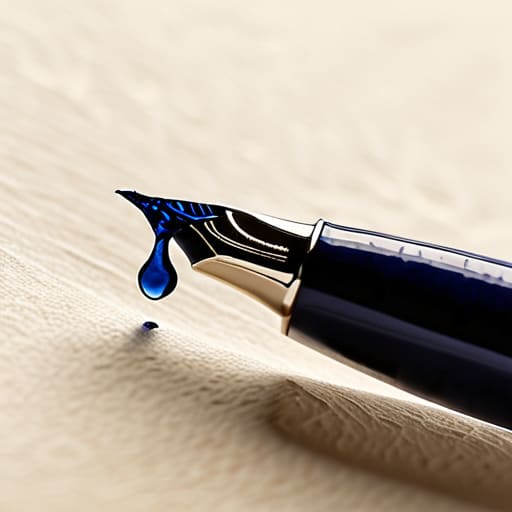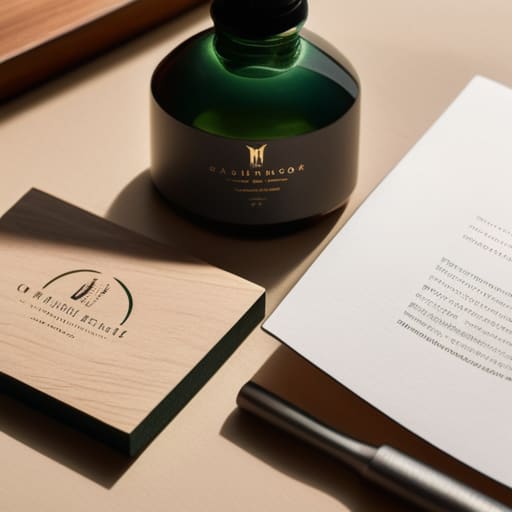
Building a cohesive branding identity.

Building a Cohesive Brand Identity

I remember sitting on the floor of a studio in Providence back in the late nineties, surrounded by the sharp, chemical scent of XPresso toner and the tactile grit of physical color swatches. We weren’t just “pushing pixels”; we were wrestling with the weight of ink and the permanence of a well-set typeface. Today, I see so many agencies treat branding identity like a disposable digital skin—a superficial layer of trendy gradients and sans-serifs that can be swapped out by an algorithm in seconds. It’s frustrating to watch the intentionality of craft get sacrificed for the sake of sheer speed and automated convenience.

I’m not here to sell you on a flashy, overnight makeover or a list of hollow buzzwords. Instead, I want to talk about building something that actually lasts. I’m going to share the hard-won lessons I’ve gathered from two decades of moving between the physical and the digital, focusing on how to create a branding identity that feels grounded, purposeful, and human. We’re going to move past the aesthetic fluff and focus on the structural soul of a brand, ensuring your work respects the person on the other side of the screen.

Table of Contents

Finding Resonance Through Brand Personality Development
Finding Resonance Through Brand Personality Development

When we talk about building a brand, we often get lost in the mechanics of logos and hex codes. But a logo is just a signpost; it isn’t the destination. To truly connect, we have to dive into brand personality development—the process of deciding not just what a company looks like, but how it behaves when no one is watching. I’ve always felt that a brand should have a temperament. Is it the steady, reliable hand of a master craftsman, or the restless, experimental spirit of a student? When you define that character, your design choices stop being arbitrary and start being intentional.

This is where the marriage of visual storytelling in branding and human psychology becomes vital. You aren’t just picking a typeface because it looks “modern”; you are selecting a voice that carries weight and texture. If your brand personality is quiet and contemplative, a loud, neon palette will feel like a lie. We need to move away from the trend of “optimized” aesthetics and return to something more soulful. When the personality is coherent, the identity becomes more than a set of assets—it becomes a presence.

Visual Storytelling in Branding for the Human Spirit
Visual Storytelling in Branding for the Human Spirit.

We often mistake visual storytelling in branding for a mere collection of pretty assets—a curated Instagram feed or a slickly animated logo. But true storytelling isn’t about decoration; it’s about the subtle, almost subconscious cues that tell a person they are in the right place. When I sit down with my sketchbook, I’m not looking for what looks “modern.” I’m looking for the weight of a line or the specific tension in a serif that communicates reliability. We need to move past the superficial and start using typography and color psychology to evoke actual physiological responses. A palette shouldn’t just match a trend; it should breathe with the intent of the mission.

This is where the craft meets the soul. When we build corporate identity systems, we aren’t just creating a rulebook for designers; we are building a sensory language. If your visual language is too polished, it feels sterile—like a hospital corridor. If it’s too chaotic, it feels untrustworthy. The goal is to find that deliberate friction where the design feels intentional, as if a human hand guided the kerning and chose the hues with purpose. We aren’t just filling screens; we are creating a visual heartbeat.

The Tactile Checklist: Five Ways to Ground Your Identity

  • Prioritize intentionality over trends. Don’t chase the latest aesthetic algorithm; instead, ask if your chosen typeface or color palette can hold its own ten years from now, long after the current design fad has faded.
  • Build for friction, not just ease. A brand shouldn’t just slide through a user’s life like oil; it needs moments of meaningful pause—a specific texture in your packaging or a rhythmic cadence in your copy—that demand a second look.
  • Treat your brand guidelines like a living sketchbook, not a rigid cage. While consistency is vital, leave room for the “human error” that makes a brand feel alive. Perfection is often the enemy of connection.
  • Audit your visual hierarchy with a fountain pen in hand. Before you commit to a digital layout, sketch the flow of information. If the eye doesn’t know where to land naturally, your brand is just noise.
  • Design for the senses, even in a digital space. Even if your customer only interacts with you through a screen, use weight, contrast, and spacing to evoke a sense of physical presence and reliability.

The Intentionality of Identity

Stop chasing trends that expire in six months; build a visual foundation rooted in purpose so your brand survives the inevitable shift in digital aesthetics.

A brand isn’t a collection of assets, but a cohesive experience that respects the user’s attention and honors the friction of real-world interaction.

True resonance happens when you stop designing for algorithms and start designing for the human beings behind the screens.

The Soul in the System
The Soul in the System brand identity.

A brand isn’t a collection of polished assets or a perfectly synchronized color palette; it’s the quiet, intentional space where a person’s values meet a user’s needs. If your identity doesn’t leave room for a little human friction, you aren’t building a brand—you’re just decorating a void.

Ingrid Bellamy

The Soul in the System

At its core, building a brand identity isn’t about accumulating a library of polished assets or chasing the latest fleeting aesthetic trend. It is about the synthesis of personality and visual storytelling—ensuring that every choice, from the weight of a typeface to the warmth of a color palette, serves a deeper purpose. We have discussed how resonance is found in character and how visual narratives can touch the human spirit, but the true work lies in the intentionality of execution. When we move beyond the superficial and focus on how a brand actually feels to inhabit, we stop creating mere digital noise and start building meaningful connections that endure long after the screen goes dark.

As we navigate this increasingly automated landscape, my advice is simple: don’t let the tools dictate the craft. Whether you are sketching a new logo in your notebook or refining a digital interface, always leave room for the human friction that makes design feel alive. A brand should never feel like a sterile algorithm; it should feel like a handshake, a conversation, or a well-worn tool. Aim to build identities that don’t just fill a space, but actually honor the person on the other side of the glass. That is where true craftsmanship lives.

Frequently Asked Questions

How do I maintain a sense of tactile, human intentionality when my brand has to scale across digital-first platforms?

The trick is to stop treating “scale” as a mandate for uniformity. When we automate everything, we lose the soul of the work. Instead of rigid, pixel-perfect templates that feel sterile, build a system of “controlled imperfection.” Introduce subtle variations in your typography, use organic color shifts, and allow for whitespace that breathes. Scale should be about expanding your visual language, not flattening it into a predictable, soulless loop.

Where is the line between a brand that feels curated and one that feels overly manufactured or "perfect"?

The line lies in the presence of “intentional imperfection.” A curated brand feels like it was built by a person who cares about the details—the weight of a typeface or the grain in a photograph. A manufactured brand feels like it was optimized by an algorithm. When everything is mathematically perfect and frictionless, it loses its soul. Don’t aim for sterile symmetry; aim for a cohesive tension that feels lived-in and human.

How can I ensure my visual identity stays grounded in purpose rather than just chasing fleeting design trends?

Stop looking at what’s trending on Dribbble and start looking at your brand’s bones. Trends are just aesthetic noise; they lack the weight of intention. To stay grounded, ask yourself: “Does this typeface serve the legibility of my message, or am I just chasing a look?” Build your identity around your core values and the specific friction of your user’s experience. If it doesn’t solve a problem or tell a truth, it’s just decoration.
Modern web design aesthetics and layout elements.

Elements of Beautiful Web Design

I remember sitting in a cramped studio back in the late nineties, the air thick with the scent of spray adhesive and the rhythmic snip-snip of X-Acto blades against heavy cardstock. We didn’t have infinite undo buttons then; every choice had weight, every millimeter mattered, and every layout had to earn its place on the page. Today, I see so many designers chasing fleeting trends, treating web design aesthetics like a coat of digital paint applied to a hollow structure just to satisfy an algorithm. We’ve traded that hard-won intentionality for a frictionless, sterile perfection that feels increasingly soulless.

I’m not here to show you how to follow the latest Dribbble trend or how to clutter a landing page with expensive, distracting animations. Instead, I want to talk about how we can bring that sense of craftsmanship back to the screen. I’m going to share my framework for building interfaces that prioritize purposeful clarity over mere decoration. We will explore how to use typography, negative space, and subtle tension to create digital environments that actually respect the human beings interacting with them.
Table of Contents

Mastering Visual Hierarchy Principles for Meaningful Connection

Mastering Visual Hierarchy Principles for Meaningful Connection

When we talk about structure, I find myself thinking less about where things sit on a grid and more about where the eye is invited to rest. True mastery of visual hierarchy principles isn’t about shouting for attention; it’s about guiding a visitor through a narrative with quiet confidence. I’ve seen too many interfaces attempt to be everything at once, resulting in a frantic, cluttered mess that leaves the user feeling exhausted rather than engaged. Instead, we should use scale, weight, and negative space to create a clear path for the eye to follow.

It’s a delicate balance between typography and readability. If your heading is too loud or your body copy lacks sufficient breathing room, the intentionality of your message dissolves. I often tell my clients that a well-designed page should feel like a conversation, not a billboard. By prioritizing certain elements through thoughtful contrast, you aren’t just arranging pixels; you are building a sense of order that respects the user’s cognitive load. When we design with this level of restraint, we create a connection that feels both intuitive and deeply human.

Using Color Theory in Web Design to Honor Intention

Using Color Theory in Web Design to Honor Intention

Too often, I see designers treating color like a decorative afterthought—a way to fill empty space or follow a fleeting trend. But when we talk about color theory in web design, we aren’t just talking about what looks “nice” on a high-resolution monitor. We are talking about emotional resonance and cognitive load. A palette shouldn’t just be a collection of hex codes; it should be a deliberate map that guides the eye without shouting.

When I approach a new brand strategy, I look for the tension between warmth and utility. If you lean too heavily into the hyper-saturated palettes seen in some modern web design styles, you risk exhausting the user. Instead, I prefer using color to anchor the user experience. A single, purposeful accent color can do more for a call-to-action than a dozen competing gradients. It’s about creating a sense of calm through restraint. By choosing hues that respect the natural rhythm of the page, we ensure that color serves the content, rather than the content serving the color.

Five Ways to Reclaim Intentionality in Your Digital Layouts

  • Embrace Negative Space as a Structural Element. White space isn’t “empty” territory waiting to be filled; it is the breathing room that allows your content to exist without suffocating the user. Treat it with the same respect you would give a well-composed photograph.
  • Prioritize Legibility Over Decorative Trends. A beautiful typeface is useless if it fails its primary duty: communication. Before you reach for a high-contrast display face, ensure your body copy offers a comfortable, rhythmic reading experience that respects the eye’s natural movement.
  • Seek Consistency Through a Defined Type Scale. Avoid the temptation to vary font sizes haphazardly for “visual interest.” Instead, build a disciplined typographic system. A predictable scale creates a sense of order and craftsmanship that users feel, even if they can’t quite name it.
  • Use Micro-Interactions to Honor the Human Touch. Digital interfaces can often feel cold and sterile. Incorporate subtle, purposeful animations—the way a button responds to a hover or a page transitions—to mimic the tactile feedback we expect from the physical world.
  • Design for Longevity, Not Just the Current Trend. Trends move at a breakneck pace, but good design is rooted in fundamental principles. Ask yourself if your aesthetic choices will still hold weight in two years, or if you’re simply chasing a fleeting digital fad.

Beyond the Surface: Three Principles for Intentional Design

Stop treating aesthetics as a layer of decoration applied at the end; instead, treat visual elements as functional tools that guide the user through a purposeful experience.

Respect the tension between digital efficiency and human imperfection by choosing typography and color palettes that feel grounded rather than purely algorithmic.

Prioritize clarity over complexity by ensuring that every design choice—from whitespace to weight—serves to reduce cognitive noise and honor the user’s attention.

The Trap of Decorative Design

We have to stop treating web design like a coat of paint applied at the end of a project. True aesthetics aren’t about the pixels you add to fill space; they are about the intentionality of what you choose to leave out to let the purpose breathe.

Ingrid Bellamy

Beyond the Pixels

Meaningful digital craftsmanship Beyond the Pixels.

We’ve explored how visual hierarchy directs the eye and how color theory can ground a user’s emotional experience, but these aren’t just checkboxes on a design sprint. True web design aesthetics are about more than just selecting a trendy typeface or a pleasing palette; they are about the deliberate orchestration of elements to create a sense of order and purpose. When we align our layout with human cognitive patterns and our colors with genuine intent, we move away from mere decoration and toward meaningful digital craftsmanship. It is this marriage of structure and sentiment that transforms a sterile interface into a space that feels navigable and, more importantly, respectful of the person on the other side of the glass.

As we move further into an era dominated by automated layouts and algorithmic “perfection,” I urge you to hold onto the friction that makes design feel human. Don’t be afraid of the slight imperfections or the quiet, minimalist moments that allow a user to actually breathe within your digital environment. Our goal shouldn’t be to build the loudest screen in the room, but to build the most intentional one. Let your work be a testament to the idea that even in a digital landscape, the most profound connections are made when we design with a deep, unwavering respect for the human touch.

Frequently Asked Questions

How do I maintain a sense of tactile, human craftsmanship when working within the rigid constraints of a standardized design system?

The trick is to treat the design system as a skeleton, not a cage. I use the rigid constraints to handle the heavy lifting—spacing, grids, and basic components—so I can focus my energy on the “micro-moments.” This means introducing subtle, intentional irregularities: a slightly off-kilter kerning choice in a header, a grain texture in a background, or a custom-drawn icon. Use the system for structure, but use your hands for the soul.

At what point does adding intentional "friction" to a user interface cross the line from meaningful character into poor usability?

Friction becomes a failure when it obstructs a user’s intent rather than inviting their presence. If a user is trying to complete a task—like checking out or finding contact info—and your “intentional” design slows them down, you haven’t created character; you’ve created a barrier. Meaningful friction should feel like the resistance of a heavy paper stock or the click of a Leica shutter: it provides feedback and presence. If it just causes frustration, it’s just bad design.

How can I balance the desire for high-contrast, minimalist aesthetics with the need for accessibility and inclusive design?

Minimalism shouldn’t be a mask for exclusion. When we strip away the noise, we must ensure the remaining elements are legible and purposeful. High contrast is actually your best friend here; it’s a cornerstone of accessibility. Don’t sacrifice clarity for a “clean” look that ignores color blindness or low vision. True intentionality means designing for every eye, ensuring that your aesthetic choices never come at the cost of someone’s ability to navigate your work.

Effective design systems documentation guide.

Documenting Effective Design Systems

I remember sitting in a dimly lit studio back in the late nineties, the smell of spray mount and fresh ink heavy in the air, as we manually built what we now call “systems” using physical templates and sheer willpower. Fast forward to today, and I see teams drowning in massive, expensive software suites, treating design systems documentation as if it were some holy, automated scripture that solves everything. We’ve traded the intentionality of the craft for a mountain of digital clutter that no one actually reads. Most of these sprawling libraries aren’t tools for creativity; they are just expensive graveyards of components that serve the machine rather than the maker.

I’m not here to sell you on another bloated platform or a way to automate your thinking. Instead, I want to talk about how we can reclaim the human element of our work. I’m going to share what I’ve learned from two decades of navigating these shifts—focusing on how to build documentation that actually breathes, guides, and empowers your team without stripping away the soul of your design. We are going to strip away the hype and focus on creating guides that respect the friction of real-world design.

Table of Contents

Documentation Best Practices for Designers Who Value Intent

Documentation Best Practices for Designers Who Value Intent.

When we talk about documentation, we often fall into the trap of treating it like a technical manual for a piece of hardware. But for those of us who still value the “why” behind a kerning choice or a specific color weight, we need to treat these guides as living narratives. Instead of just listing properties, focus on maintaining design system consistency by explaining the intention behind the rules. If a designer understands the logic of a spatial grid, they won’t just follow it blindly; they will know how to respect it when the layout inevitably breaks.

I’ve found that the most effective component documentation templates aren’t the ones that are the most exhaustive, but the ones that are the most useful during the messy middle of a project. Don’t drown your team in a sea of text. Instead, provide clear, visual guardrails that bridge the gap between a concept and a finished product. The goal is to facilitate a seamless design to code handoff documentation process that feels less like a transaction and more like a shared language between the creative and the engineer.

Maintaining Design System Consistency Through Human Connection

Maintaining Design System Consistency Through Human Connection

The danger of a growing library is that it can quickly start to feel like a sterile warehouse rather than a living toolkit. When we focus solely on the technicalities of scaling design systems with documentation, we often forget that these systems are actually social contracts between people. A component isn’t just a set of coordinates and hex codes; it is a shared understanding of how we communicate visually. If the documentation feels robotic, the design work will eventually follow suit, losing that vital sense of intentionality that makes a brand feel alive.

To prevent this drift, we have to move beyond rigid design system governance models that feel more like policing than partnering. Instead of just issuing mandates, use your documentation to facilitate conversation. When a designer deviates from a pattern, don’t just flag it as an error; use the documentation as a starting point to ask why. By treating your guides as a dialogue rather than a rulebook, you ensure that the system evolves through collective wisdom rather than decaying through mere compliance.

Five Ways to Document Without Losing the Craft

  • Write for the person, not the process. Instead of listing technical specs like a dry manual, explain the why behind a component. If a margin is set to 24px, tell the designer what feeling that breathing room is meant to evoke.
  • Embrace the “Living Document” mindset. A design system shouldn’t be a tombstone of decisions made six months ago; it should be a sketchbook that evolves. Leave space for version notes that capture the messy, human reasoning behind a change.
  • Use visual shorthand to bridge the gap. Don’t just rely on text-heavy descriptions that people will inevitably skim. Pair your documentation with clear, high-contrast visual examples—show the “correct” use alongside the “incorrect” use to respect the designer’s time.
  • Document the edge cases, not just the perfection. It’s easy to document how a button looks in its ideal state, but the real craft happens in the friction. Show how the system behaves when the text is too long or the screen is too small.
  • Curate, don’t just collect. It is tempting to document every single variation, but a bloated system creates noise. Focus your documentation on the core principles that empower creators to make their own decisions, rather than giving them a checklist that stifles their intuition.

The Intentionality Checklist

Documentation isn’t a chore to be automated; it is a way to codify the “why” behind a decision so the next designer understands the human intent, not just the pixel coordinates.

Build your system to act as a compass, not a cage; use guidelines to provide direction while leaving enough room for the creative friction that makes design feel alive.

Treat your system as a living archive rather than a static rulebook, updating it through conversation and shared craft rather than just through version control updates.

Beyond the Component Library

Design documentation Beyond the Component Library.

Documentation shouldn’t be a cold repository of rules that stifles creativity; it should be a shared language that provides enough structure to offer freedom, ensuring that as we scale, we don’t lose the intentionality that makes a brand feel human.

Ingrid Bellamy

Beyond the Component Library

At the end of the day, documentation shouldn’t feel like a chore or a digital filing cabinet where ideas go to die. We’ve talked about moving past mindless checklists and instead focusing on intentionality—building guides that actually serve the person sitting behind the screen. Whether you are refining your component specs or fostering better communication between design and engineering, the goal is the same: to create a framework that supports the work without suffocating the worker. When we document with purpose, we aren’t just creating a set of rules; we are preserving the logic and the craft that makes a brand feel cohesive and alive.

As you head back to your canvas, I want to remind you that no system, no matter how robust, can ever replace the human intuition required to make a design truly resonate. Tools and documentation are merely the scaffolding; you are the architect. Don’t let the pursuit of perfect consistency strip away the subtle, beautiful friction that makes our work feel real. Use your systems to clear the path, not to build a wall. Build something that empowers your team to create with confidence, and never forget that the soul of the design always resides in the hands of the maker, not the lines of the code.

Frequently Asked Questions

How do I keep documentation from becoming a static, lifeless graveyard of components that no one actually uses?

Treat your documentation like a living sketchbook, not a stone monument. If it’s just a list of hex codes and corner radii, it’s already dead. To keep it breathing, document the why behind the decisions—the intent, the constraints, and the mistakes we learned from. Host regular, low-stakes “office hours” to talk through the system. Documentation should be a conversation between creators, a tool that evolves as our craft does.

Where is the line between providing enough guidance for consistency and creating a rigid set of rules that stifles a designer's intuition?

The line is drawn at the “why.” If your documentation only dictates what to do, you’ve built a cage. If it explains the intent behind a decision, you’ve built a compass. A good system shouldn’t be a checklist that kills intuition; it should be a foundation of shared logic. Give designers the principles and the constraints, but leave enough breathing room for them to solve problems with their own hands. Rules should guide, not govern.

How can we document the "why" behind a design decision—the actual intent—rather than just listing the technical specs of a button or a margin?

Stop treating your documentation like a technical manual and start treating it like a design diary. Instead of just noting a 16px padding, explain that this specific breathing room was chosen to reduce cognitive load during high-stress user tasks. Use “Intent Annotations” to bridge the gap between geometry and psychology. When we document the why, we aren’t just handing over specs; we are passing on the wisdom that keeps the craft alive.

Modern architecture featuring minimalist design.

The Role of Minimalism in Modern Design

I remember sitting in a cramped studio back in the late nineties, surrounded by the sharp scent of X-Acto blades and the tactile grit of Letraset sheets. We didn’t have “auto-layout” or infinite undo buttons back then; every line we drew had weight, and every millimeter of white space was a hard-won decision. Today, I see so many designers treating minimalist design as a convenient excuse for laziness—a way to hide a lack of conceptual depth behind a thin veil of “cleanliness.” There is a massive difference between a layout that breathes and one that is simply empty.

I’m not here to sell you on the aesthetic trends you see scrolling through your feed every morning. Instead, I want to talk about the discipline required to strip away the noise without losing the soul of the work. I’m going to share what I’ve learned from decades of navigating the shift from physical paste-ups to digital pixels, focusing on how to use minimalist design to actually amplify your message. We’re going to move past the superficiality and look at how intentionality and restraint can create work that truly resonates with the human eye.

Table of Contents

Reducing Visual Clutter to Honor the Human Touch

Reducing Visual Clutter to Honor the Human Touch

When we talk about reducing visual clutter, we aren’t just talking about clearing out the junk; we’re talking about creating space for the user to actually think. In my years moving from tactile layouts to digital screens, I’ve noticed that we often feel an impulse to fill every pixel, as if emptiness is a failure of productivity. But true essentialism in design requires the courage to leave a void. When you strip away the unnecessary ornaments and the loud, competing elements, you aren’t just simplifying a layout—you are directing the eye with purpose.

I often look toward minimalist interior design principles when I’m stuck on a digital interface. Just as a well-curated room uses light and shadow to define a space, a digital canvas needs breathing room to prevent cognitive overload. By embracing a more disciplined approach, we respect the viewer’s attention. It’s about finding that sweet spot where the interface disappears, leaving only the content and the human connection intact. If every element is shouting for attention, the user ends up hearing nothing at all.

Essentialism in Design Crafting Tools for Real Creators

Essentialism in Design Crafting Tools for Real Creators

When I look at the current landscape of digital tools, I see a lot of noise masquerading as “features.” We’ve become obsessed with adding more buttons, more layers, and more complexity, thinking that utility is measured by volume. But true essentialism in design isn’t about what you can add; it’s about what you have the courage to strip away. For a creator, a tool should feel like a well-balanced fountain pen—it should disappear into your hand so that the focus remains entirely on the work being produced.

If we apply a less is more philosophy to our software and interfaces, we stop fighting the user and start supporting them. This means moving away from the frantic, multi-colored chaos of modern dashboards and leaning into more intentional choices, perhaps utilizing monochromatic color palettes to guide the eye without shouting. We need to build environments that respect the cognitive load of the person behind the screen. When we stop cluttering the workspace, we finally give the designer the room to actually think.

Practical Steps Toward Intentional Simplicity

  • Prioritize negative space as a structural element, not just “empty” room; treat it with the same respect you’d give a primary typeface.
  • Audit your color palette to ensure every hue earns its place, opting for high-contrast combinations that guide the eye without shouting.
  • Choose typography that carries weight and character, favoring legibility and purpose over trendy, decorative flourishes that distract from the message.
  • Eliminate any element that doesn’t serve a functional role, remembering that every extra line or shadow adds cognitive load to your user.
  • Build in “intentional friction” by allowing the user to pause and engage with key moments, rather than rushing them through a seamless, soulless flow.

The Intentionality Checklist

Stop treating white space as empty territory to be filled; treat it as the breathing room that allows your core message to actually land.

Audit your tools and interfaces for friction—not the frustrating kind, but the purposeful kind that forces a creator to pause and think before they click.

Prioritize function over decoration by asking if every single element on the screen serves a user’s need or if it’s just digital noise.

The Weight of Empty Space

Minimalism isn’t about the absence of things; it’s about the presence of purpose. We shouldn’t be stripping design down just to make it look clean, but rather clearing away the noise so the actual intent of the work can finally be heard.

Ingrid Bellamy

The Lasting Weight of Less

The Lasting Weight of Less in minimalism.

Ultimately, minimalism isn’t about stripping away everything until the screen feels hollow or clinical. It is about the deliberate removal of the unnecessary so that the intentional can finally take center stage. We’ve talked about clearing the visual noise and building tools that actually respect the creative process, but the core of it all comes down to a single principle: respect for the user. When we stop trying to fill every pixel with a frantic call to action or a distracting animation, we create a space where meaningful connection can actually happen. We move away from design that shouts and toward design that speaks.

As I sit here with my sketchbook, watching the light shift across my desk, I’m reminded that the most profound things often exist in the quiet spaces. In an industry that is increasingly obsessed with automation and infinite scale, I urge you to hold onto the friction. Don’t be afraid of the white space, and never fear the silence of a well-placed margin. Our job isn’t to build louder machines; it’s to design thoughtful ecosystems that honor the human hand. Let’s build things that don’t just occupy space, but actually serve a purpose.

Frequently Asked Questions

How do you find the balance between true minimalism and a design that feels too sterile or empty?

It’s a fine line. When minimalism turns sterile, it’s usually because you’ve stripped away the soul along with the clutter. I always look for “intentional friction.” That might mean a subtle texture in a background, a typeface with a bit of character, or a layout that isn’t mathematically perfect. Don’t just aim for empty space; aim for breathing room. If a design feels cold, it’s because it lacks the warmth of human decision-making.

At what point does stripping away elements start to hurt the usability or accessibility of a digital tool?

It’s a delicate line. You hit that wall when you start sacrificing clarity for the sake of “aesthetic purity.” If a user has to hunt for a navigation menu or struggle to distinguish a button from a decorative element, you haven’t achieved minimalism—you’ve just created friction. Design should be invisible, but it shouldn’t be a riddle. When the removal of an element compromises wayfinding or excludes someone with accessibility needs, you’ve lost the intention.

How can we maintain a sense of brand personality and "soul" when we are strictly adhering to a minimalist aesthetic?

It’s a common misconception that minimalism requires stripping away everything that makes a brand feel alive. To me, soul isn’t found in decoration; it’s found in the nuances. It’s the specific weight of a typeface, the intentionality of a single, well-placed stroke, or the tactile quality of a color palette. When you remove the noise, the tiny, deliberate choices—the “friction” of craftsmanship—actually become louder. Minimalism isn’t an absence of character; it’s the refinement of it.

Visual guide explaining key compositional rules.

Core Rules of Visual Composition

I remember sitting in a dimly lit studio at RISD, the air thick with the scent of spray adhesive and the rhythmic snip-snip of X-Acto blades against heavy cardstock. Back then, we didn’t have auto-layout engines to fix our mistakes; if your balance was off, the entire physical piece felt heavy, leaning toward a failure you couldn’t just “undo.” Today, I see so many designers treating compositional rules like mere checkboxes in a software settings menu—mathematical formulas applied to fill a digital void. We’ve traded the intentionality of the hand for the convenience of the grid, often losing the soul of the work in the process.

I’m not here to give you a dry lecture on the Golden Ratio or a list of geometric platitudes you could find in any entry-level textbook. Instead, I want to talk about how we can use these principles to create digital spaces that actually feel human. I promise to share the hard-won, practical ways I approach layout to ensure every element has a reason to exist. We are going to move past the “correct” way of doing things and focus on how to build work that respects the viewer’s eye.

Table of Contents

Mastering Visual Storytelling Techniques Through Intention

Mastering Visual Storytelling Techniques Through Intention.

When we talk about visual storytelling techniques, we aren’t just discussing how to arrange shapes; we are discussing how to direct a person’s focus and emotion. In my early days working with physical layouts, you couldn’t just hit “undo” if the eye wandered aimlessly across the page. You had to be deliberate. Today, that same intentionality applies to the digital canvas. I often find myself returning to the concept of negative space usage to create breathing room. It isn’t “empty” space; it is a functional tool that allows the subject to exist without being suffocated by noise.

True mastery comes when you stop decorating and start guiding. Whether you are applying the golden ratio composition to a brand identity or simply balancing a landing page, every element must earn its place. I like to think about visual weight principles—how a heavy, dark block of color can anchor a layout, or how a delicate line can pull a viewer toward a call to action. When you respect these invisible forces, you aren’t just designing a screen; you are choreographing a human experience.

The Golden Ratio Composition Finding Natural Balance

The Golden Ratio Composition Finding Natural Balance

I often find myself returning to my old film cameras when I’m stuck on a digital layout. There is a mathematical elegance in how nature organizes itself, and the golden ratio composition is perhaps the most profound example of this. It isn’t just a rigid formula to be applied like a filter; it is a way of understanding how the human eye seeks harmony. When I’m working on a brand identity, I try to move beyond simple grids and instead look for those organic proportions that feel inherently “right.”

The danger in modern UI design is the tendency to default to perfect, sterile symmetry. While there is a place for that, relying solely on it can make a digital space feel lifeless. Instead, I use the ratio to create a sense of unspoken equilibrium. By placing focal points according to these natural proportions, you can master visual weight principles to guide a user through a journey without them even realizing they are being led. It’s about creating a flow that feels less like a programmed sequence and more like a natural progression.

Beyond the Grid: Five Ways to Breathe Life into Your Layouts

  • Embrace Negative Space as a Tool, Not an Empty Void. In my early days with physical paste-ups, we understood that the white space was just as active as the ink. Don’t feel the need to crowd every corner of the screen; let your elements breathe so the viewer’s eye has a place to rest.
  • Prioritize Visual Hierarchy to Guide the Human Eye. A design without a clear path is just noise. Use scale, weight, and contrast to tell the user exactly where to look first, second, and last. You are directing a journey, not just presenting information.
  • Break the Rules with Purposeful Tension. Once you understand the grid, learn when to step outside of it. A slight misalignment or an unexpected placement can create a sense of movement and energy that a perfectly centered layout often lacks.
  • Use Leading Lines to Create a Natural Flow. Whether it’s the edge of a photograph or the slant of a serif, use existing visual cues to pull the viewer through your composition. It’s about creating a subconscious rhythm that feels intuitive rather than forced.
  • Anchor Your Composition with Weight and Balance. Every element carries a certain visual “heaviness.” Whether you’re aiming for formal symmetry or a more dynamic asymmetrical balance, ensure that no single part of your design feels like it’s about to tip the whole frame over.

Bringing Intention Back to the Grid

Stop treating your layout like a checklist of elements; instead, use composition to create a deliberate path for the eye to follow.

Balance isn’t about perfect symmetry—it’s about the tension between weight and space that makes a design feel alive rather than static.

Always design with the human at the center, ensuring every structural choice serves a functional purpose rather than just filling a void.

The Soul of the Grid

Rules aren’t cages; they are the scaffolding that allows meaning to stand upright. If you use composition merely to organize pixels, you’re just a technician. But if you use it to direct the eye and honor the silence between elements, you become a designer.

Ingrid Bellamy

Beyond the Grid

Mastering composition Beyond the Grid.

At the end of the day, mastering compositional rules isn’t about memorizing a set of rigid laws to constrain your creativity. It’s about understanding the underlying rhythm of how we see. We’ve explored how intention drives storytelling and how the Golden Ratio can provide a sense of organic stability, but these are merely tools in your kit. The goal is to move past the mechanical application of “rules” and toward a deeper understanding of visual weight and balance. When you stop treating composition as a checklist and start seeing it as a way to direct the human gaze, you move from simply arranging pixels to crafting an experience.

As you head back to your desk—or your sketchbook—I encourage you to resist the urge to let software make these decisions for you. It is easy to let an algorithm snap everything into a perfect, sterile alignment, but there is a profound beauty in the slight deviations that feel human. True mastery lies in knowing when to follow the grid and when to break it with purpose. Design should never feel accidental; it should feel inevitable. So, take a breath, look closely at the frame, and remember that your greatest asset isn’t your software, but your intentionality.

Frequently Asked Questions

How do I balance mathematical rules like the Golden Ratio with the need for organic, intentional imperfection?

Think of the Golden Ratio as a scaffold, not a cage. I use it to establish a foundational rhythm, but if the math is too perfect, the design feels sterile—it lacks breath. To bring back that human element, I intentionally nudge elements off the grid. A slight asymmetry or a hand-drawn stroke breaks the digital tension. We use the rules to find order, then we break them to find soul.

At what point does following compositional guidelines start to feel too rigid or formulaic for a brand's unique voice?

It starts to feel rigid the moment you prioritize the math over the message. Rules like the rule of thirds or the golden ratio are meant to be scaffolding, not the building itself. If you’re adjusting a layout just to satisfy a geometric ratio while losing the brand’s grit or personality, you’ve missed the point. Use the guidelines to find your footing, then have the courage to break them to find the soul.

How can I use composition to guide a user's attention without making the interface feel manipulative or overly engineered?

The trick is to stop thinking about “directing” users and start thinking about “inviting” them. Manipulation feels like a trap; good composition feels like a clear path. Instead of using aggressive, high-contrast gimmicks to force an eye toward a button, use negative space and subtle typographic hierarchy to create a natural resting place. When you respect the rhythm of the page, you aren’t engineering behavior—you’re simply making the most important elements easy to find.

Organizing layouts using grid systems in design.

Using Grid Systems to Organize Layouts

I remember the smell of spray mount and the tactile resistance of X-Acto blades back when we were still doing physical paste-ups at RISD. Back then, you couldn’t just “undo” a mistake or toggle a layer visibility; you had to think through the spatial logic of your layout before the blade ever touched the paper. Today, I see so many designers treating grid systems in design as a mathematical chore or a rigid cage that stifles their “vision.” They lean on heavy, automated software presets that do the thinking for them, resulting in interfaces that feel technically perfect but entirely soulless.

I’m not here to teach you how to follow a textbook or recite the geometry of a column. Instead, I want to share how you can use these structures to create a sense of rhythm and intentionality that actually respects the person on the other side of the screen. We are going to move past the rigid rules and look at how a well-placed framework can act as a quiet, supporting hand. My goal is to help you master the intentionality of the layout, ensuring your work feels built by a human, for humans.

Table of Contents

Mastering Spatial Organization Principles for Purposeful Layouts

Mastering Spatial Organization Principles for Purposeful Layouts

When we talk about spatial organization principles, we aren’t just talking about where things sit on a screen; we are talking about how a user feels while moving through a space. If a layout is too crowded, the eye panics. If it’s too sparse, the connection is lost. I’ve always found that the most successful compositions rely on a rhythmic tension between elements. This is where visual hierarchy in layout becomes your most vital tool. It’s not about making the most important thing the biggest, necessarily, but about guiding the eye through a sequence of intentional pauses and movements.

To achieve this, I often return to the fundamentals of structure that many modern designers overlook in their rush to be “fluid.” For instance, setting strict baseline grids for typography ensures that your text doesn’t just sit on the page, but breathes in unison with the surrounding imagery. It’s that subtle alignment—the kind you almost don’t notice until it’s gone—that creates a sense of professional calm. We have to stop treating white space as “empty” and start treating it as a structural component that gives our work room to exist.

Using the Golden Ratio in Layout Design to Respect Rhythm

Using the Golden Ratio in Layout Design to Respect Rhythm.

I’ve always felt that the Golden Ratio is less of a mathematical rule and more of a natural pulse. When I was working with physical paste-ups, you could feel the weight of a composition; it had a certain gravity. Today, in the rush toward pixel-perfect precision, we often lose that sense of organic flow. By applying the golden ratio in layout design, we aren’t just following an old formula; we are tapping into a mathematical rhythm that the human eye finds inherently comforting. It allows us to move beyond arbitrary spacing and instead create a sense of intentional equilibrium that guides the viewer through a story.

This isn’t about forcing every element into a strict spiral, but rather using those proportions to inform your visual hierarchy in layout. It helps you decide which elements deserve the most breath and which should sit in the periphery. When you balance your primary focal points against the mathematical progression of the ratio, the layout stops feeling like a collection of boxes and starts feeling like a cohesive, breathing organism. It’s about finding that sweet spot where the math disappears and only the feeling of harmony remains.

Five Ways to Keep Your Grids From Feeling Like a Cage

  • Don’t be afraid to break the line. A grid is meant to be a foundation, not a prison; occasionally letting an element bleed across a column or float slightly off-axis creates the kind of visual tension that makes a layout feel alive rather than mechanical.
  • Prioritize the gutter over the column. In my experience, the space between your elements—the breathing room—is far more important than the elements themselves. If your gutters are too tight, the design feels claustrophobic; if they’re intentional, the layout feels composed.
  • Use a baseline grid to respect the rhythm of reading. Just as I carefully align the mechanics in a vintage Leica, you should align your typography to a consistent baseline. It’s a subtle, almost invisible way to ensure the eye moves smoothly across the page without unnecessary friction.
  • Build for hierarchy, not just alignment. It’s easy to get lost in the math of a twelve-column grid, but always ask yourself if the structure is actually guiding the viewer toward the most important information. If the grid is so dominant that it competes with the message, you’ve lost the purpose.
  • Embrace modularity for digital flexibility. Since we aren’t working with static paste-ups anymore, design your grid systems as a series of repeatable, scalable modules. This allows your layouts to breathe and adapt across different screen sizes without losing that sense of intentional craftsmanship.

The Intentionality of the Grid

A grid is not a set of restrictive rules, but a foundation for intentionality; use it to guide the eye rather than just to align pixels.

True rhythm in a layout comes from understanding the tension between structure and white space, allowing the design to breathe instead of feeling crowded.

Digital tools should enhance your spatial reasoning, not replace it—always step back from the screen to ensure your proportions feel human and purposeful.

The Illusion of Rigidity

A grid is not a set of bars meant to imprison your ideas; it is the quiet, structural breathing room that allows a composition to feel intentional rather than accidental.

Ingrid Bellamy

Beyond the Lines

Mastering design Beyond the Lines.

At the end of the day, mastering grid systems isn’t about learning how to follow a set of rigid, mathematical rules to prevent your elements from drifting. It is about understanding the subtle interplay between spatial organization, the rhythmic pulse of the golden ratio, and the intentionality of your white space. When we use these frameworks correctly, we aren’t just organizing pixels; we are building a predictable visual language that allows the user to navigate without cognitive friction. A well-executed grid acts as the quiet scaffolding that holds your creative vision together, ensuring that the hierarchy remains clear and the purpose of the design is never lost in the noise.

As you move forward into your next project, I encourage you to view the grid not as a cage, but as a collaborator. Don’t let the software dictate your movements; instead, use these structures to reclaim the intentionality of craftsmanship that so often gets stripped away in the rush toward automation. Whether you are working on a complex digital interface or a simple typographic layout, remember that the most impactful designs are those that respect the human eye. Build your structures with care, leave room for the unexpected, and always design with the human touch in mind.

Frequently Asked Questions

How do I know when a layout has become too rigid and needs to break the grid to feel human again?

You’ll feel it in your gut before you see it on the screen. If the layout starts to feel like a spreadsheet—sterile, predictable, and devoid of any tension—you’ve over-engineered it. When the eye slides across the page without ever pausing to “land,” the grid has become a cage. Break it when the rhythm feels mechanical. A slight overlap or a deliberate misalignment reintroduces that necessary friction, reminding the viewer there’s a human hand behind the work.

In a world of fluid, responsive web design, how can we maintain a sense of intentional structure without the grid feeling broken?

We have to stop thinking of the grid as a static cage and start seeing it as a set of relationships. In responsive design, the grid shouldn’t break; it should breathe. I rely on modularity—defining consistent rhythms and proportions rather than fixed pixel widths. When you design for the relationship between elements rather than their exact coordinates, the structure remains intentional, even when the screen shifts. It’s about maintaining the underlying logic, not the rigid lines.

How do you balance the mathematical precision of a grid with the organic, "imperfect" feel of hand-drawn elements or custom typography?

I think of the grid as the skeleton, not the skin. The math provides the stability, but the soul comes from where you choose to break the rules. I often lay down a rigid underlying structure to anchor the composition, then allow my custom type or hand-drawn flourishes to drift slightly off-axis. It’s about intentional tension—using that mathematical precision to highlight the beautiful, human imperfection of the organic elements.

Efficient motion graphics workflow management process.

Managing a Motion Graphics Workflow

I remember sitting in a cramped studio in Providence, the air thick with the smell of ozone and stale coffee, staring at a lightbox that felt more reliable than any software I use today. Back then, every move was deliberate because you couldn’t just undo a physical cut. Today, I watch designers get swallowed whole by bloated software suites and endless plugin loops, losing themselves in a motion graphics workflow that prioritizes sheer speed over actual soul. We’ve traded the intentionality of the hand for the frantic clicking of a mouse, and honestly, it’s making the work feel hollow.

I’m not here to sell you on a new subscription service or a “magic” automation tool that promises to do your thinking for you. Instead, I want to talk about building a process that actually respects your time and your craft. I’m going to share how to structure a motion graphics workflow that strips away the digital noise, allowing you to focus on the rhythm and weight of your movement. We’ll look at practical, grounded ways to organize your files and your thoughts so that the technology serves your vision, rather than the other way around.

Table of Contents

Honoring Intent Through Storyboarding for Motion Graphics

Honoring Intent Through Storyboarding for Motion Graphics

Before you even touch a keyframe, you need to find the rhythm of the piece on paper. I’ve found that jumping straight into software is a trap; it invites a frantic kind of tinkering that often lacks soul. Effective storyboarding for motion graphics isn’t about drawing perfect illustrations; it’s about mapping the emotional arc and the spatial logic of the movement. When I sit down with my sketchbook, I’m not just planning layouts—I’m deciding where the viewer’s eye should rest and where it should dance.

This stage is where you define the skeleton of your animatic creation process. By sketching out these transitions early, you avoid the “pixel-pushing” fatigue that happens when you realize halfway through a project that your pacing is fundamentally broken. A solid storyboard acts as a North Star, ensuring that every movement serves a narrative purpose rather than just being “eye candy.” It allows you to solve the structural problems while the stakes are low, leaving you the mental bandwidth to focus on the nuance of motion once you finally move into the digital space.

The Animatic Creation Process Finding Rhythm in Friction

The Animatic Creation Process Finding Rhythm in Friction

Once the storyboards are laid out, it’s tempting to jump straight into the software and start keyframing. I’ve seen too many designers skip this step, only to realize halfway through that their pacing is completely off. This is where the animatic creation process becomes vital. An animatic isn’t just a rough sketch set to audio; it’s the heartbeat of your project. It’s where you feel the resistance of the timing and realize that a three-second pause might carry more weight than a frantic transition. By forcing yourself to work with low-fidelity placeholders, you’re actually protecting the soul of the movement before the technical heavy lifting begins.

Treating this phase as a structural blueprint prevents the chaos that often plagues a messy motion design production pipeline. When you nail the rhythm here, you aren’t just guessing in the final software; you’re executing a proven plan. It allows you to solve the “feel” of the piece while your brain is still in a conceptual headspace, rather than getting bogged down in the weeds of technical execution. Don’t rush the rhythm—if the timing feels hollow in a simple sketch, no amount of high-end rendering will save it.

Guarding the Creative Spark: Five Ways to Protect Your Process

  • Build in “Analog Buffer” zones. Before you touch a keyframe or open After Effects, step away from the screen. Use that sketchbook of mine to map out movement with a pen; if a concept doesn’t work in a static, hand-drawn sketch, a thousand layers of motion won’t save it.
  • Respect the hierarchy of assets. Don’t let your project files become a digital junk drawer. Organize your layers and compositions with the same intentionality you’d use for a type specimen sheet—if you can’t find a vector shape in ten seconds, your workflow is already failing you.
  • Avoid the trap of “Perpetual Tweaking.” It’s easy to get lost in the micro-adjustments of an easing curve, but don’t let the pursuit of perfection paralyze your momentum. Set hard boundaries for when a motion pass is “done” so you can actually move on to the next phase of the story.
  • Optimize for the human hand, not just the CPU. Automating the tedious parts of a workflow is fine, but don’t let your tools strip away the nuance. Keep your keyframes purposeful; every movement should feel like it was placed there by a hand, not just calculated by an algorithm.
  • Master the art of the “Modular Build.” Design your motion elements as independent, reusable components rather than monolithic files. This gives you the flexibility to pivot when a client’s feedback shifts, without having to tear down the entire structural foundation of your project.

The Intentional Motion Framework

Stop treating motion as an afterthought; a workflow only succeeds when the rhythm is established during the storyboard phase, long before you touch a keyframe.

Embrace the friction of the animatic stage to find the soul of your piece, rather than rushing toward a polished render that lacks a human pulse.

Protect your creative agency by building processes that prioritize structural clarity over sheer technical speed.

The Trap of Seamlessness

We often mistake a frictionless workflow for a productive one, but if you strip away the pauses—the moments where you actually sit with a frame and question its necessity—you aren’t designing anymore; you’re just executing a sequence.

Ingrid Bellamy

Returning to the Source

Returning to the Source: Motion graphics workflow.

At the end of the day, a motion graphics workflow shouldn’t be a race toward a finished render; it should be a structured way to protect your best ideas. We’ve looked at how intentional storyboarding provides the skeletal structure for your vision and how the animatic allows you to find that crucial, human rhythm before you ever touch a keyframe. By embracing these stages—the friction of sketching, the pacing of the timeline, and the deliberate pauses for refinement—you ensure that your work isn’t just a series of smooth transitions, but a meaningful sequence of movements. When we prioritize these foundational steps, we move away from mindless automation and toward a process that actually respects the craft.

As you move back into your software, I encourage you to resist the urge to jump straight into the polish. It is easy to get lost in the glow of high-fidelity effects and complex expressions, but remember that the soul of your animation lives in the intention behind the motion. Treat your digital canvas with the same reverence you would a physical sketchbook or a vintage Leica. If you build a workflow that honors the human hand, your final output will possess a depth that no algorithm can replicate. Build something that actually breathes.

Frequently Asked Questions

How do I prevent the technical constraints of software from dictating my creative direction during the animation phase?

It’s easy to let the software become the architect of your design, but don’t let the tool dictate the movement. I always go back to my sketchbook first. If you can’t map out the weight and timing of a motion path with a fountain pen, the software shouldn’t be touching it yet. Define the physics and the feeling manually; once the intent is solid on paper, the technical constraints become hurdles to clear rather than boundaries that stifle your vision.

At what point in the workflow should I step away from the screen to ensure I haven't lost the human element to automation?

Step away the moment the software starts making decisions for you. When you find yourself clicking through presets or letting an automated keyframe tool dictate the weight of a movement, you’ve drifted. I usually pull my sketchbook out right after the animatic phase. Before you dive into the heavy lifting of software, get back to the tactile—the messy, unpolished sketches. If you can’t feel the rhythm in your hand, you won’t find it on the screen.

How can I build a structured process that allows for spontaneous creative pivots without completely derailing my project timeline?

Build “buffer zones” into your timeline—think of them as intentional gaps between your rigid milestones. Instead of a seamless, unbroken schedule, treat your production phases like a sketch: allow for a dedicated period of “controlled chaos” after the initial layout. If you bake in a few days of unstructured experimentation after the animatic stage, you can follow a sudden creative spark without the panic of a collapsing deadline. Structure provides the safety net; spontaneity provides the soul.

Creative process guide for navigating projects.

Navigating the Creative Process From Start to Finish

I remember sitting in a cramped studio in Providence, the air thick with the scent of spray adhesive and the rhythmic thwack of an X-Acto blade hitting a cutting mat. Back then, there was no “undo” button; you lived or died by the precision of your physical movements. Today, I see so many designers drowning in bloated, automated workflows that promise magic but deliver nothing but hollow, pixel-perfect emptiness. Most people will hand you a creative process guide that reads like a corporate manual, full of buzzwords about “synergy” and “agile optimization” that completely ignore the actual soul of making something.

I’m not here to give you a checklist of software shortcuts or a way to automate your intuition out of existence. Instead, I want to share a framework built on decades of moving from ink to pixels—one that prioritizes intentionality over speed. This isn’t about following a rigid script; it’s about building a repeatable structure that protects your headspace and honors the messy, necessary friction of true craftsmanship. We’re going to look at how to structure your work without losing the human touch that makes design worth doing in the first place.

Table of Contents

Navigating the Essential Stages of Creativity.

I’ve always found that the most productive work happens when we stop treating the creative process as a straight line and start seeing it as a series of intentional shifts. We often rush toward the “doing” phase, but if you skip the heavy lifting of the early stages of creativity, you end up building on sand. For me, this starts with a period of deep observation—the kind where I put the stylus down and just look at how light hits a surface or how a letterform holds its weight. It’s about moving from the abstract fog of an idea toward something tangible, without losing that initial spark of intuition.

Once the concept begins to take shape, the real work lies in the tension between the initial vision and the technical reality. This is where an iterative design workflow becomes your best friend. You have to be willing to tear things apart. I often find myself stuck in a loop of perfectionism, but I’ve learned that the best way of overcoming creative blocks is to embrace the mess. Instead of fighting the friction, lean into it. Let the sketches be ugly; let the first drafts be flawed. That’s where the soul of the work actually lives.

Mastering an Iterative Design Workflow

Mastering an Iterative Design Workflow with sketches.

In my experience, the biggest mistake young designers make is treating a project like a straight line. They rush from a sketch to a high-fidelity mockup, hoping the first version is the final one. But true mastery lies in embracing an iterative design workflow. It’s about the willingness to break what you’ve built so you can rebuild it better. I often find myself circling back to my physical sketchbook when a digital layout feels too sterile; there is something about the resistance of paper that forces you to refine your thinking before you ever touch a mouse.

This cycle isn’t about indecision; it’s about rigor. By applying a disciplined design thinking methodology, you move away from “guessing” and toward “verifying.” You test a concept, observe where it fails to communicate, and then pivot. This process is often where we face our most frustrating moments, but it is also the most effective way of overcoming creative blocks. If you find yourself stuck, stop trying to force a solution. Instead, step back and look at the friction points. The solution is rarely in the first iteration—it’s buried in the third or fourth.

Five Ways to Reclaim Intentionality in Your Workflow

  • Step away from the backlit glow. I’ve found that my best breakthroughs never happen while staring at a high-resolution monitor; they happen when I’m working with a fountain pen and a heavy grain of paper. If you’re stuck, give your eyes a break from the pixels and find some tactile friction.
  • Stop chasing “efficiency” at the expense of thought. There is a dangerous tendency in modern design to rush toward the final render. Instead, build in intentional pauses. A moment of quiet observation is often more productive than an hour of clicking through UI kits.
  • Treat your mistakes as data, not failures. In the old days of physical paste-ups, a slip of the blade was part of the process. In digital design, we tend to obsess over the ‘undo’ button. Learn to look at your errors as subtle redirections rather than mistakes to be erased.
  • Curate your inputs with discipline. If your inspiration is limited to what’s trending on a single social platform, your work will inevitably look like everyone else’s. Look toward architecture, vintage typography, or even the way light hits a film negative to find a visual language that actually has depth.
  • Design for the person, not the device. It’s easy to get lost in optimizing for screen real estate or technical specs, but remember that there is a human being on the other side of that glass. Ask yourself: Does this interaction feel seamless, or does it feel like it’s just filling space?

The Core Lessons

Don’t mistake speed for progress; true design requires the patience to sit with a problem before reaching for your mouse.

Protect the “messy middle” of your workflow—the sketches, the failed iterations, and the analog friction—because that is where the real soul of a project lives.

Build systems that serve your intuition rather than letting your tools dictate your creative boundaries.

The Soul of the System

A creative process guide shouldn’t be a rigid cage of checkboxes; it should be a scaffolding that holds your ideas steady while leaving enough room for the beautiful, unpredictable friction of human intuition to breathe.

Ingrid Bellamy

Finding the Rhythm in the Work

Finding the Rhythm in the Work.

We’ve walked through the architecture of a solid creative process, from the initial spark of an idea to the grueling, necessary cycles of iteration. It is easy to get lost in the software, chasing the latest plugin or trying to automate the soul out of a project just to hit a deadline. But as we’ve discussed, a truly effective workflow isn’t about speed alone; it’s about building a structure that allows for intentionality and discovery. By respecting the stages of research, drafting, and refining, you aren’t just managing tasks—you are protecting the integrity of your vision from the noise of pure production.

Ultimately, remember that no guide can replace the instinct you develop through years of making mistakes. A process is a scaffold, not a cage. Use these frameworks to steady your hand, but don’t be afraid to step off the path when a moment of true, messy inspiration strikes. The most profound work often happens in the spaces between the steps, in that quiet friction where the digital tool meets the human spirit. Trust your eye, honor the craft, and never forget that the goal is to create something that feels deeply, undeniably human.

Frequently Asked Questions

How do I maintain the integrity of my original concept when the iterative process starts feeling more like compromise than refinement?

It’s a fine line between refinement and erosion. When you feel that shift, stop iterating on the screen. Step away from the pixels and go back to your sketchbook. Re-examine your original sketches—the ones made before the client feedback or the software’s constraints took hold. If the core intent is lost, you aren’t refining anymore; you’re just negotiating. Hold onto the “why” of the piece, even when the “how” gets messy.

At what point does "productive friction" turn into mere procrastination or analysis paralysis?

It turns into paralysis the moment you stop looking for solutions and start looking for certainty. Productive friction feels like a struggle to refine a concept; procrastination feels like a struggle to avoid starting it. If you’re staring at a blank canvas, obsessing over whether a typeface is “perfect” before you’ve even laid down a grid, you aren’t designing. You’re hiding. If the friction isn’t moving the work forward, put the pen down and walk away.

How can I integrate tactile, analog sketching into a workflow that is increasingly dominated by high-speed digital tools?

Don’t view your sketchbook as a separate task, but as the necessary friction before the speed of the mouse takes over. I start every project by stepping away from the screen entirely. Use that fountain pen to map out the messy, non-linear ideas that a grid-based software would prematurely constrain. By the time I move to the digital canvas, the heavy lifting of conceptual thinking is already done, leaving the tools to refine, not dictate.

Mastering various digital illustration techniques.

Improving Your Digital Illustration Techniques

I was sitting at my desk last night, cleaning the lens of my old Leica, when I realized how much we’ve lost in the rush toward perfection. There is this pervasive, exhausting myth in our industry that mastering digital illustration techniques is all about discovering the most expensive brush sets or layering a hundred different Gaussian blurs to hide a lack of intent. We’ve become obsessed with the sheen of the software rather than the soul of the mark. We treat the tablet like a magic wand that fixes bad fundamentals, forgetting that a tool is only as meaningful as the hand guiding it.

I’m not here to sell you on a new plugin or a way to automate your creativity into oblivion. Instead, I want to talk about how we can use these tools to reclaim that sense of deliberate friction that makes a piece of art feel tactile and alive. I’m going to share the specific, grounded methods I use to bridge the gap between the sterile screen and the warmth of a physical sketch. This isn’t about chasing every fleeting trend; it’s about intentional craftsmanship in a digital landscape.

Table of Contents

Mastering Digital Sketching Fundamentals to Find Your Rhythm

Mastering Digital Sketching Fundamentals to Find Your Rhythm

Before you even touch a stylus to a tablet, you have to address the sensory gap between paper and glass. When I first transitioned from my sketchbook to a Cintiq, I felt a profound sense of loss—the lack of resistance made every stroke feel clinical and hollow. To fix this, you must prioritize pressure sensitivity optimization. It isn’t just about how hard you press; it’s about calibrating your tool to mimic the subtle nuances of a heavy graphite stroke or a light watercolor wash. If your settings aren’t dialed in, you’ll find yourself fighting the hardware rather than flowing with your ideas.

Once you’ve bridged that tactile gap, the goal is to establish a repeatable digital sketching fundamentals practice that doesn’t feel like a chore. I find that the most effective way to find a rhythm is to stop worrying about the final render and focus on the weight of the line. Experiment with different brush textures to see how they respond to your hand’s natural tremors. By treating your initial marks as a way to explore form rather than perfection, you allow for the kind of intentional imperfection that makes a piece feel human.

Optimizing Pressure Sensitivity for a More Human Touch

Optimizing Pressure Sensitivity for a More Human Touch

One of the most common mistakes I see in modern digital painting workflow is treating the stylus like a mouse. When you first sit down with a tablet, there is a tendency to rely on the software to do the heavy lifting, but that’s where the soul of the work gets lost. To truly bridge the gap between the screen and the page, you need to focus on pressure sensitivity optimization. It isn’t just about how hard you press; it’s about how the software interprets that intent. If your lines feel clinical or robotic, your settings are likely too linear.

I always recommend experimenting with the pressure curves in your tablet settings to find a custom “sweet spot” that mimics the resistance of a real nib on paper. You want a setting that rewards a light touch with subtle, translucent strokes, but allows for deep, decisive marks when you commit to a line. By fine-tuning this, you can integrate opacity and blending modes more naturally, allowing colors to layer with the same intuitive unpredictability you’d find in a physical medium. It’s about reclaiming that sense of intentional friction.

Beyond the Smooth Surface: Five Ways to Reclaim Intentionality

  • Embrace the Imperfection of the Line. Don’t obsess over the mathematical perfection of a vector path. Sometimes, a slightly wobbly stroke or a line that doesn’t quite close is exactly what gives a piece its soul. Let the digital tool mimic the slight tremor of a hand on paper.
  • Layering with Purpose, Not Just Convenience. It’s easy to get lost in an infinite stack of layers, but try working with restraint. Treat your digital canvas like a physical one; decide early on what is structural and what is atmospheric. Too many layers can lead to a lack of cohesion.
  • Curate Your Digital Palette. Software loves to give you millions of colors, but that’s a trap. I find my best work comes from limiting myself to a tight, intentional color story. Pick your hues with the same gravity you would use when mixing physical pigments on a palette.
  • Integrate Analog Textures. The biggest giveaway of “sterile” digital art is the lack of grain. Don’t just use a generic noise filter. Import scans of actual watercolor paper, charcoal dust, or linen textures to break up the digital smoothness and add a sense of tactile depth.
  • Respect the Negative Space. In our rush to fill every pixel, we often forget that what we leave out is just as important as what we put in. Use your composition to let the work breathe. A well-placed void can be more powerful than the most intricate detail.

Bringing Intentionality Back to the Digital Canvas

Stop fighting your tools and start calibrating them; fine-tuning your pressure sensitivity and brush dynamics isn’t a technical chore, it’s how you reclaim the tactile soul of your work.

Use digital sketching not as a shortcut to a finished product, but as a way to find your natural rhythm and preserve the “happy accidents” that happen when a hand meets a surface.

Resist the urge to over-polish every pixel; true craftsmanship in a digital space comes from knowing when to lean into the friction and leave the human mark visible.

## The Fallacy of the Perfect Pixel

We often mistake technical precision for artistic skill, forgetting that the most compelling digital illustrations aren’t the ones that are mathematically perfect, but the ones that retain the beautiful, imperfect friction of a hand moving across a surface.

Ingrid Bellamy

Finding the Soul in the Machine

Finding the Soul in the Machine illustration.

At the end of the day, mastering digital illustration isn’t about memorizing every shortcut in your software or finding the perfect brush preset. It’s about the foundational work we’ve discussed: returning to the rhythm of sketching to find your flow and fine-tuning your pressure sensitivity so the stylus feels like an extension of your hand rather than a plastic barrier. When you bridge the gap between your initial sketch and the final digital render, you aren’t just moving pixels; you are translating intention into a visual language. By focusing on these core elements, you ensure that your technical proficiency serves your vision, rather than letting the software dictate the outcome.

As we move further into an era where automation is becoming the default, I urge you to hold onto the intentionality of your craft. Don’t be afraid of the slight imperfections or the “noise” that makes a piece feel real. Those small, human irregularities are exactly what prevent a design from feeling hollow or manufactured. Use these digital tools to amplify your voice, not to drown it out in a sea of algorithmic perfection. Keep your sketchbook close, keep your eyes observant, and remember that the most powerful thing you can bring to a digital canvas is your own unmistakable human perspective.

Frequently Asked Questions

How do I stop my digital work from looking too "perfect" or sterile when I’m working with vector-based tools?

The problem with vectors is their mathematical obsession with perfection. To break that sterility, you have to introduce intentional imperfection. I always suggest avoiding the “perfect” anchor point. Instead of letting the software snap everything to a rigid grid, nudge your paths slightly off-axis. Try adding subtle, irregular variations to your stroke weights or using grain textures to break up those clinical gradients. If it looks too clean, it’s probably because you haven’t let the human element breathe.

Is there a way to replicate the physical resistance of paper and ink when using a glass tablet surface?

It’s the classic struggle: that slick, sliding feeling of a stylus on glass can feel more like skating on ice than drawing. To reclaim that tactile friction, I always suggest a matte screen protector—something with a paper-like texture. It adds just enough resistance to ground your hand. If you can’t go that route, try adjusting your software’s stabilizer settings. It won’t replace the physical grit, but it helps mimic the intentionality of ink.

At what point does digital automation stop being a helpful tool and start stripping away the intentionality of my brushwork?

It happens the moment you stop making decisions and start letting the software make them for you. Automation becomes a crutch when you use a “perfect” stabilizer or a smoothing algorithm to mask a lack of confidence in your stroke. If you aren’t consciously choosing where the line breaks or how the texture settles, you aren’t designing; you’re just supervising a process. Use the tools to amplify your intent, not to bypass the struggle.

Latest graphic design trends overview.

Current Trends in Graphic Design

I was sitting at my desk last night, the smell of ink and old paper from my latest Leica restoration filling the air, when I scrolled past yet another “definitive guide” to the latest graphic design trends. It’s the same tired cycle: a sudden explosion of neon gradients or hyper-minimalist sans-serifs that look identical to everything else on our feeds. We’ve become obsessed with chasing these fleeting aesthetics just to stay relevant, but in the process, we’re losing the soul of the work. Most of these trends aren’t actually design breakthroughs; they are just algorithmic echoes designed to fill space and capture a fleeting second of attention.

I’m not here to give you a checklist of what will be “in” next month. Instead, I want to talk about how we can navigate graphic design trends without losing our sense of purpose. I promise to share a perspective rooted in intentionality and craft, helping you distinguish between a meaningful evolution in visual language and mere digital noise. We’re going to look at how to use these shifts to empower your creative voice, rather than letting them dictate it.

Table of Contents

The Soul of Minimalist Design Aesthetics

The Soul of Minimalist Design Aesthetics.

When people talk about minimalist design aesthetics, they often mistake emptiness for simplicity. I’ve seen too many junior designers treat a canvas like a vacuum that needs to be filled, rather than a space that needs to breathe. To me, true minimalism isn’t about what you strip away; it’s about the deliberate selection of what remains. It’s the difference between a void and a curated experience. When we lean into this approach, we aren’t just following a trend; we are making room for the user to actually think.

This intentionality is becoming even more vital as we navigate current typography trends 2024. We are seeing a shift away from the loud, chaotic maximalism of recent years toward a more disciplined use of type. A single, well-kerned typeface can carry more emotional weight than a dozen competing textures. In my practice, I always remind my clients that white space is a functional tool, not a lack of content. It provides the necessary friction—the pause—that allows a brand’s message to actually land before the next digital stimulus hits.

Typography Trends 2024 Giving Letters Human Weight

Lately, I’ve been watching how we treat letterforms in a world dominated by sterile, geometric sans-serifs. While those clean lines have their place in functional user interface design patterns, there is a growing fatigue with perfection. In my recent work, I’ve found myself leaning back into the imperfections—the slight irregularities that suggest a human hand actually guided the pen. This is a core part of the typography trends 2024 is currently embracing: a return to “humanist” weight. We are seeing a shift away from the mathematically perfect toward typefaces that possess a certain structural soul.

It isn’t just about picking a pretty font; it’s about how those characters occupy space and command attention. I’m seeing more designers experiment with high-contrast serifs that feel almost sculptural, providing a necessary anchor against the weightlessness of digital screens. When we pair these expressive typefaces with thoughtful minimalist design aesthetics, we create a tension that feels intentional rather than accidental. We aren’t just displaying information anymore; we are giving the words a physical presence that demands a moment of genuine connection.

Designing for Substance, Not Just Sightlines

  • Resist the urge to follow every micro-trend that pops up on a social feed; if a visual style doesn’t serve the core message of the brand, it’s just noise.
  • Prioritize tactile textures in your digital layouts to bridge the gap between the coldness of a screen and the warmth of physical media.
  • Use whitespace as a functional tool rather than an empty void; it gives the viewer’s eyes a place to rest and actually process your message.
  • When experimenting with new tools or AI-assisted workflows, always reintroduce a layer of manual refinement to ensure the work doesn’t lose its unique, human edge.
  • Focus on accessibility as a design principle rather than an afterthought; true intentionality means creating work that is usable by everyone, regardless of how they interact with a screen.

Finding the Signal in the Noise

Stop chasing every fleeting visual trend; instead, focus on design that possesses enough intentionality to remain relevant long after the algorithm moves on.

Prioritize the “friction” of human touch—whether through expressive typography or tactile textures—to prevent your digital work from feeling sterile or automated.

Use white space as a functional tool for clarity rather than just an empty container, ensuring your design respects the user’s cognitive load.

## The Trap of the Temporary

Trends are often just noise masquerading as progress; if a design doesn’t hold its weight once the hype cycle ends, it wasn’t a design—it was just a decoration.

Ingrid Bellamy

Design for purpose, Beyond the Trends.

As we look at the landscape of 2024, it’s easy to get lost in the noise of what’s “new” or what’s currently trending on social feeds. We’ve discussed how minimalism isn’t just about stripping things away, but about finding clarity, and how typography is shifting back toward a sense of tactile weight and character. Whether you are experimenting with bold, expressive type or refining a stripped-back interface, the goal shouldn’t be to mimic a fleeting aesthetic. Instead, use these movements as a way to anchor your work in something more substantial—aiming for a design language that prioritizes purpose over decoration.
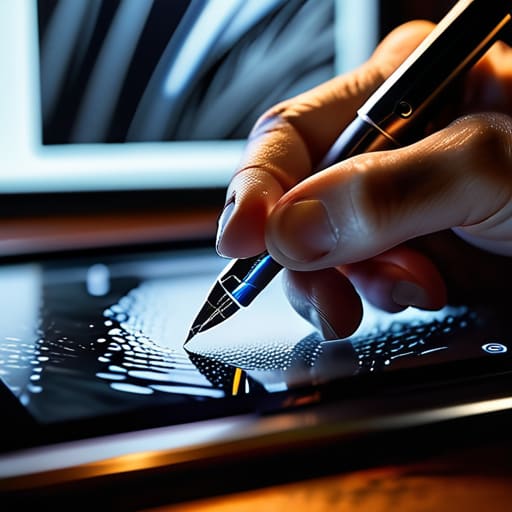
At the end of the day, trends will always come and go, much like the various software iterations I’ve seen pass through my studio over the last twenty years. What remains constant is the need for intention. Don’t let the speed of digital production rob you of your craft; instead, use these tools to amplify the human element that only you can bring to the table. Build things that feel like they were made by hand, even when they live entirely on a screen. When we design with that level of respect for the viewer, we move past mere decoration and begin to create something truly enduring.

Frequently Asked Questions

How can I balance these modern digital trends without losing the tactile, artisanal feel that makes a brand memorable?

It comes down to intentional friction. Don’t let the smoothness of digital interfaces erase the “imperfections” that signal human craft. I find balance by layering textures—think subtle grain or organic, slightly irregular line weights—into otherwise clean, modern layouts. Use digital tools to scale your vision, but look to analog sources for your soul. If a design feels too sterile, ask yourself: where is the evidence of a human hand?

As automation and AI tools become more prevalent, how do I ensure my design process remains intentional rather than just efficient?

Efficiency is a trap if it strips away the “why” behind your choices. To stay intentional, I always return to my sketchbook before I touch a mouse. Use the tools to handle the heavy lifting—the resizing, the repetitive layouts—but don’t let them dictate the soul of the work. Ask yourself: Does this pixel serve a purpose, or am I just letting the software suggest a path of least resistance? Keep the friction.

When a trend feels like it's just "filling space," what are the practical ways to pivot back toward purpose-driven design?

When a trend starts feeling like empty filler, I go back to my sketchbook. I ask: “If I stripped this element away, would the message break?” If the answer is no, it’s just noise. Start by prioritizing hierarchy over decoration. Use negative space to create breathing room rather than just padding, and ensure every color choice or serif weight serves a functional role in guiding the eye. Design for the user’s intent, not the algorithm’s appetite.