
I remember sitting in a cramped studio in Providence, the air thick with the smell of ozone and stale coffee, staring at a lightbox that felt more reliable than any software I use today. Back then, every move was deliberate because you couldn’t just undo a physical cut. Today, I watch designers get swallowed whole by bloated software suites and endless plugin loops, losing themselves in a motion graphics workflow that prioritizes sheer speed over actual soul. We’ve traded the intentionality of the hand for the frantic clicking of a mouse, and honestly, it’s making the work feel hollow.
I’m not here to sell you on a new subscription service or a “magic” automation tool that promises to do your thinking for you. Instead, I want to talk about building a process that actually respects your time and your craft. I’m going to share how to structure a motion graphics workflow that strips away the digital noise, allowing you to focus on the rhythm and weight of your movement. We’ll look at practical, grounded ways to organize your files and your thoughts so that the technology serves your vision, rather than the other way around.
Table of Contents
Honoring Intent Through Storyboarding for Motion Graphics
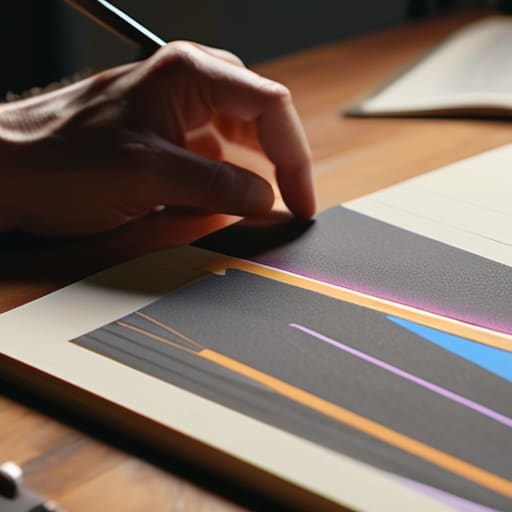
Before you even touch a keyframe, you need to find the rhythm of the piece on paper. I’ve found that jumping straight into software is a trap; it invites a frantic kind of tinkering that often lacks soul. Effective storyboarding for motion graphics isn’t about drawing perfect illustrations; it’s about mapping the emotional arc and the spatial logic of the movement. When I sit down with my sketchbook, I’m not just planning layouts—I’m deciding where the viewer’s eye should rest and where it should dance.
This stage is where you define the skeleton of your animatic creation process. By sketching out these transitions early, you avoid the “pixel-pushing” fatigue that happens when you realize halfway through a project that your pacing is fundamentally broken. A solid storyboard acts as a North Star, ensuring that every movement serves a narrative purpose rather than just being “eye candy.” It allows you to solve the structural problems while the stakes are low, leaving you the mental bandwidth to focus on the nuance of motion once you finally move into the digital space.
The Animatic Creation Process Finding Rhythm in Friction

Once the storyboards are laid out, it’s tempting to jump straight into the software and start keyframing. I’ve seen too many designers skip this step, only to realize halfway through that their pacing is completely off. This is where the animatic creation process becomes vital. An animatic isn’t just a rough sketch set to audio; it’s the heartbeat of your project. It’s where you feel the resistance of the timing and realize that a three-second pause might carry more weight than a frantic transition. By forcing yourself to work with low-fidelity placeholders, you’re actually protecting the soul of the movement before the technical heavy lifting begins.
Treating this phase as a structural blueprint prevents the chaos that often plagues a messy motion design production pipeline. When you nail the rhythm here, you aren’t just guessing in the final software; you’re executing a proven plan. It allows you to solve the “feel” of the piece while your brain is still in a conceptual headspace, rather than getting bogged down in the weeds of technical execution. Don’t rush the rhythm—if the timing feels hollow in a simple sketch, no amount of high-end rendering will save it.
Guarding the Creative Spark: Five Ways to Protect Your Process
- Build in “Analog Buffer” zones. Before you touch a keyframe or open After Effects, step away from the screen. Use that sketchbook of mine to map out movement with a pen; if a concept doesn’t work in a static, hand-drawn sketch, a thousand layers of motion won’t save it.
- Respect the hierarchy of assets. Don’t let your project files become a digital junk drawer. Organize your layers and compositions with the same intentionality you’d use for a type specimen sheet—if you can’t find a vector shape in ten seconds, your workflow is already failing you.
- Avoid the trap of “Perpetual Tweaking.” It’s easy to get lost in the micro-adjustments of an easing curve, but don’t let the pursuit of perfection paralyze your momentum. Set hard boundaries for when a motion pass is “done” so you can actually move on to the next phase of the story.
- Optimize for the human hand, not just the CPU. Automating the tedious parts of a workflow is fine, but don’t let your tools strip away the nuance. Keep your keyframes purposeful; every movement should feel like it was placed there by a hand, not just calculated by an algorithm.
- Master the art of the “Modular Build.” Design your motion elements as independent, reusable components rather than monolithic files. This gives you the flexibility to pivot when a client’s feedback shifts, without having to tear down the entire structural foundation of your project.
The Intentional Motion Framework
Stop treating motion as an afterthought; a workflow only succeeds when the rhythm is established during the storyboard phase, long before you touch a keyframe.
Embrace the friction of the animatic stage to find the soul of your piece, rather than rushing toward a polished render that lacks a human pulse.
Protect your creative agency by building processes that prioritize structural clarity over sheer technical speed.
The Trap of Seamlessness
We often mistake a frictionless workflow for a productive one, but if you strip away the pauses—the moments where you actually sit with a frame and question its necessity—you aren’t designing anymore; you’re just executing a sequence.
Ingrid Bellamy
Returning to the Source
At the end of the day, a motion graphics workflow shouldn’t be a race toward a finished render; it should be a structured way to protect your best ideas. We’ve looked at how intentional storyboarding provides the skeletal structure for your vision and how the animatic allows you to find that crucial, human rhythm before you ever touch a keyframe. By embracing these stages—the friction of sketching, the pacing of the timeline, and the deliberate pauses for refinement—you ensure that your work isn’t just a series of smooth transitions, but a meaningful sequence of movements. When we prioritize these foundational steps, we move away from mindless automation and toward a process that actually respects the craft.
As you move back into your software, I encourage you to resist the urge to jump straight into the polish. It is easy to get lost in the glow of high-fidelity effects and complex expressions, but remember that the soul of your animation lives in the intention behind the motion. Treat your digital canvas with the same reverence you would a physical sketchbook or a vintage Leica. If you build a workflow that honors the human hand, your final output will possess a depth that no algorithm can replicate. Build something that actually breathes.
Frequently Asked Questions
How do I prevent the technical constraints of software from dictating my creative direction during the animation phase?
It’s easy to let the software become the architect of your design, but don’t let the tool dictate the movement. I always go back to my sketchbook first. If you can’t map out the weight and timing of a motion path with a fountain pen, the software shouldn’t be touching it yet. Define the physics and the feeling manually; once the intent is solid on paper, the technical constraints become hurdles to clear rather than boundaries that stifle your vision.
At what point in the workflow should I step away from the screen to ensure I haven't lost the human element to automation?
Step away the moment the software starts making decisions for you. When you find yourself clicking through presets or letting an automated keyframe tool dictate the weight of a movement, you’ve drifted. I usually pull my sketchbook out right after the animatic phase. Before you dive into the heavy lifting of software, get back to the tactile—the messy, unpolished sketches. If you can’t feel the rhythm in your hand, you won’t find it on the screen.
How can I build a structured process that allows for spontaneous creative pivots without completely derailing my project timeline?
Build “buffer zones” into your timeline—think of them as intentional gaps between your rigid milestones. Instead of a seamless, unbroken schedule, treat your production phases like a sketch: allow for a dedicated period of “controlled chaos” after the initial layout. If you bake in a few days of unstructured experimentation after the animatic stage, you can follow a sudden creative spark without the panic of a collapsing deadline. Structure provides the safety net; spontaneity provides the soul.
