
I remember the smell of spray adhesive and the tactile weight of heavy cardstock during my years working with physical paste-ups. Back then, collaboration meant leaning over a drafting table, pointing at a layout, and actually feeling the tension in a composition. Today, we’ve traded that physical friction for a dizzying array of “all-in-one” platforms that promise seamless connection but often deliver nothing but digital noise. We’ve become so obsessed with the latest software updates that we’ve forgotten that collaborative design workflows should serve the creative process, not dictate it. Most of these tools are just expensive ways to add more layers of bureaucracy to a job that requires focus.
I’m not here to sell you on a new subscription or a shiny, automated miracle. Instead, I want to talk about how we can build systems that actually respect your time and your craft. I’ll be sharing my own hard-won, no-nonsense approach to structuring collaborative design workflows that prioritize human intention over mindless synchronization. We’re going to look at how to strip away the digital clutter so you can get back to the real work of designing.
Table of Contents
Nurturing Connection Through Asynchronous Design Collaboration

We often fall into the trap of thinking that “collaboration” requires everyone to be in the same virtual room at the same time, staring at a flickering cursor. But constant, high-pressure meetings can actually fracture the deep work necessary for true craft. I’ve found that asynchronous design collaboration offers a much-needed breathing room. It allows a designer to step away from the screen, grab their sketchbook, and return to a project with a clear head, rather than reacting to the immediate noise of a live chat thread.
The key is setting up a structure that respects these boundaries. This means moving away from chaotic feedback loops and toward a more intentional ux design process optimization. Instead of a frantic ping on Slack, try using structured video walkthroughs or detailed annotations within your design files. When we provide context through thoughtful, recorded explanations, we bridge the gap between different time zones and cognitive rhythms. It turns the handoff from a moment of friction into a meaningful exchange of ideas, ensuring that the original intent of the work isn’t lost in translation.
Cross Functional Team Alignment Over Digital Noise
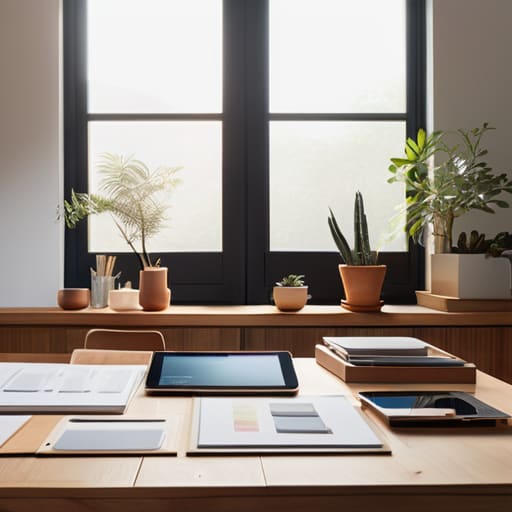
The problem with modern digital workspaces isn’t a lack of communication; it’s the sheer volume of it. We’ve traded thoughtful deliberation for a constant stream of pings, comments, and notifications that fragment our focus. When we talk about cross-functional team alignment, we shouldn’t be talking about more meetings. We should be talking about creating a shared language that survives the noise. For me, this means moving away from reactive chatter and toward a centralized source of truth where every stakeholder—from the product owner to the engineer—can find clarity without having to ask for it.
This is where the friction between departments often turns into a rift. I’ve seen too many projects stumble during the transition from concept to code because the vision was lost in a sea of fragmented Slack threads. To prevent this, we need to lean into robust design system management. By treating our components and documentation as living, breathing entities rather than static files, we provide a stable foundation that respects everyone’s time. It’s about building a structure that allows the work to speak for itself, ensuring that the intentionality of the original craft isn’t diluted by the chaos of the build.
Five Ways to Protect the Craft in a Shared Workspace
- Prioritize the “Why” before the “How.” Before diving into a shared Figma file or a collaborative whiteboard, ensure everyone understands the core problem we are solving. Without a shared intent, collaboration quickly devolves into a chaotic exercise in moving pixels around.
- Establish a “Single Source of Truth” for your design system. Nothing kills creative momentum faster than three different designers using three slightly different shades of the same brand blue. A centralized, living library isn’t just about consistency; it’s about reducing the cognitive load so we can actually think.
- Respect the “Deep Work” boundaries. Collaborative tools are great, but constant notifications are the enemy of nuance. Set specific windows for synchronous feedback sessions, and leave the rest of the time for uninterrupted, solitary exploration.
- Curate your feedback loops. Not all critiques are created equal. Distinguish between functional feedback (does this button work?) and aesthetic preference (do we like this shade of teal?). If we treat every subjective opinion as a technical requirement, the design loses its soul.
- Document the “Invisible Decisions.” When you make a choice based on a specific principle or a subtle typographic hierarchy, write it down. Leaving a trail of breadcrumbs in your handoff notes ensures that the intentionality of your work isn’t lost when the next person picks up the baton.
The Human Core of the Workflow
Prioritize clarity over constant connectivity; asynchronous tools should act as bridges for thought, not as digital leash systems that demand immediate, unthinking responses.
Guard the designer’s focus by building boundaries into your process, ensuring that cross-functional collaboration serves the creative vision rather than drowning it in endless notifications.
Value the “friction” of deliberate communication, recognizing that a well-placed, thoughtful critique often carries more weight than a dozen rapid-fire, shallow pings.
The Friction of Connection
A truly effective workflow isn’t about removing every point of contact; it’s about ensuring that when we do connect, we’re sharing intention rather than just noise. We need systems that protect the quiet space required for craft, while building enough structure to keep the collective vision from fraying at the edges.
Ingrid Bellamy
Finding the Rhythm in the Process
At the end of the day, building a better collaborative workflow isn’t about stacking more software into your stack or chasing the latest automation trend. It’s about finding that delicate balance between asynchronous freedom and the clarity that comes from cross-functional alignment. We’ve talked about the need to cut through the digital noise and create spaces where communication actually serves the work rather than distracting from it. When we prioritize intentionality over sheer speed, we stop treating our teammates like ticket numbers and start treating them like the skilled craftsmen they are.
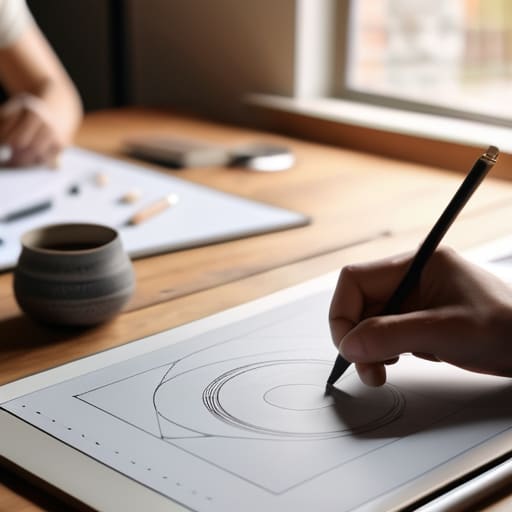
As I sit here with my sketchbook, watching the light shift across my desk, I’m reminded that the most beautiful things are rarely the result of a frictionless, automated process. They are born from the small, human moments of friction—the thoughtful critique, the misunderstood sketch that leads to a breakthrough, and the shared quiet of a focused afternoon. Let’s stop trying to build workflows that eliminate the human element and instead build tools that honor it. Design is, and always will be, a deeply human act. Let’s make sure our processes reflect that.
Frequently Asked Questions
How do we maintain a sense of creative agency and personal style when so many hands are touching a single file?
It’s a valid fear. When a file becomes a communal playground, the original intent can easily get diluted into a beige middle ground. To fight this, I treat my core design systems like a well-constructed typeface: there are rules, but there’s also room for character. Establish clear boundaries between the foundational structure and the expressive layers. If you define the “bones” clearly, your team can collaborate on the skin without eroding your soul.
At what point does constant real-time collaboration stop being productive and start becoming a distraction from deep, focused work?
It happens the moment you stop designing and start managing notifications. When the “ping” of a Slack message or a live cursor movement interrupts your flow more than once an hour, you’ve crossed the line. Real-time collaboration is great for brainstorming, but deep work requires a certain kind of solitude. If you’re spending more energy reacting to the team than refining the typeface or the layout, the tools are no longer serving the craft.
How can we bridge the gap between the high-fidelity precision designers need and the rapid, iterative feedback loops that stakeholders expect?
The friction usually happens when we treat stakeholders like they’re looking at a finished print piece rather than a living prototype. To bridge this, stop presenting “final” high-fidelity mocks too early. Instead, use tiered handoffs. Introduce low-fidelity wireframes to align on logic first, then layer in the precision once the foundation is solid. It protects your craft from premature critique while giving them the iterative speed they crave without breaking your focus.
