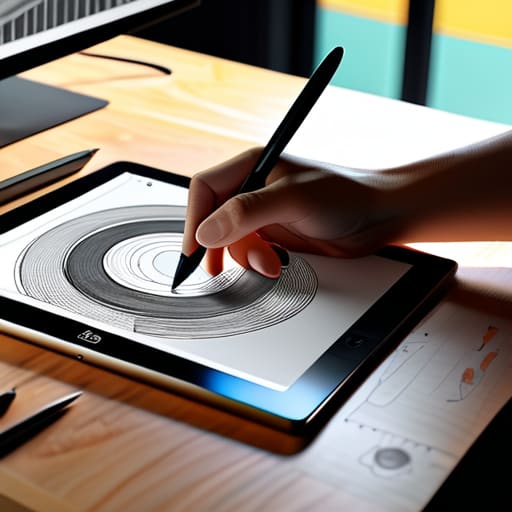
I still remember the smell of ozone and heavy ink in the RISD studios, back when a “workflow” meant physical X-Acto blades and a steady hand for paste-ups. Today, I see so many designers drowning in a sea of expensive tablets and over-engineered software, convinced that a higher price tag equals more creativity. We’ve been sold this lie that digital sketching workflows need to be these complex, multi-layered ecosystems of endless plugins and automated brushes. But honestly? Most of that tech just acts as a barrier between your brain and the page, stripping away the intentionality that makes a design actually work.
I’m not here to sell you on the latest shiny gadget or a way to “optimize” your soul out of your work. Instead, I want to talk about how we can reclaim that lost tactile connection without abandoning the tools of our trade. I’m going to share my own stripped-back approach to digital sketching workflows—one that prioritizes the honest friction of creation over the sterile perfection of a vector line. We’ll look at how to build a process that serves your vision, rather than one that forces you to serve the software.
Table of Contents
Mastering Tablet Stylus Precision and Human Touch
There is a specific, almost tactile frustration that comes when your digital stroke feels disconnected from your intent. We’ve all been there—the cursor feels like it’s sliding on glass, devoid of any meaningful resistance. To fix this, you have to look beyond the hardware and focus on digital brush settings. I’ve found that tweaking the pressure sensitivity curves to favor a slightly heavier initial touch can mimic the way a nib catches on toothy paper. It isn’t about making the software do the work; it’s about calibrating the tool to match your nervous system.
Achieving true tablet stylus precision also requires a disciplined approach to how you interact with the canvas. I often find myself fighting against the temptation to rely solely on stabilization features, which can inadvertently “sanitize” the soul out of a sketch. Instead, I treat my digital workspace like a physical drafting table. This means refining my layer management techniques to keep the chaos organized, allowing me to focus entirely on the weight and rhythm of the line rather than the mechanics of the interface.
Optimizing Digital Art Software for Creative Flow
The danger of modern tools is how easily they invite us to become mere operators rather than creators. When I sit down at my workstation, my first goal isn’t to explore every flashy new feature, but to strip away the clutter. True digital art software optimization is about reducing the distance between a thought and its execution. If I have to hunt through nested menus just to change a brush opacity or toggle a layer, the creative spark has already begun to dim. I find that a streamlined interface—one where my most frequent tools are mapped to tactile shortcuts—allows the software to recede into the background.
I’ve learned to treat my workspace like a physical studio; it needs to be organized, but not sterile. This means refining my layer management techniques so that I’m not constantly fighting my own file structure mid-stroke. I prefer a setup where my digital brush settings are pre-configured to mimic the specific resistance of a 2B pencil or a soft charcoal. When the software feels less like a calculator and more like a responsive medium, you stop managing pixels and start making marks.
Reclaiming Intentionality: Five Ways to Stay Present in Your Digital Sketching
- Curate your digital workspace to minimize the “click fatigue” that kills momentum; if you find yourself hunting through nested menus for a basic brush, your workflow is working against your brain.
- Treat your tablet settings as a tactile extension of your hand by adjusting pressure sensitivity to mimic the resistance of real media, rather than letting the software smooth out all your character.
- Keep a physical sketchbook open beside your device to bridge the gap between the screen and the page, allowing you to quickly jot down a composition idea without the distraction of a backlight.
- Resist the urge to use “undo” as a crutch for indecision; try sketching with a more permanent digital brush to force yourself to live with your marks and learn from your mistakes.
- Build a library of custom, “imperfect” digital brushes that replicate the grain and erratic flow of ink or charcoal, ensuring your work doesn’t end up looking like a sterile, mathematical output.
Finding the Balance Between Tool and Intent
Stop treating your stylus like a mouse; lean into the pressure sensitivity and tilt to reclaim the expressive, imperfect lines that make a sketch feel alive.
Curate your digital workspace to minimize decision fatigue, ensuring your software acts as a silent partner rather than a loud distraction from your core concept.
Never fully abandon the analog; use your digital workflow to iterate rapidly, but always return to a physical sketchbook to validate the soul of your design.
The Illusion of Seamlessness
We often mistake a frictionless interface for a better process, but true creativity needs a little resistance; if your digital workflow doesn’t allow for the occasional, beautiful mistake, you aren’t designing—you’re just calculating.
Ingrid Bellamy
Finding the Balance
At the end of the day, refining your digital sketching workflow isn’t about chasing the fastest possible output or finding the most expensive hardware. It is about the intentional calibration of your tools—ensuring your stylus mimics the resistance you crave and that your software settings act as a silent partner rather than a distraction. When we master tablet precision and curate our digital environments to favor flow over feature-bloat, we bridge the gap between the cold logic of the processor and the warmth of human intuition. We aren’t just moving pixels; we are translating a physical impulse into a digital reality.
As you return to your canvas, I encourage you to remember that the technology is merely the medium, not the master. Don’t be afraid to let your lines wander or to embrace the “imperfections” that make a sketch feel alive. The most profound work often happens in those quiet moments of intentional friction, where the digital interface fades into the background and only the idea remains. Keep your sketchbook close, keep your fountain pen inked, and never let the pursuit of digital perfection strip the soul out of your craft.
Frequently Asked Questions
How do I prevent my digital sketches from feeling too "perfect" or sterile compared to my paper notebooks?
The problem is that we’ve become too accustomed to the “undo” button. When perfection is a keystroke away, we lose the courage to make mistakes. To fix this, stop using stabilizers or smoothing settings—they’re killing your line weight. I often intentionally choose a slightly textured, “grainy” brush that mimics charcoal or graphite. Don’t aim for a clean vector; embrace the wobble. Let the imperfections live. That’s where the soul of the work resides.
Are there specific hardware setups that help bridge the gap between the tactile resistance of a real pen and the smoothness of a stylus?
I’ve spent a lot of time tinkering with this. To get that tactile resistance, I swear by matte screen protectors—specifically those with a paper-like texture. They break up that frustrating “glass-on-glass” glide. Pair that with a stylus that has a weighted, slightly larger barrel, and you start to mimic the heft of a fountain pen. It’s about creating just enough friction to make your hand feel the intention behind every stroke.
How can I integrate my physical sketchbook entries into a digital workflow without losing the original intent of the hand-drawn marks?
Don’t treat your scans as mere assets to be “cleaned up.” When you bring a sketch into the digital space, preserve the imperfections. Use high-resolution scans rather than quick phone snaps to keep the grain of the paper intact. Instead of aggressive smoothing, try using layer blend modes like Multiply to overlay your hand-drawn marks onto your digital layouts. This allows the raw, honest energy of your ink to breathe through the pixels.
