Basics of creating vector art tutorial.

Basics of Creating Vector Art

I remember sitting in a dimly lit studio back in the late nineties, the air thick with the smell of ozone and stale coffee, staring at a screen that felt more like a battlefield than a canvas. We were transitioning from the tactile, messy joy of physical paste-ups to the clinical precision of digital tools, and there was this sudden, frantic obsession with mathematical perfection. People started treating vector art as if it were some holy grail of infinite scalability, forgetting that a line is only as good as the intent behind it. I’ve watched too many designers hide behind the sterile ease of anchor points, producing work that is technically flawless but utterly soul-less.

I’m not here to sell you on the magic of software or give you a tutorial on which buttons to click to achieve a perfect curve. Instead, I want to talk about how we can use these mathematical paths to actually honor the craft we came from. In this piece, I’m going to share my perspective on how to approach vector art with a sense of purpose, ensuring your digital work retains that vital, human friction that prevents it from feeling like mere machine output.

Table of Contents

Honoring Intent Through Anchor Points and Handles
Honoring Intent Through Anchor Points and Handles

When I first sat down at a drafting table, “precision” meant the steady pressure of a technical pen. Today, that precision lives in the invisible geometry of anchor points and handles. It’s easy to treat these as mere technical requirements, but I see them as the digital equivalent of a brushstroke. When you manipulate a Bézier curve, you aren’t just moving a coordinate; you are deciding the weight and the rhythm of a line. If you rush the process, the geometry feels sterile and clinical. If you take your time, you can coax a sense of organic flow out of what is essentially a series of mathematical equations in design.

The danger of modern software is how quickly it tempts us toward “perfect” automation. We can click a button and let an algorithm smooth out a path, but that often strips away the character of the work. I prefer to get my hands dirty with the nodes. By manually adjusting the tension of a handle, you maintain a level of intentionality that a single click can never replicate. It’s about finding that sweet spot where the math serves the vision, rather than the other way around.

Resolution Independence as a Respect for Scale
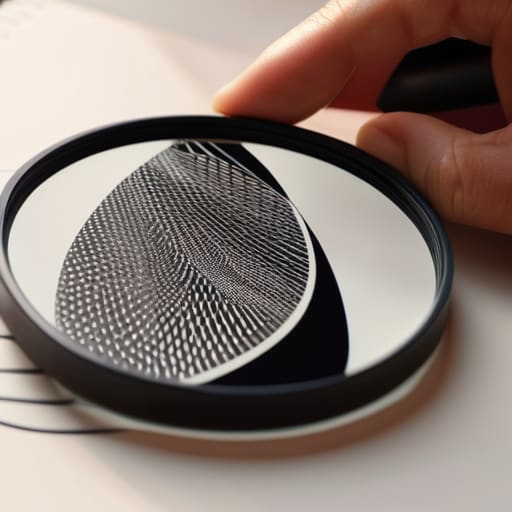
Resolution Independence as a Respect for Scale

There is a certain anxiety that comes with watching a beautiful image dissolve into a jagged mess of pixels the moment you try to scale it up. When I was working with physical paste-ups, scale was a physical reality; you couldn’t just “zoom in” on a printed page without seeing the grain of the paper. In the digital realm, the debate of raster vs vector graphics often focuses on technical efficiency, but for me, it’s actually about respecting the longevity of a vision.

When we design using mathematical equations rather than a fixed grid of colored squares, we are essentially future-proofing our intention. This resolution independence means that a logo I craft today won’t lose its integrity whether it’s sitting on a tiny smartphone screen or being blown up for a massive building wrap. By utilizing SVG file formats, we aren’t just saving storage space; we are ensuring that the clarity of the original thought remains uncompromised, regardless of how much the world tries to stretch it.

Five Ways to Infuse Intent into Your Vector Workflow

  • Simplify your paths to avoid “digital clutter.” It’s tempting to add more anchor points for precision, but true craftsmanship is about finding the fewest points necessary to capture the soul of a curve. Over-engineered paths lose the fluidity that makes a design feel alive.
  • Treat your stroke weights with purpose rather than uniformity. In the physical world, a pen’s pressure changes the line; in vector art, we often fall into the trap of using static, mathematical widths. Experiment with variable widths to mimic that human imperfection.
  • Use color palettes that respect optical balance, not just hex codes. A digital color picker is a mathematical tool, but your eye is a biological one. Always step away from the screen to see if your vector compositions hold their weight in the real world.
  • Avoid the “perfectly centered” trap. Mathematical symmetry is easy for a computer to calculate, but it often feels sterile. Introduce slight, intentional asymmetries to create a sense of tension and movement that draws the viewer in.
  • Build with the end-use in mind. Whether you are designing a tiny icon or a massive environmental wrap, your vector construction should reflect that scale. Don’t just build for the screen you’re staring at; build for the tactile reality the design will eventually inhabit.

The Intentionality of the Vector Path

Stop treating anchor points like mathematical chores; view them as the deliberate marks of a designer’s hand that define the soul of a shape.

True resolution independence isn’t just about technical scalability—it’s about ensuring your creative vision remains uncompromised, whether it’s on a business card or a billboard.

Use the precision of vector tools to amplify your intent, not to replace the nuanced, imperfect warmth that makes a design feel human.

The Soul in the Mathematics

We often mistake the mathematical perfection of a vector path for a lack of soul, but I see it differently. To me, a well-placed anchor point isn’t just a coordinate in a digital void; it’s a deliberate decision to honor the curve, a way to ensure that even as we scale our work to the world, we never lose the intentionality of the original stroke.

Ingrid Bellamy

The Intentionality of the Line
The Intentionality of the Line in art.

Ultimately, mastering vector art isn’t about achieving a sterile, mathematical perfection that feels divorced from reality. It’s about understanding how anchor points and handles allow us to translate a human impulse into a digital format without losing the soul of the gesture. When we leverage the power of resolution independence, we aren’t just making files that scale; we are ensuring that our creative intent remains uncompromised, whether it lives on a tiny mobile screen or a massive physical installation. We use these tools to bridge the gap between the precision of the machine and the beautiful imperfection of the human hand.

As we move further into an era of automated generation, I find myself returning to my sketchbook more often to remind myself why I started this journey. Vector tools should never be a way to bypass the thinking process; they should be an extension of it. I challenge you to look past the software and focus on the why behind every curve you plot. Let’s use these mathematical paths to build something that feels deeply felt, ensuring that our digital craft remains a meaningful expression of our shared human experience.

Frequently Asked Questions

How do I prevent my vector work from looking too "perfect" or sterile when I'm aiming for a more organic, hand-drawn feel?

The trap of the Bézier curve is its mathematical perfection. To break that sterility, stop relying on the default smoothness. I often start by sketching the form with a fountain pen first—letting the ink bleed and the lines wobble naturally. When I move to the screen, I intentionally avoid placing anchor points in perfect symmetry. Introduce slight irregularities in your stroke weight and let your paths wander just a fraction. Perfection is easy; character requires friction.

When should I stop refining a path and accept the natural imperfections of the curve?

Stop when the math starts fighting the feeling. I’ve spent too many hours chasing a perfect, mathematical arc only to realize I’ve stripped the soul right out of the stroke. If you’re obsessing over a single anchor point to the point where the curve feels sterile, you’ve gone too far. Leave a little breathing room for the imperfection; that’s where the human element lives. If it looks right to your eye, trust your eye, not the software.

In a world of high-resolution displays, at what point does the mathematical precision of a vector actually start to work against the tactile quality of a design?

It happens when we lean too hard on the math. When every curve is mathematically perfect and every line is sterile, the design loses its soul. In high-res environments, the eye becomes hyper-aware of that uncanny, clinical precision. It starts to feel “computed” rather than “composed.” To me, the sweet spot is using those vectors as a scaffold, then intentionally introducing slight, human irregularities—the kind of “beautiful errors” that remind a viewer a person was actually there.
Strategies for overcoming creative block.

Strategies for Overcoming Creative Block

I was sitting at my desk last Tuesday, staring at a blank Illustrator canvas that felt more like a void than a workspace. My fountain pen was poised over my sketchbook, but the ink wouldn’t flow, and the digital cursor just kept blinking with this rhythmic, mocking indifference. We’ve been sold this lie that creative block is a defect in our machinery—a glitch that needs a “productivity hack” or a subscription to a new AI tool to fix. But after twenty years of moving from physical X-Acto blades to digital vectors, I’ve realized that the silence isn’t a failure; it’s often just a lack of intentionality.

I’m not here to give you a list of ten colorful apps or tell you to “just drink more matcha” to find your muse. Instead, I want to talk about how we can work with the friction rather than trying to automate it away. I’m going to share the tactile, sometimes messy strategies I use to navigate those stagnant stretches when the craft feels lost. We’re going to focus on reclaiming the human element in our process, ensuring that when the ideas finally do return, they actually have something worth saying.

Table of Contents

Recognizing the Quiet Toll of Artistic Burnout Symptoms

Recognizing the Quiet Toll of Artistic Burnout Symptoms

It often starts not with a sudden crash, but with a subtle, draining erosion of interest. You might find yourself staring at a blank canvas or a blinking cursor, feeling a strange sense of detachment from the work that used to fuel you. This isn’t just a temporary lull; it’s the onset of artistic burnout symptoms that manifest as a heavy, persistent apathy. I’ve learned through years of late-night type design that the most dangerous sign isn’t frustration—it’s the absence of it. When you stop caring enough to be annoyed by a poorly kerned word or a clashing color palette, you’ve moved past simple fatigue and into something more profound.

The psychology of creativity suggests that our mental reserves are finite, yet we often treat them like infinite wells. You might notice your usual daily creative habits starting to feel like chores rather than rituals. The joy of the process is replaced by a mechanical, hollow effort to simply meet a deadline. Recognizing this shift is vital; if you ignore the quiet exhaustion, you aren’t just losing your edge—you’re losing the very intentionality that makes your work meaningful.

Why Friction Is Necessary for Overcoming Creative Stagnation

Why Friction Is Necessary for Overcoming Creative Stagnation.

We’ve become obsessed with the idea of “frictionless” design—the notion that if we just find the right software or the fastest workflow, the ideas will pour out of us without effort. But in my experience, a life without resistance is a life without depth. When we try to bypass the struggle, we often bypass the very psychology of creativity that gives our work its soul. True breakthroughs rarely happen in a vacuum of perfect efficiency; they happen when we collide with a problem that refuses to be solved by a simple keyboard shortcut.

If you feel like you’re hitting a wall, it’s likely because you’re trying to force a digital solution onto a human problem. Instead of viewing this resistance as a failure, try to see it as a signal. Overcoming creative stagnation isn’t about finding a way to work faster; it’s about leaning into the discomfort of the process. Sometimes, the most effective way to find your rhythm is to introduce intentional, analog friction—like picking up that sketchbook or working with a medium that doesn’t have an “undo” button. Resistance is where the craft lives.

Reclaiming the Craft: Five Ways to Invite Intentionality Back into Your Work

  • Step away from the pixels and find a physical medium. Whether it’s the scratch of a fountain pen on heavy paper or the tactile resistance of charcoal, moving your hands away from a mouse forces your brain to engage with shape and weight in a way a digital canvas simply cannot.
  • Embrace the “ugly” phase of a project. We often stall because we’re trying to polish a concept that hasn’t even been born yet. Give yourself permission to make something terrible—sketch the bad ideas, the messy layouts, and the clashing colors—just to clear the pipes.
  • Curate your inputs to avoid the algorithmic loop. If you spend all day scrolling through highly curated, hyper-polished design feeds, you’re not looking for inspiration; you’re looking for comparison. Close the browser and look at something analog—a vintage typeface specimen, a weathered building, or the grain in a piece of wood.
  • Set boundaries for your digital tools. The infinite undo and the endless library of assets can actually paralyze your decision-making. Try working with constraints: limit your color palette to three shades, or force yourself to work within a strict grid for an hour to rediscover the joy of solving a problem within a set of rules.
  • Listen to the silence. Sometimes the block isn’t a lack of ideas, but an excess of noise. Instead of trying to “power through” with more caffeine or more tutorials, sit with the stillness. Let the frustration exist without trying to fix it immediately; often, the breakthrough happens in the quiet moments when you stop forcing the outcome.

Integrating Intention Back into the Process

Stop treating creative friction as a bug to be fixed; instead, view these moments of resistance as essential signals that your current process needs more human intentionality and less automation.

Shift your focus from the sheer volume of output to the quality of the connection, using tactile tools—like a sketchbook or a physical medium—to bridge the gap between thought and execution.

Build sustainable creative habits that prioritize long-term craftsmanship over the immediate gratification of a finished screen, ensuring you are nurturing your vision rather than just exhausting your resources.

## The Myth of the Seamless Workflow

We’ve become so obsessed with frictionless tools that we’ve mistaken a lack of resistance for a lack of progress; sometimes, the block isn’t a failure of your talent, but your soul’s way of demanding a more intentional way of working.

Ingrid Bellamy

Moving Beyond the Blank Page

Moving Beyond the Blank Page through craft.

Ultimately, getting through a creative block isn’t about forcing a solution or trying to outrun the exhaustion. It’s about recognizing that the burnout you feel and the stagnation you’re experiencing are often just signals that your process has become too automated, too frictionless, and too detached from the intentionality of craft. By acknowledging the toll of burnout and leaning into the necessary friction of the creative struggle, you stop fighting against your own nature. We have to stop treating a lack of ideas as a failure of talent and start seeing it as a call to reconnect with the physical and mental rhythms that actually sustain us.

As you close your laptop and pick up your sketchbook, remember that the most profound breakthroughs rarely happen while staring at a flickering cursor. They happen in the quiet spaces between the work—in the tactile resistance of a fountain pen on paper or the slow, methodical process of restoring something old. Don’t be afraid of the silence or the stillness. These aren’t voids to be filled; they are the fertile ground where your next great idea is quietly taking shape. Trust the process, respect the pause, and let yourself breathe.

Frequently Asked Questions

How do I distinguish between a temporary period of friction and a deeper, more systemic burnout that requires a complete change in direction?

It’s the difference between a heavy fog and a broken compass. Friction is localized; you feel stuck on a specific project or a particular typeface, but the desire to create still hums underneath. Burnout is systemic; it’s a fundamental loss of interest in the craft itself. If the thought of opening your sketchbook feels like a chore rather than a refuge, you aren’t just stuck—you’re depleted. Listen to that silence.

Is there a way to reintegrate the tactile, physical elements of design into a purely digital workflow to help break through a mental wall?

Start with the sketchpad. Before you touch a mouse, grab that fountain pen and let your hand move across paper. There is a cognitive bridge between the physical resistance of a nib and the digital precision of a vector that we often lose. Try printing your layouts at a small scale; there’s something about physically marking up a page with a marker that forces a different kind of spatial thinking than clicking a tool.

How can I maintain my creative standards and intentionality when I feel the pressure to produce high volumes of work at an unsustainable pace?

The pressure to produce often forces us into a “factory mindset,” where we prioritize speed over soul. To fight this, I’ve learned to build intentional buffers into my workflow. Don’t let the deadline dictate your entire process. Set aside small, non-negotiable windows for “slow design”—sketching by hand or studying a single typeface. If you can’t protect the time required for craft, you aren’t designing; you’re just processing. Protect your standards by protecting your pace.