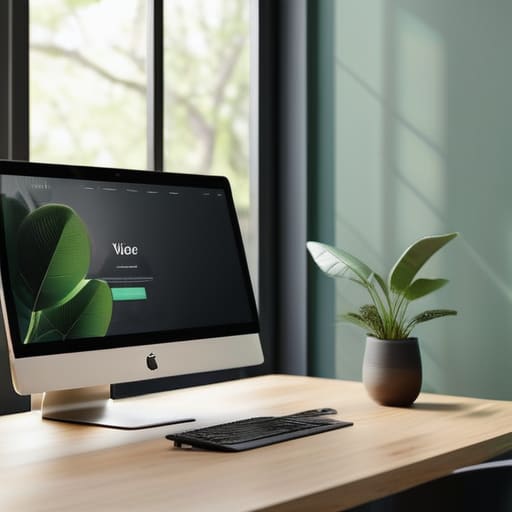
Minimalist web design concept for modern websites.

The Role of Minimalism in Web Design

I remember sitting in a cramped studio back in the late nineties, the air thick with the smell of ozone and permanent marker, manually adjusting paste-ups for a client who thought “more” always meant “better.” Fast forward to today, and I see the same mistake being rebranded as a trend: people mistake empty space for a lack of effort. There is a massive difference between a layout that is thoughtfully curated and one that is just lazy. True minimalist web design isn’t about stripping a site down until it’s a sterile, lifeless void; it’s about the discipline of removing every single element that doesn’t serve a specific, human purpose.

I’m not here to sell you on aesthetic emptiness or some hollow, trend-driven template. Instead, I want to talk about the intentionality behind the void. In this piece, I’m going to share what I’ve learned from two decades of moving pixels and ink to help you build digital spaces that actually respect your user’s attention. We’ll look past the superficial “clean look” and focus on how to use purposeful restraint to create interfaces that feel as tactile and grounded as a well-made typeface.

Table of Contents

Mastering Visual Hierarchy Principles to Respect the Human Touch
Mastering Visual Hierarchy Principles to Respect the Human Touch

When we talk about visual hierarchy, we aren’t just rearranging elements to look “clean.” We are essentially mapping out a conversation between the interface and the person using it. If everything is shouting for attention, nothing gets heard. I’ve found that the most effective way to guide a visitor is through the deliberate use of negative space in UI. It’s not “empty” space; it is a structural tool that allows the eye to rest and the most important information to land with purpose. By creating these pockets of stillness, we respect the user’s focus rather than demanding it through clutter.

This intentionality is what truly drives reducing cognitive load. When we lean into minimalist typography trends—choosing a single, well-crafted typeface with varying weights rather than a dozen decorative fonts—we create a predictable rhythm. A user should never have to work to find the “Next” button or understand a headline. My goal is always to ensure that the design feels like a quiet, steady hand guiding them through the experience, rather than a chaotic digital landscape fighting for their every second of attention.

Reducing Cognitive Load Through Purposeful Negative Space in Ui
Reducing Cognitive Load Through Purposeful Negative Space in Ui

We often treat white space as if it were a void waiting to be filled, a vacuum that needs to be patched with a call-to-action button or a decorative icon. But in my experience, treating negative space in UI as “empty” is a fundamental misunderstanding of how we process information. True minimalism isn’t about the absence of content; it’s about providing the breathing room necessary for reducing cognitive load. When we crowd a layout, we aren’t being efficient—we are forcing the user to work harder just to find their footing.

I’ve seen too many interfaces suffer from “feature creep,” where every pixel is fighting for dominance. By intentionally leveraging negative space, we create a natural rhythm that guides the eye without the need for aggressive arrows or flashing alerts. It’s about respecting the user’s mental bandwidth. When you allow elements to sit in isolation, you aren’t just making things look “clean”; you are performing a vital piece of user experience optimization. You are giving the most important information the stage it deserves, ensuring that the intent of the design remains the hero.

Five Ways to Guard Against Decorative Excess

  • Prioritize typography as a structural element, not just a stylistic choice. In a minimalist layout, your typeface carries the weight of the brand; choose a font that communicates character through its anatomy rather than relying on heavy shadows or gradients to do the work.
  • Treat color as a functional tool for wayfinding. Instead of a sprawling palette, use a restrained set of hues to signal importance—let a single, intentional accent color guide the eye toward a call to action, rather than drowning the user in a sea of competing tones.
  • Embrace the “friction of intent” by making every interactive element earned. If a button or a link doesn’t serve a clear, navigational purpose, it’s just digital clutter. Ask yourself: Does this element help the user reach their goal, or is it just there to fill a void?
  • Design for legibility over cleverness. It is easy to get lost in experimental layouts, but true craftsmanship lies in ensuring the content remains the hero. High contrast and generous line heights aren’t just aesthetic preferences; they are acts of respect for the reader’s time and focus.
  • Avoid the trap of “empty” minimalism. There is a profound difference between a design that feels unfinished and one that feels intentional. Every piece of negative space should feel like it was placed there with the same precision I use when calibrating a vintage Leica lens.

The Essence of Intentional Minimalism

Minimalism isn’t a stylistic choice to make things look “clean”; it is a functional commitment to stripping away anything that doesn’t serve the user’s primary goal.

True craftsmanship in digital spaces means treating negative space as a structural element rather than just empty territory, allowing the core content to actually breathe.

We must design with the friction of human interaction in mind, ensuring that every visual cue guides the eye without overwhelming the senses or the intellect.

The Illusion of Emptiness

Minimalism in digital spaces isn’t about the absence of content; it’s about the presence of clarity. We shouldn’t be designing for empty screens, but for minds that are already too crowded.

Ingrid Bellamy

The Intentional Path Forward
The Intentional Path Forward in minimalist design.

At its core, minimalist web design is far more than a stylistic choice or a trend pulled from a mood board. It is a disciplined approach to digital architecture. By mastering visual hierarchy and leveraging negative space to reduce cognitive load, we aren’t just making things look “cleaner”—we are actively respecting the user’s limited attention. We have moved from an era of digital clutter to one where every pixel must justify its existence. When we strip away the non-essential, we allow the true purpose of the interface to emerge, creating a seamless bridge between human intent and digital response.

As I sit here with my sketchbook, watching the light change on my desk, I am reminded that the most enduring designs are those that feel human. In our rush toward total automation and algorithmic perfection, let us not lose the intentionality of craftsmanship. Minimalism isn’t about what you take away; it’s about what you leave behind to let the soul of the work breathe. I challenge you to stop designing for the screen and start designing for the person behind it. Build something that doesn’t just fill a void, but serves a meaningful purpose.

Frequently Asked Questions

How do you maintain a sense of brand personality and "soul" without relying on heavy decorative elements or complex textures?

It comes down to the micro-decisions: the weight of a typeface, the specific tension in a line, or the way a single, well-chosen serif carries more character than a dozen stock textures. I find soul in the rhythm of the layout. When you strip away the decoration, you aren’t left with nothing; you’re left with the intentionality of your choices. Personality lives in the subtle friction of a perfectly tuned typographic scale.

At what point does a minimalist layout cross the line from being "clean" to being functionally sparse or even frustrating for the user?

It crosses the line the moment you prioritize your aesthetic ego over the user’s intuition. Minimalism becomes frustration when you strip away the “affordances”—those subtle visual cues that tell a person, this is a button or this is a link. If a user has to hunt for a way to navigate your beautiful, empty canvas, you haven’t designed a clean interface; you’ve designed a riddle. Purpose must always precede the void.

In an era of rapid AI-generated layouts, how can we ensure that intentionality remains at the center of a minimalist design process?

We have to stop treating AI as a shortcut and start treating it as a draft. Intentionality lives in the “why” behind every pixel—a decision an algorithm can’t make because it doesn’t understand human friction. To keep design soulful, we must step away from the screen and return to the sketchpad. If you can’t justify a layout with a pencil and a clear purpose, it doesn’t matter how polished the AI makes it.

Learning motion design basics through fundamentals.

Fundamentals of Motion Design

I remember sitting in a dimly lit studio back in the late nineties, the smell of ozone and stale coffee thick in the air, watching a colleague struggle with a clunky, jittery animation on a cathode-ray tube monitor. We were transitioning from the tactile certainty of physical paste-ups to the unpredictable world of pixels, and even then, I could see the trap we were falling into: the urge to move things just because we finally could. Today, the industry is flooded with flashy, over-engineered tutorials that treat motion design basics like a magic trick rather than a discipline of timing and weight. Most of what you see online isn’t design; it’s just digital noise designed to distract you from a lack of substance.

I’m not here to teach you how to make things bounce or spin for the sake of a spectacle. Instead, I want to strip away the software hype and get back to the intentionality of movement. We are going to explore the core principles of motion design basics through the lens of purposeful craft, focusing on how rhythm, easing, and spatial awareness can actually serve the user. My goal is to help you build motion that feels human, respects the viewer’s attention, and adds meaning to the interface rather than just cluttering the screen.

Table of Contents

Mastering Motion Graphics Fundamentals With Intention

Mastering Motion Graphics Fundamentals With Intention.

When we talk about motion graphics fundamentals, I often see designers jumping straight into the software to play with keyframes without first considering the “why.” It’s easy to get lost in the complexity of the tools, but true mastery starts with the principles of animation for designers—concepts like squash, stretch, and anticipation that have existed long before we had digital timelines. If you aren’t thinking about the physics of an object or the weight of a transition, you aren’t designing; you’re just moving pixels around.

The real soul of a piece lies in the nuance of the timing. I spend a lot of time understanding motion curves because that is where the organic feel lives. A linear movement feels robotic and cold, whereas a well-crafted ease-in or ease-out mimics the natural acceleration of the physical world. This isn’t just about making things look “smooth”; it’s about visual storytelling through movement. When a menu slides into place with a subtle, rhythmic deceleration, it respects the user’s pace. It feels intentional, grounded, and—most importantly—human.

Visual Storytelling Through Movement and Purpose

Visual Storytelling Through Movement and Purpose.

When we talk about visual storytelling through movement, we aren’t just talking about making things slide from left to right. It’s about the emotional weight behind the transition. If a menu slides in too fast, it feels jarring and clinical; if it lingers too long, it feels heavy and sluggish. To avoid this, you have to start understanding motion curves—the subtle ebb and flow of speed that mimics how objects actually behave in the physical world. In my practice, I always look for that “organic friction.” A movement should feel like it has momentum and a graceful deceleration, rather than a robotic, linear path that ignores the user’s eye.

The goal is to use the principles of animation for designers to guide the viewer’s attention without them even realizing it. Instead of using animation as a decorative layer, treat it as a silent narrator. Every ease-in and every slight overshoot serves to tell the user, “Look here, this is important, and this is where you are in the process.” When you master this, you move beyond mere decoration and begin to create intentional digital experiences that feel as tactile and responsive as a well-weighted fountain pen on heavy paper.

Five Principles for Moving Beyond Decoration

  • Respect the rhythm of the user. Motion shouldn’t be a sudden interruption; it should feel like a natural extension of a human gesture. If an animation feels too fast or too frantic, it’s likely breaking the user’s cognitive flow rather than supporting it.
  • Prioritize easing over linear movement. In the physical world, nothing starts or stops at a constant, robotic speed. Use custom easing curves to mimic inertia and gravity—this subtle touch is what separates a polished interface from a mechanical one.
  • Use motion to establish hierarchy. Don’t let every element dance at once. Direct the eye by using movement to signal what is important, using subtle shifts to guide the viewer toward the primary call to action.
  • Avoid the temptation to animate for the sake of it. Before you keyframe a single movement, ask yourself if it serves a functional purpose. If the motion doesn’t clarify a state change or provide necessary feedback, it’s just digital clutter.
  • Mind the weight of your elements. A heavy, bold typeface should move differently than a light, airy icon. Treat your digital assets like physical objects with mass; the way they accelerate and decelerate tells the user everything they need to know about their perceived weight.

The Intentionality Checklist

Movement must have a job to do; if an animation doesn’t guide the eye or clarify a hierarchy, it’s just digital noise.

Respect the user’s pace by avoiding excessive or jarring transitions that break the natural rhythm of interaction.

Prioritize functional elegance over flashy effects—the most effective motion is often the kind you barely notice, yet deeply feel.

The Friction of Motion

Motion shouldn’t be a decorative flourish meant to distract; it should be the invisible hand that guides a user through a space, respecting their rhythm rather than demanding their attention.

Ingrid Bellamy

The Human Element in Every Frame

The Human Element in Every Frame.

At its core, mastering motion design isn’t about learning how to make things bounce or spin; it is about understanding how movement communicates value. We have explored how fundamental principles like timing and spacing create a sense of physical reality, and how visual storytelling allows us to guide a user’s eye through a digital landscape. When we apply these basics with intention, we move away from mere decoration and toward functional elegance. Remember, every keyframe you set should serve a specific purpose—whether that is to clarify a hierarchy or to honor the rhythm of the person on the other side of the screen. Motion must be a bridge, not a barrier.

As you move forward with your projects, I encourage you to resist the urge to let automation dictate your creative output. It is easy to lean on presets and heavy easing curves, but the most impactful work often comes from the quiet, subtle choices that respect the user’s focus. Treat your digital canvas with the same reverence I give to a vintage Leica or a fresh sheet of heavy-weight paper. Aim to create work that feels deliberate and tactile, even in a world of pixels. Let your motion be the heartbeat of your design, proving that even in a digital age, craftsmanship still matters.

Frequently Asked Questions

How do I know when a transition is actually adding value versus just being a distraction from the content?

Ask yourself: if you stripped the transition away, does the logic of the sequence break? If the answer is no, you’re likely just adding noise. A good transition should act like a connective tissue—it eases the eye from one thought to the next without demanding its own spotlight. If the user notices the movement more than the message, you haven’t designed a transition; you’ve designed a distraction. Keep it quiet. Let the content breathe.

How can I maintain a sense of brand identity and "human touch" when working with strictly digital, automated animation tools?

The trap of automation is the pursuit of mathematical perfection. When tools do the heavy lifting, everything starts to feel too “clean”—too frictionless. To bring the human touch back, I look for the intentional imperfection. Don’t let the easing curves be default; tweak them to mimic organic deceleration. Introduce slight, deliberate irregularities in timing. Treat your keyframes like ink on paper—they should feel like they were placed by a hand, not a calculation.

Where is the line between helpful functional movement and over-designed motion that disrupts the user's natural rhythm?

The line is found in the concept of friction. Helpful movement acts like a subtle nudge—a gentle ease-in that guides the eye to what matters next. Over-designed motion, however, creates unnecessary resistance. If a user has to wait for an animation to finish before they can interact, you haven’t designed a tool; you’ve built an obstacle. If the movement doesn’t serve the user’s immediate intent, it’s just digital noise. Keep it purposeful.

Typography in web design selection process.

Choosing Typography for Web Projects

I remember sitting in a cramped studio in Providence, the air thick with the scent of spray adhesive and the rhythmic snip-snip of X-Acto blades against heavy cardstock. Back then, every letterform was a physical commitment; you couldn’t just hit “undo” if your kerning was off. Today, I see designers treating typography in web design like an afterthought, a mere byproduct of a CSS framework or a way to fill white space. We’ve traded that tactile intentionality for a mindless reliance on massive font libraries, forgetting that a typeface isn’t just a decoration—it is the voice of the interface.

I’m not here to sell you on the latest trendy variable fonts or some overpriced subscription service that promises to “revolutionize” your workflow. Instead, I want to talk about the soul of the letterform and how to use it to respect your reader’s rhythm. I’m going to share what I’ve learned from twenty years of moving from ink to pixels, focusing on how to build digital spaces that honor human friction rather than smoothing it away. We’re going to get back to the craft.

Table of Contents

Crafting Visual Hierarchy to Empower the Human Eye

Crafting Visual Hierarchy to Empower the Human Eye.

When we talk about visual hierarchy in web design, we aren’t just talking about making the headline bigger than the body copy. That’s the bare minimum, and frankly, it’s lazy. True hierarchy is about guiding a person through a narrative without them even realizing they are being led. It’s about creating a path for the eye to follow, using scale, weight, and negative space to signal what matters most. If everything is shouting for attention, the reader ends up exhausted, staring at a wall of noise rather than a coherent message.

I often find myself returning to my sketchbook to map out these relationships manually. There is a specific rhythm to how we consume information. By mastering font pairing strategies, we can create a deliberate tension between a bold, structural heading and a more breathable, legible body face. We also have to consider the quiet mechanics of the page—adjusting line height and leading isn’t just a technical checkbox; it’s about providing the reader with enough “air” to process the thought before moving to the next. We design for the eyes, but we must also design for the mind’s need for order.

The Tension Between Web Safe Fonts vs Custom Fonts

The Tension Between Web Safe Fonts vs Custom Fonts

There is a persistent, quiet tug-of-war in our industry: the desire for a unique brand voice versus the pragmatic need for performance. When I’m auditing a new project, the debate over web-safe fonts vs custom fonts usually boils down to a conflict between soul and speed. We all crave that bespoke, hand-crafted feel that a custom typeface provides—the kind of character that tells a story before a single word is even read. But there is a certain integrity in the classics, like Arial or Georgia, that ensures a layout remains stable and predictable across every device.

However, we can’t let technical caution stifle intentionality. The goal isn’t to choose one over the other, but to find a way to balance them through thoughtful font pairing strategies. I often advise my clients to invest in a high-quality custom typeface for headings to establish that immediate emotional connection, while leaning on reliable, highly legible system fonts for the body text. This approach honors the user’s experience by reducing load times while still ensuring the design doesn’t feel like a generic, uninspired template.

Five Ways to Restore Intentionality to Your Digital Type

  • Respect the white space. Don’t feel the need to crowd your characters; give your letterforms room to breathe so the reader’s eye doesn’t feel fatigued by the density.
  • Prioritize legibility over aesthetic ego. A beautiful typeface is a failure if it forces the user to squint or struggle to decipher a single sentence.
  • Match your scale to the medium. Just because a typeface looks striking on a printed poster doesn’t mean it will translate gracefully to a mobile viewport.
  • Use weight to guide, not to shout. Instead of using all caps or heavy bolds to grab attention, use subtle weight shifts to create a natural, quiet hierarchy.
  • Test for the “human friction.” Always view your type in real-world lighting and on various devices to ensure the digital experience feels as grounded as a physical page.

Finding the Balance Between Precision and Soul

Stop treating type as a decorative layer; treat it as the structural backbone that dictates how a human being breathes through your content.

Respect the constraints of the medium, but never let a grid or a web-safe limitation strip the intentionality from your brand’s visual voice.

Prioritize legibility and rhythm over aesthetic trends to ensure your design serves the user’s needs rather than just demanding their attention.

The Soul of the Interface

“A web font shouldn’t just occupy pixels; it should command a cadence. When we treat typography as mere decoration instead of a rhythmic guide, we lose the intentionality that makes a digital space feel human.”

Ingrid Bellamy

Beyond the Pixels

Typography design goes Beyond the Pixels.

Ultimately, typography in web design isn’t about selecting the most aesthetically pleasing typeface from a dropdown menu; it is about the strategic orchestration of space, weight, and rhythm. We have explored how visual hierarchy guides the eye through the noise, and how the delicate tension between web-safe reliability and custom character defines the soul of a brand. When we stop treating type as a mere way to display information and start treating it as a structural foundation, we move away from mindless decoration. By prioritizing readability and intentionality, we ensure that our digital interfaces don’t just occupy space, but actually respect the reader’s cognitive load and the nuances of human perception.

As we move further into an era of rapid automation and generative design, I urge you to hold onto the friction of craftsmanship. Don’t let the ease of a standardized grid strip away the personality that makes a digital experience feel alive. Whether you are fine-tuning the kerning of a hero headline or carefully selecting a typeface that honors a client’s legacy, remember that your choices are what bridge the gap between a cold screen and a meaningful connection. Build your layouts with purpose, design with restraint, and always leave room for the intentionality of the human touch to shine through.

Frequently Asked Questions

How do I balance the desire for expressive, custom typefaces with the practical need for fast loading speeds and performance?

It’s a constant tug-of-war. I tell my clients: don’t let a heavy font file kill the very experience you’re trying to build. I lean on a “surgical” approach. Use your expressive, custom type sparingly—perhaps only for headings where the character truly matters. For the long-form body text, stick to highly optimized system fonts or lean web fonts. It’s about intentionality; if a typeface doesn’t earn its weight in bytes, it doesn’t belong on the page.

When does a layout stop being "minimalist" and start becoming illegible due to a lack of typographic scale?

Minimalism isn’t a lack of elements; it’s the presence of intention. A layout crosses the line into illegibility the moment you sacrifice the reader’s cognitive ease for the sake of a “clean” aesthetic. If I can’t intuitively sense the relationship between a heading and its body text because the scale is too compressed, the design has failed. True minimalism respects the rhythm of reading; it uses scale to guide the eye, not to hide the information.

How can we maintain a sense of intentionality and "human friction" in web design when everything is being dictated by rigid, responsive grids?

We have to stop treating the grid as a cage and start seeing it as a scaffold. To find that human friction, look for the intentional breaks—the slight asymmetry, the oversized whitespace, or the way a single line of type refuses to align perfectly with the column. It’s about knowing when to lean into the math and when to introduce a purposeful imperfection that forces the eye to actually stop and look.